Hi Jazmine,
If you just want to set to (recipient) field of email blank, workflow can easily achieve it.
1.Go settings > Process to create a workflow.
2.Add ‘Update email’ step.

3.set properties.

4.Save and active it.
5.Test.
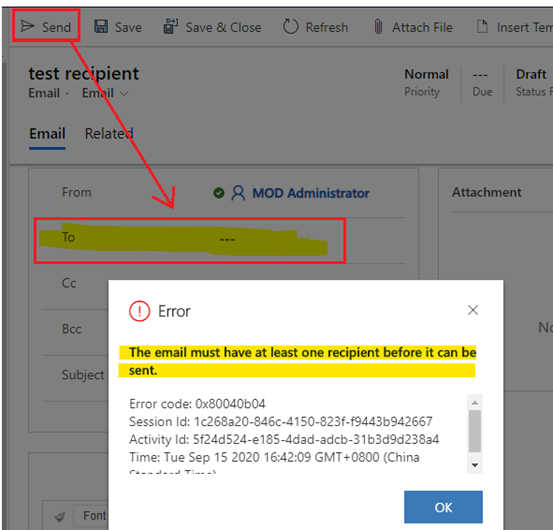
(1) when you create an email from opportunity, you will find ‘to’ field is filled with value of contact from opportunity automatically.

(2) However, after clicking send button, ‘to’ field value will be cleared.
Regards,
Leah Ju
Please mark as verified if the answer is helpful. Welcome to join hot discussions in Dynamics 365 Forums.







