Hi Peter,
From your description, it seems that your organization has two instances, one for Dynamics Sales Pro and another for Dynamics Marketing, thus contacts are actually saved in different databases.(Is your instances listed as below?)
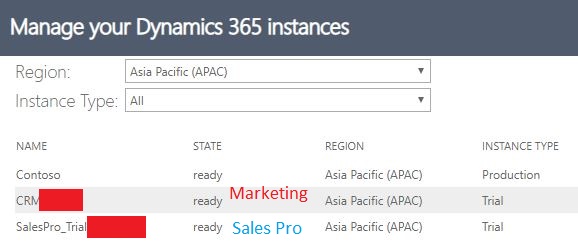
If so, due to they are separate environments, we need a connector to link them together:
When we update a contact record in Marketing -> Check whether the contact we're editing is existed in Sales Pro ->
If the contact is also existed in Sales Pro, update specific field with data from contact in Marketing.
The synchronization work could be done using a flow from Power Automate.
Overview of flow:
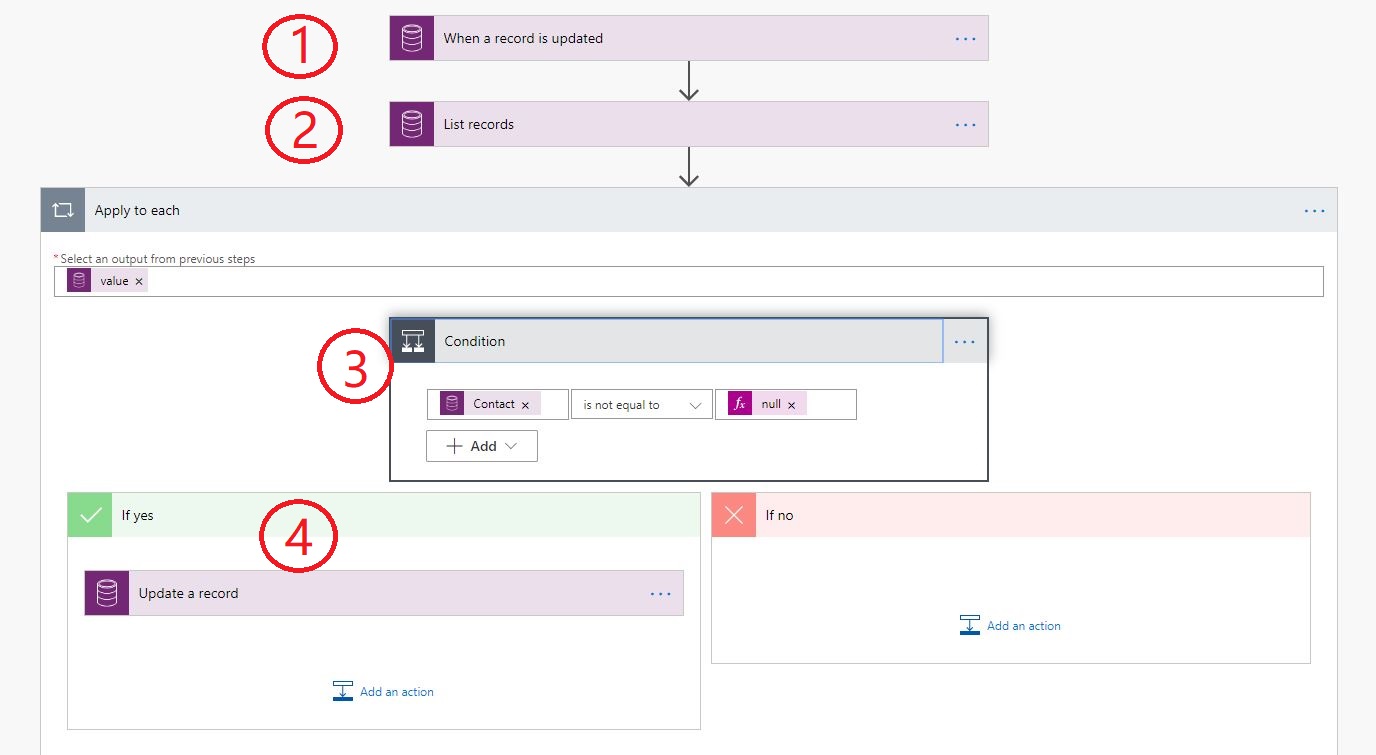
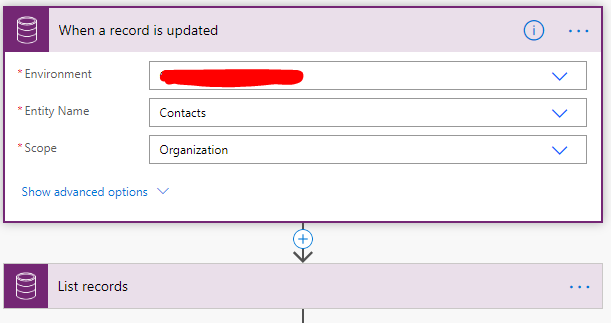
?: When a record is updated:
It means when we edited and saved a contact record in Marketing
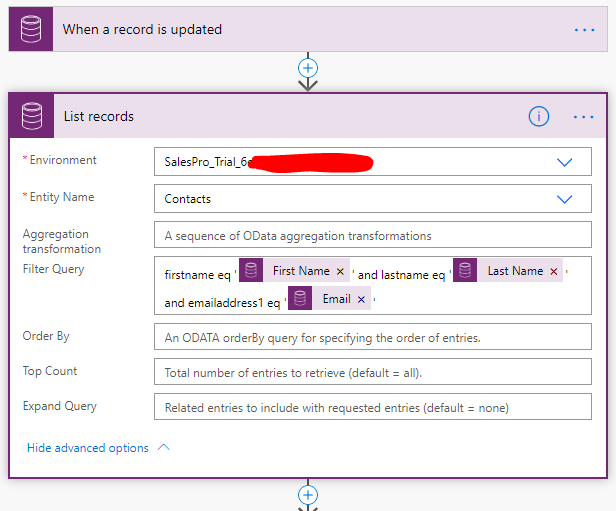
?: List records:
Check whether the edited contact exists in Sales Pro database.
My filter here is firstname eq '' and lastname eq '' and emailaddress1 eq ''
(eq data from updated contact)(quotation mark is required)
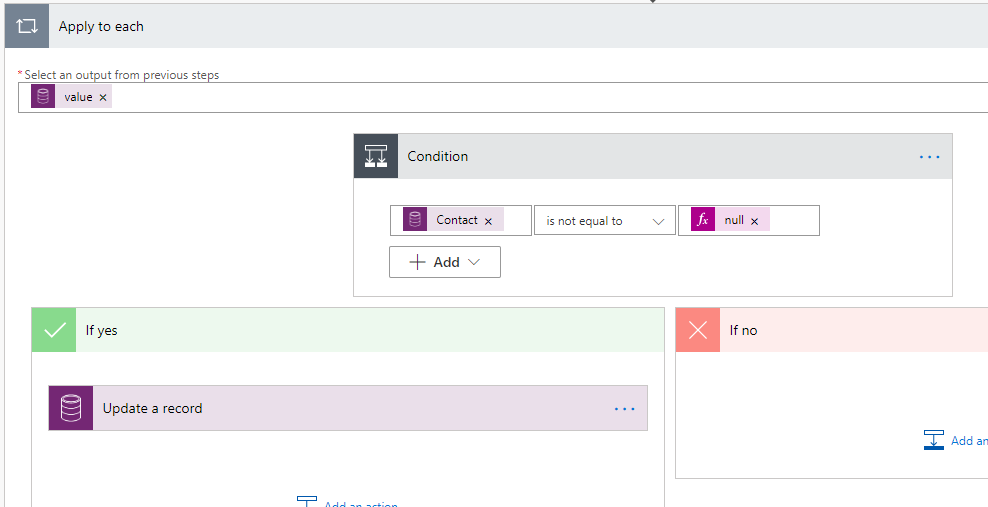
?: Check whether a same contact exists in Sales Pro.
(ContactId is not equal to null)
Due to our operation is "list records", so "Apply to each" action will be added automatically.
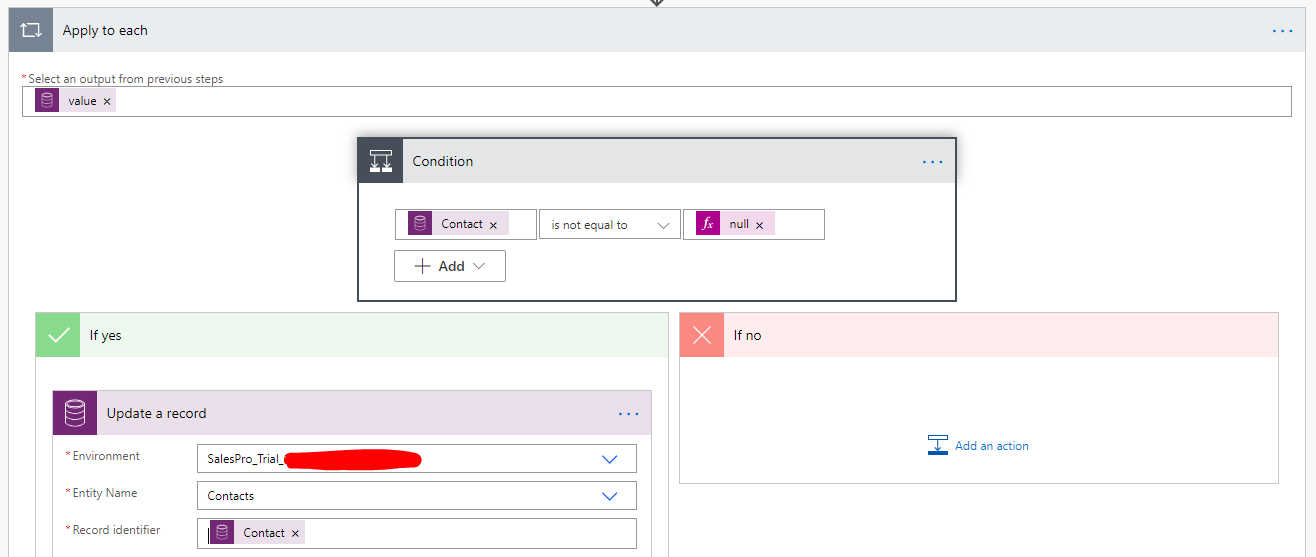
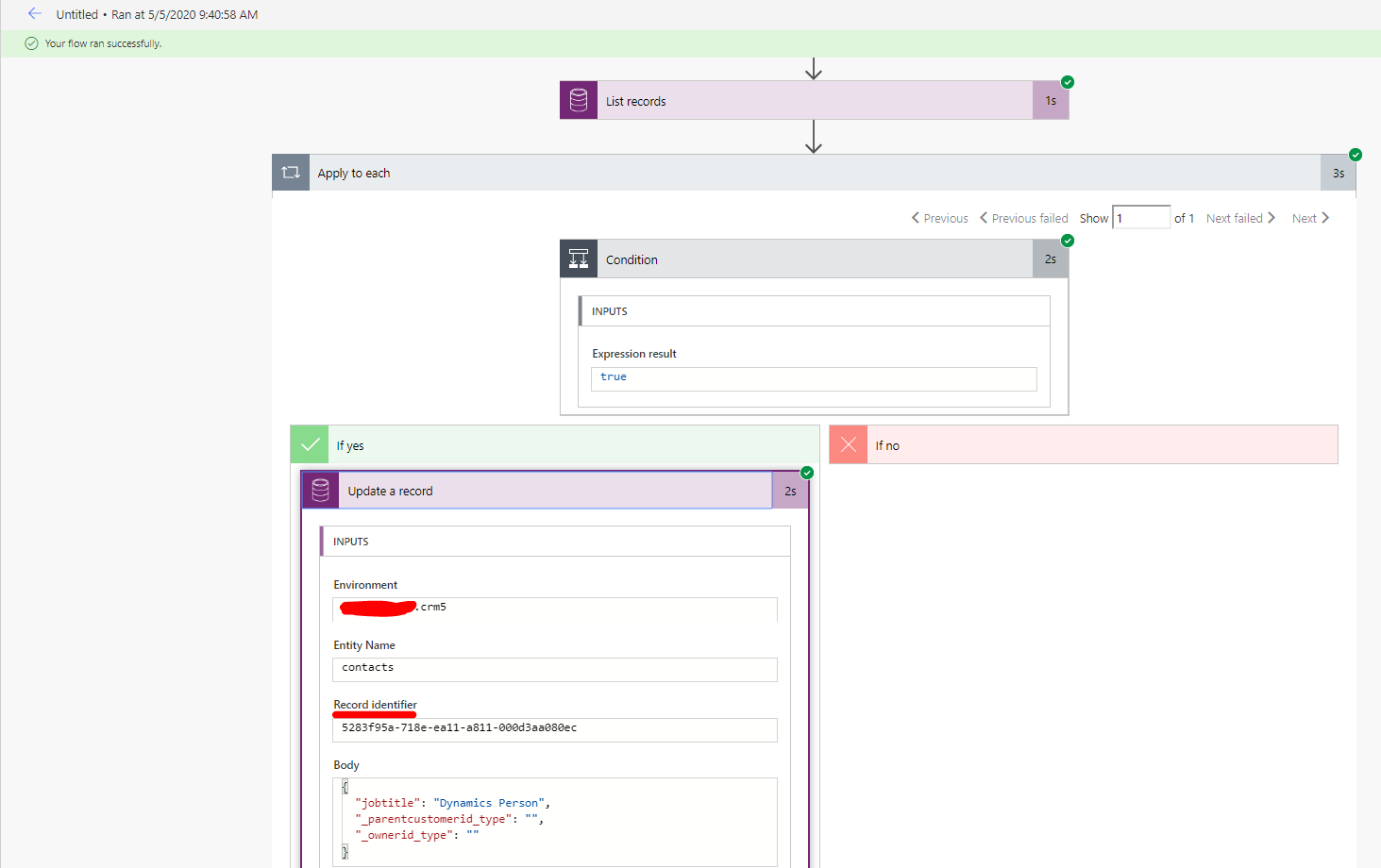
?: Update the existing contact in Sales Pro with data from Marketing.
(But record identifier field data should be from step 2, the existing contact in Sales Pro.)
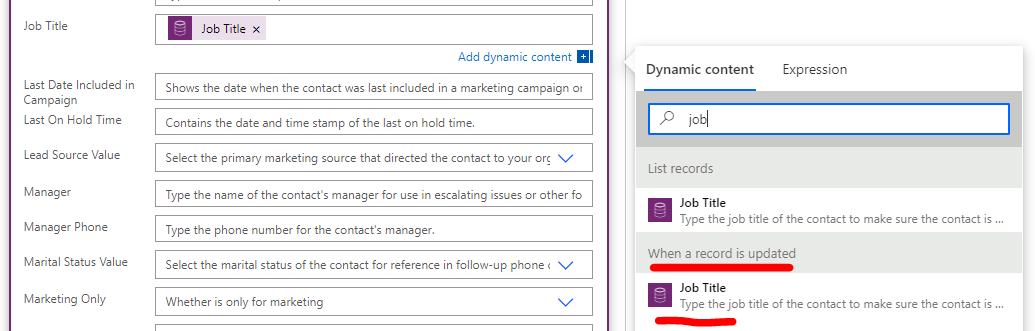
e.g:
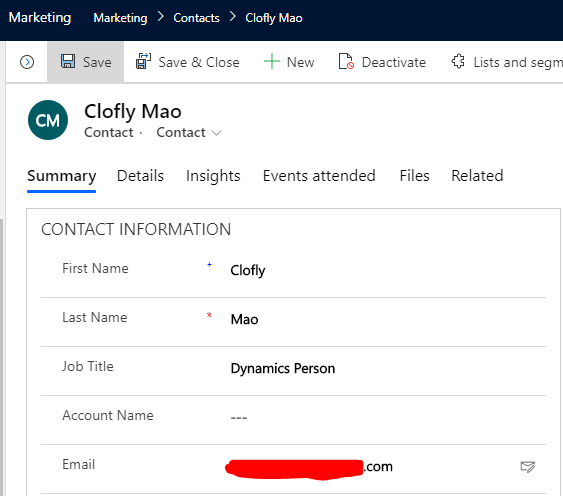
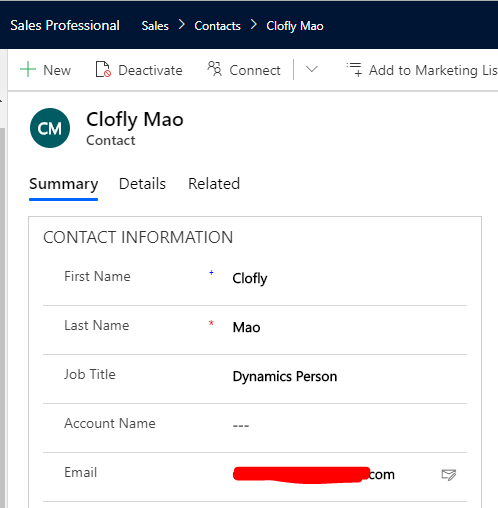
If we update job title of a Marketing contact, then job title of corresponding contact in Sales Pro will also get updated.
Result:
A successful flow when a contact exists in both Marketing and Sales Pro
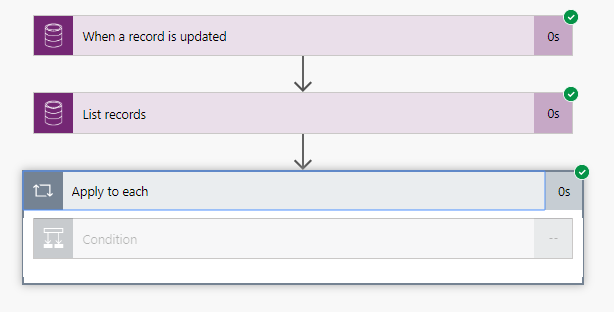
A flow when there is no matching contact in Sales Pro
Marketing contact:
Sales Pro contact:
Regards,
Clofly


