web
You’re offline. This is a read only version of the page.
close
Skip to main content

Notifications

Announcements

No record found.

Community site session details

Community site session details

Session Id :
Microsoft Dynamics CRM (Archived)

Reloading a Quick View Form from JS

(0) ShareShare
ReportReport
Posted on by 135

Hi, 

I'm trying to reftesh a quick view form with this code:

Xrm.Page.getControl("X").refresh();

I've been stuck in this for a while now, 

I found and read this http://mahadeomatre.blogspot.com/2015/03/access-quick-view-form-values-in.html but I could not get it work.

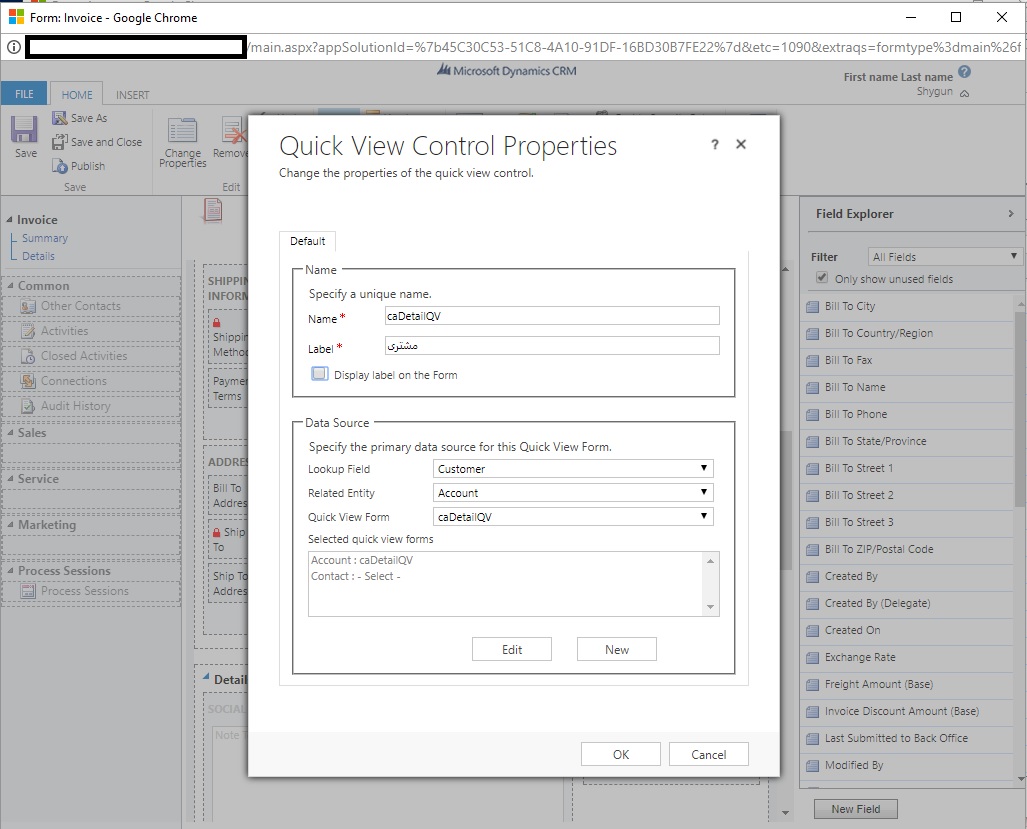
I have a Quick View Form in Invoice Main Form, for Customer Field (Invoice and Customer field are the ms crm defaults) 

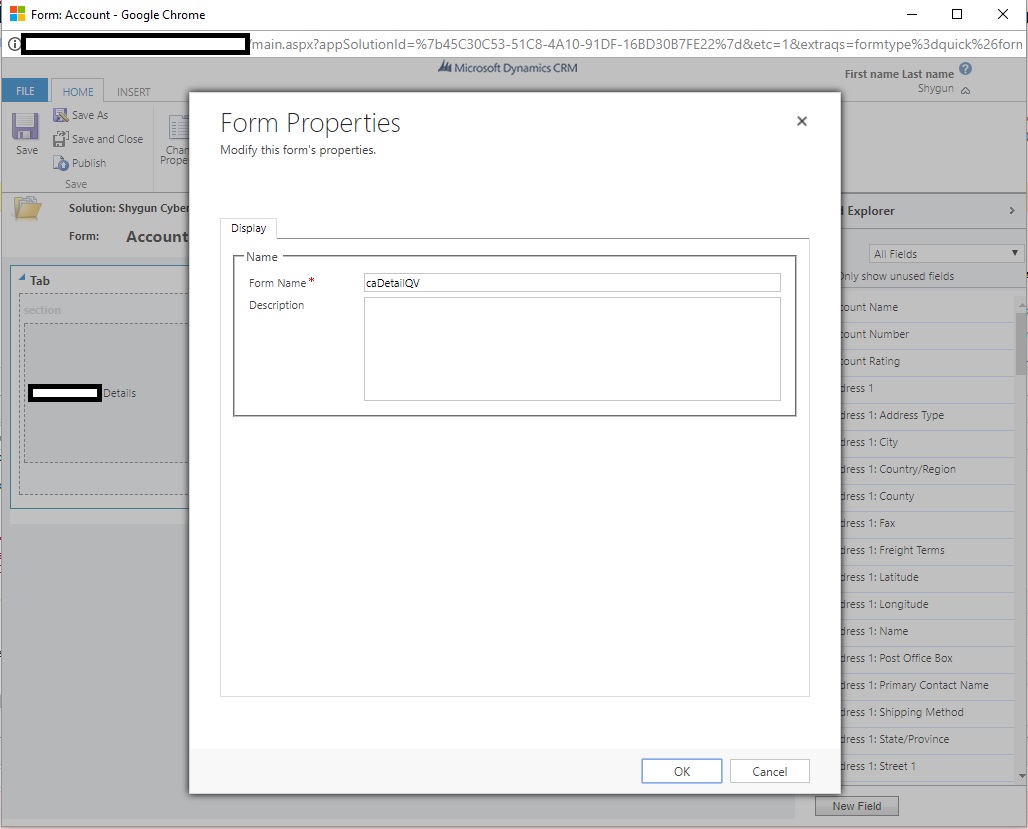
my Quick View Form is named "caDetailQV", and the entity which is displayed in Quick View is named "new_accountcyberdetail".

as I understood the magic code should be "caDetailQV_caDetailQV_new_accountcyberdetail_customer" , I have also tried :

"caDetailQV_caDetailQV_new_accountcyberdetail_customerid" ,

"caDetailQV_caDetailQV_new_accountcyberdetail_account" and

"caDetailQV_caDetailQV_new_accountcyberdetail_accountid" 

still no luck!

what am I doing wrong.

CRM: 2016 On-Premises (No update or SP installed)

cadetail.jpginvForm.jpgqvForm.jpg

*This post is locked for comments

I have the same question (0)
  • Suggested answer
    Hemant Kumar Sahu Profile Picture
    1,829 on at

    Hi Muhammad Naderi,

    I would suggest, Keep Quick View Form in a tab and referesh tab or collapse/expand.

    Once you expand or refresh your tab quick view form automatically will get refreshed.

    Thanks

    Hemant

  • Suggested answer
    Aric Levin - MVP Profile Picture
    30,190 Moderator on at

    There is an easier way using JavaScript code. Since Quick View controls are based on lookup fields, you can technically refresh the lookup field.

    All you have to do is get the value of the lookup field and set the value.

    The only problem is that you have to set it to null first, and then to the actual value, so the system triggers the change.

    var lookupControl = Xrm.Page.getAttribute("new_lookup");

    var lookupValue = lookupControl.getValue();

    lookupControl.setValue(null);

    lookupControl.setValue(lookupValue);

    Hope this helps.

  • Muhammad Naderi Profile Picture
    135 on at

    hey,

    well actually what I am doing is load some data from another server to crm, asynchronously, on change of the lookup field (in js) and I need to refresh the quick view to show them after the web-service calls are done. so changing the value to null afterwards will trigger this again and I believe it will lead to a infinite loop.

    any ideas ?

  • Muhammad Naderi Profile Picture
    135 on at

    Hey Hemant,

    thanks for the idea,

    would you help me a bit more  ?

    I got a reference to the tab `Xrm.Page.ui.tabs.get("Summary_tab")` now I need to just call `.refresh()` on it?

  • Suggested answer
    Hemant Kumar Sahu Profile Picture
    1,829 on at

    Hi Muhammad Naderi,

    Refresh should work otherwise try below

    Set the tab Collapsed by default and just expand it when you want to refresh the tab.

    Similar like this

    Xrm.Page.ui.tabs.get("<tabName>").setDisplayState("expanded");

    Xrm.Page.ui.tabs.get("<tabName>").setDisplayState("collapsed");

    Thanks

    Hemant

  • Muhammad Naderi Profile Picture
    135 on at

    Hey Hemant;

    unfortunately, .refresh() is not a method on tabs also , expand and collapsing the tab will not reload its data

    any other idea ?

Under review

Thank you for your reply! To ensure a great experience for everyone, your content is awaiting approval by our Community Managers. Please check back later.

Helpful resources

Quick Links

Responsible AI policies

As AI tools become more common, we’re introducing a Responsible AI Use…

Neeraj Kumar – Community Spotlight

We are honored to recognize Neeraj Kumar as our Community Spotlight honoree for…

Leaderboard > 🔒一 Microsoft Dynamics CRM (Archived)

#1
SA-08121319-0 Profile Picture

SA-08121319-0 4

#1
Calum MacFarlane Profile Picture

Calum MacFarlane 4

#3
Alex Fun Wei Jie Profile Picture

Alex Fun Wei Jie 2

Last 30 days Overall leaderboard

Featured topics

Product updates

Dynamics 365 release plans