web
You’re offline. This is a read only version of the page.
close
Skip to main content

Notifications

Announcements

No record found.

Community site session details

Community site session details

Session Id :
Supply chain | Supply Chain Management, Commerce
Answered

Over-Delivery using WHS for Sales Order

(0) ShareShare
ReportReport
Posted on by 10
I basically need to make a over-picking (or delivery) for a sell order through the web application, can anyone explain me if is possible to do this?: 

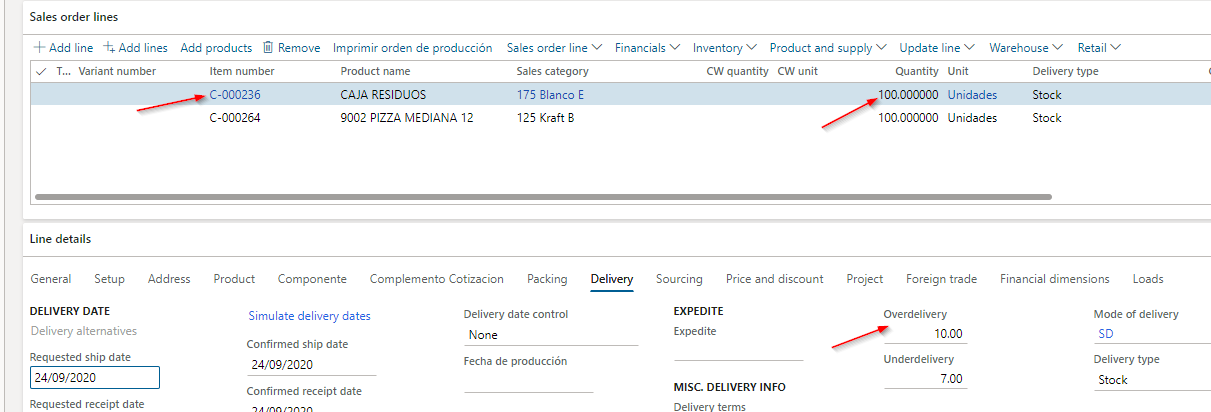
I have a sales order line with 100 units in quantity and allowed in excess (10%). 
pastedimage1600970913533v1.png

so i want to deliver 110 to the client without changing the sales order line Qty, im using load planning workbench, then i put this on new load...  im not sure where to change the delivery quantity.

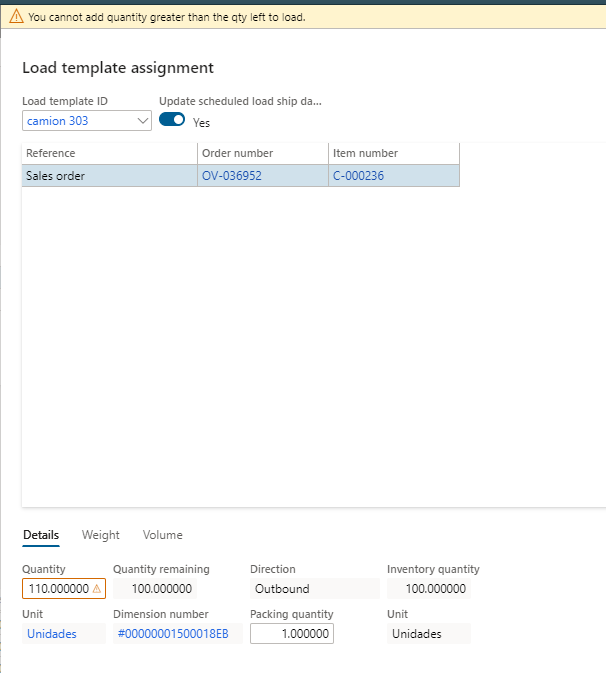
first I tried to change this here but I got this error:
pastedimage1600971421984v2.png

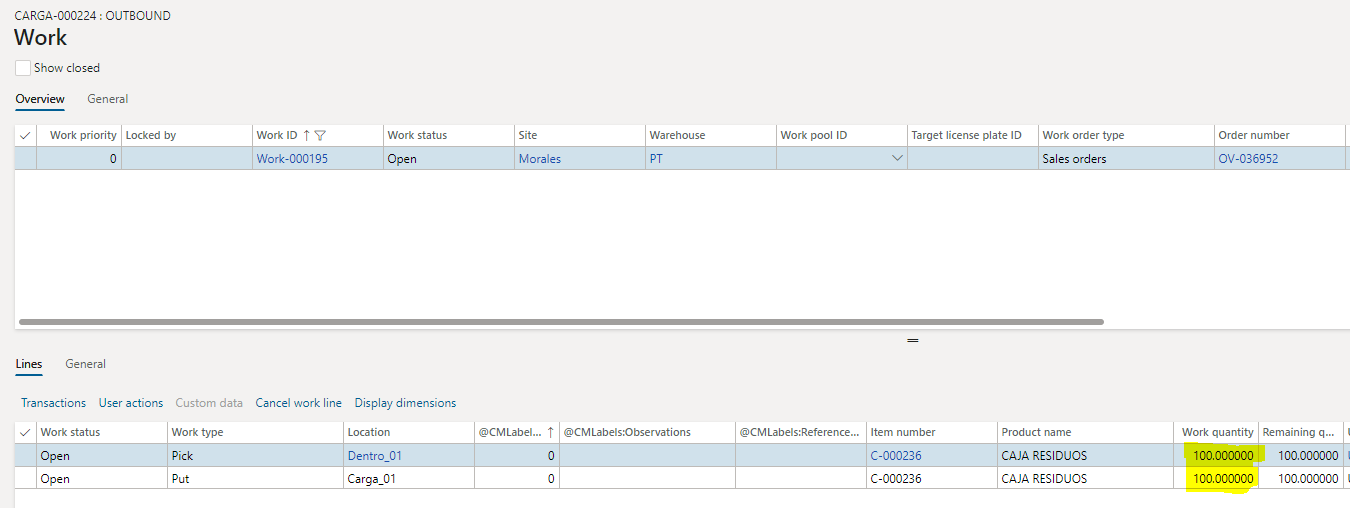
so i put 100 and then i released to warehouse, i created work but im unable to over-pick the Qty in work line via web (i know i can use mobile app but in this case that´s not possible) i only can use short-pick, but i need to change 100 for 110 to finish the work.

pastedimage1600971882638v3.png
pastedimage1600972051861v4.png

sorry for my english, I hope I explained it well...
pastedimage1600972111553v5.png


I have the same question (0)
  • Verified answer
    Lucian Doroftei Profile Picture
    on at

    Hello,


    You can use the "Update Deliver remainder" function from the "Update Line" menu in the Sales order lines fast tab in the Sales order.

     pastedimage1601006817974v1.png

    This can be used:

    - before creating the Load: if you increase the quantity within the Overdelivery limit, the Load line quantity will reflect the increased quantity and you can continue with completing the Work order and confirming the Shipment from the UI

    - after creating the first Load with the Sales order line quantity: if you increase the quantity within the Overdelivery limit, you can create a new Load for the quantity difference and you can continue with completing the Work order and confirming the Shipment from the UI, for this new Load


    In both cases the Quantity field value will not be modified on the Sales order line.


    Regards,

    Lucian

  • Suggested answer
    Josevilleda Profile Picture
    10 on at

    Thank you! In the end we added a functionality through development because the number of lines to modify were many.

Under review

Thank you for your reply! To ensure a great experience for everyone, your content is awaiting approval by our Community Managers. Please check back later.

Helpful resources

Quick Links

Responsible AI policies

As AI tools become more common, we’re introducing a Responsible AI Use…

Neeraj Kumar – Community Spotlight

We are honored to recognize Neeraj Kumar as our Community Spotlight honoree for…

Leaderboard > Supply chain | Supply Chain Management, Commerce

#1
Laurens vd Tang Profile Picture

Laurens vd Tang 301 Super User 2025 Season 2

#2
André Arnaud de Calavon Profile Picture

André Arnaud de Cal... 118 Super User 2025 Season 2

#3
Siv Sagar Profile Picture

Siv Sagar 105 Super User 2025 Season 2

Last 30 days Overall leaderboard

Product updates

Dynamics 365 release plans



