web
You’re offline. This is a read only version of the page.
close
Skip to main content

Announcements

No record found.

News and Announcements icon
Community site session details

Community site session details

Session Id :
Finance | Project Operations, Human Resources, ...
Answered

MPOS 2012 R3 Activation Error DA3001 with logon error

(0) ShareShare
ReportReport
Posted on by

Hi all,

I'm having issues activating out test (non-Contoso) environment MPOS all distribution schedules are syncing without issues but on activation we receive DA3001 error
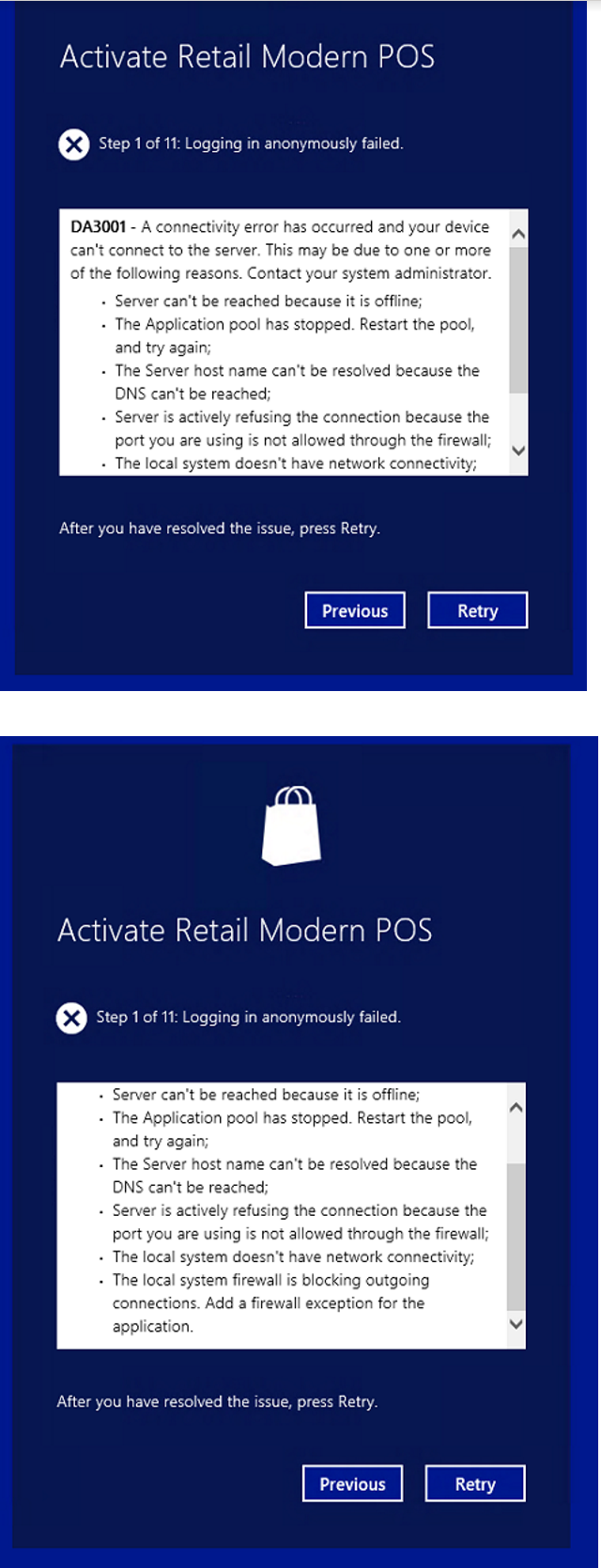
pastedimage1580388386694v1.png

Our RetailServer/v1/$metadata returns the metadata perfectly and we are running on a sefl signed certificate created in IIS

Within the even viewer we have the following errors

1.

The Retail Server Request with request id '###############' and request url 'https://######:#####/###RetailServer/LogOn' failed.  Error: .

2.

Dynamics-Error:  LoginViewModel ActivateDevice Logon failed 
 ErrorMessage: ;
 ErrorCode: string_29278;
 ErrorObject: '{"_canRetry":false,"_errorCode":"string_29278","_errorMessage":"","_commerceException":null,"_formatData":[],"_extraData":null,"_clientErrorCode":"","_errorMessageDetails":[]}' 1580382033617mS

3.

The Retail Server Request with request id '###############' and request url 'https://######:#####/###RetailServer//LogOff' failed.  Error: .

Is this config related? of connection to the retailserver access?

many thanks

Alex

I have the same question (0)
  • Verified answer
    ToddB Profile Picture
    Microsoft Employee on at

    Hi Alex,

    Sorry for the delay but I just saw your post.

    If you have not resolved this already, I would recommend using Fiddler, or a similar tool, to verify that the call goes out, on the right URL and port, and check to see what HTTP response you get.

    Hopefully this helps.

    Support Escalation Engineer / Microsoft Dynamics 365 Commerce

    North America Customer Services and Support

  • Community Member Profile Picture
    on at

    Hi ToddB,

    Yes I used fiddler which enabled me to accept the certification warning and continue.

    I'm now currently working with our IT teams to get a domain trusted certificate, as the self signed certification fails to authenticate through AX MPOS application.  

    As stated above the url and port are all ok "RetailServer/v1/$metadata returns the metadata perfectly and we are running on a self signed certificate created in IIS"

    Many Thanks

    Alex

Under review

Thank you for your reply! To ensure a great experience for everyone, your content is awaiting approval by our Community Managers. Please check back later.

Helpful resources

Quick Links

Introducing the 2026 Season 1 community Super Users

Congratulations to our 2026 Super Stars!

Meet the Microsoft Dynamics 365 Contact Center Champions

We are thrilled to have these Champions in our Community!

Congratulations to the March Top 10 Community Leaders

These are the community rock stars!

Leaderboard > Finance | Project Operations, Human Resources, AX, GP, SL

#1
Giorgio Bonacorsi Profile Picture

Giorgio Bonacorsi 657

#2
André Arnaud de Calavon Profile Picture

André Arnaud de Cal... 615 Super User 2026 Season 1

#3
CP04-islander Profile Picture

CP04-islander 356

Last 30 days Overall leaderboard

Product updates

Dynamics 365 release plans
