web
You’re offline. This is a read only version of the page.
close
Skip to main content

Announcements

No record found.

News and Announcements icon
Community site session details

Community site session details

Session Id :
Microsoft Dynamics AX (Archived)

Inventory close

(0) ShareShare
ReportReport
Posted on by 454

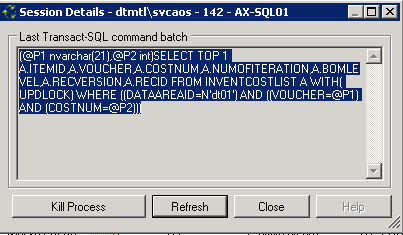
We have been trying to close inventory for the past couple days.  We are having issues and not sure why.  We cancelled and reran.  Inventory seemed to have closed now...th batch progression is showing 100%. But for some reason on the inventory and closing adjustment screen it is still showing as not closed.  I tried to do a resume calculation.  But not working. Seem to be getting  block. This is the message we are getting:

Does anyone know what this means?
5078.error.png

Thanks

Joe

*This post is locked for comments

I have the same question (0)
  • joebongiorno Profile Picture
    454 on at

    I have attached the screenshot

  • Ludwig Reinhard Profile Picture
    Microsoft Employee on at

    Hi,

    Can you share the inventory and closing adjustment screen that is still showing as not closed?

    Is this the first time this happened or did you experience something similiar in the past?

    Best regards,

    Ludwig

  • joebongiorno Profile Picture
    454 on at

    We never had issues like this time.  We close the inventory on a weekly basis.  This was the last week of the year.  So we have an inventory count and many adjustments put through.  Every other week closed fine.  But now we are stuck here with this last week.

    This is the closing screen. See below.

    Capturebb.PNG

    This is the batch job.  It progressed to 100%..but it still showed the red x (above). 

    Capturebb.PNG

    Not sure what to do

    Thanks

    Joe

  • joebongiorno Profile Picture
    454 on at

    This is the log error I am getting:

    Capturelog.PNG

  • Suggested answer
    Ludwig Reinhard Profile Picture
    Microsoft Employee on at

    Hi,

    If you cannot resume the job and if you cannot find out what might be wrong with your item no. 30179 then I would suggest that you try to get some technical help either from MS or from a developer.

    I would not try playing around with the cancellation functionality in the live environment in order to make things not worse.

    Try to get some help asap because I believe that there is nothing that you can do directly from the AX client.

    Best regards,

    Ludwig

  • joebongiorno Profile Picture
    454 on at

    My IT dept has contacted our consultants and waiting for help from them.

    I could tell you that we installed a patch last week.  So maybe this was the problem.  On sandbox, they will remove the patch and rerun the close to see if we still have this issue.

  • Ludwig Reinhard Profile Picture
    Microsoft Employee on at

    The new patch might be related to this issue.

    Would be great if you could keep us updated here.

    Many thanks and best regards,

    Ludwig

  • joebongiorno Profile Picture
    454 on at

    New patch does not seem to be the issue.  Removed it on sandbox, ran the close and still does not want to close.

    I reran the close up to the day before my YE end date  Friday Feb 2, 2018 (YE date is Saturday  Feb 3, 2018).  It closed no problem up to Feb 2, 2018.  Not I am running the close for Feb 3, 2018 (just one day) and having issues.  It seems to be stuck again.  I can tell you we had a YE inventory  count and made many adjustments as at Feb 3, 2018.  This has to be causing the problem.  But not sure how to fix this or why this is causing the problem?

  • Ludwig Reinhard Profile Picture
    Microsoft Employee on at

    Hi joebongiorno,

    What kind of adjustments have been made?

    Do you have some infos on that?

    Best regards,

    Ludwig

  • joebongiorno Profile Picture
    454 on at

    Regarding the adjustments...there were some errors...in total we ended up having over 20,000 line adjustments.  Could this be the reason?

Under review

Thank you for your reply! To ensure a great experience for everyone, your content is awaiting approval by our Community Managers. Please check back later.

Helpful resources

Quick Links

Introducing the 2026 Season 1 community Super Users

Congratulations to our 2026 Super Stars!

Meet the Microsoft Dynamics 365 Contact Center Champions

We are thrilled to have these Champions in our Community!

Congratulations to the March Top 10 Community Leaders

These are the community rock stars!

Leaderboard > 🔒一 Microsoft Dynamics AX (Archived)

#1
CP04-islander Profile Picture

CP04-islander 39

#2
Michel ROY Profile Picture

Michel ROY 14

#3
imran ul haq Profile Picture

imran ul haq 8

Last 30 days Overall leaderboard

Featured topics

Product updates

Dynamics 365 release plans
