web
You’re offline. This is a read only version of the page.
close
Skip to main content

Announcements

No record found.

News and Announcements icon
Community site session details

Community site session details

Session Id :
Customer experience | Sales, Customer Insights,...
Suggested Answer

Prepare a teams meeting in D365 with the powerpoint live presentation in advance

(0) ShareShare
ReportReport
Posted on by 127

Hi Guru's,

So we are using the cool feature to create appointments in D365 and are able to open the teams meeting from the record. great!

Now I was looking for a way to prepare the meeting in advance.

1. We can add the talking points within the meeting request email and they do show in the timeline. also super
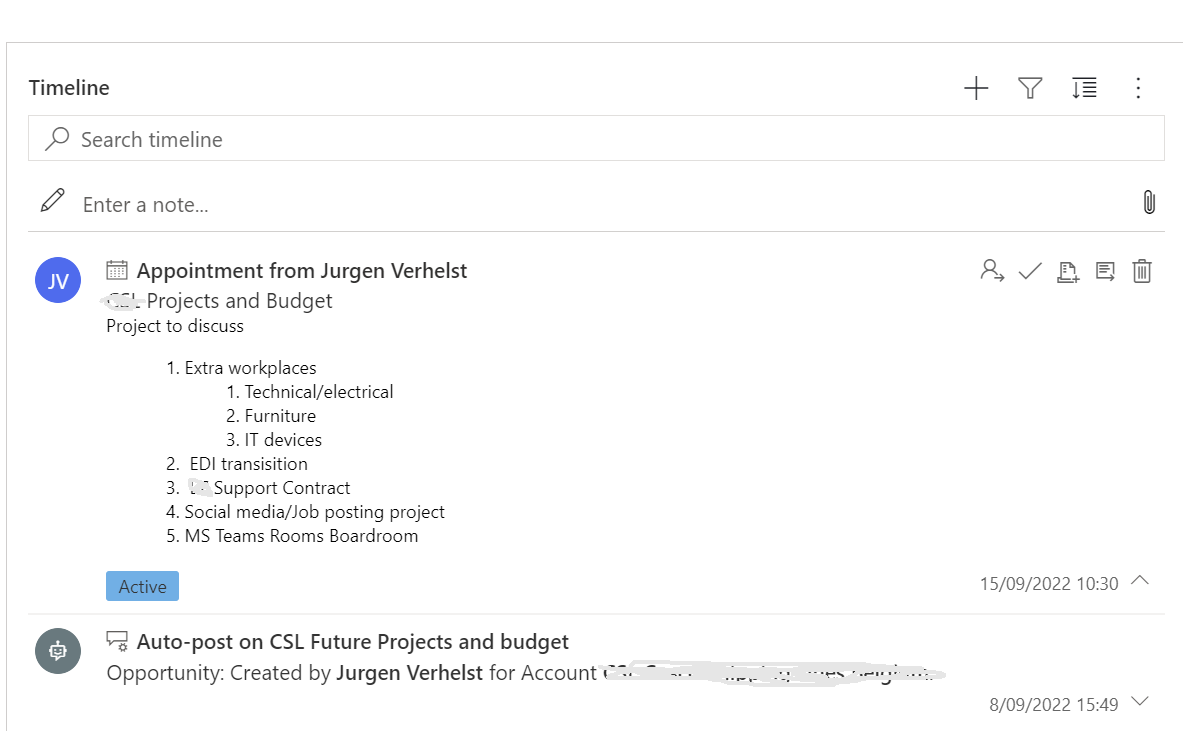
pastedimage1663224286494v1.png

2. But I also want to add the powerpoint presentation we prepared for the meeting so when we start the meeting we have the presentation already linked to it so our sales dudes/dudettes doe not spend time searching for it. is this possible?

I have the same question (0)
  • Suggested answer
    Abdul Wahab Profile Picture
    12,119 Moderator on at

    Hi Jurgen Verhelst,

    In other words, you are looking for an attachment feature. Am I right?

    Thanks
    Regards,

    Abdul Wahab
    Power Platform/Customer Engagement Developer/Lead/Solution Architecture/Project Manager
    Direct/WhatsApp:+923323281237
    E-mail: abdulwahabubit@outlook.com
    Skype: abdul.wahabubit
    Linkedin: www.linkedin.com/.../

  • ez Jurgen Profile Picture
    127 on at

    Well, I know the opportunity record itself has an attachement feature. But I was looking for a option to add the Powerpoint live presentation inside the teams meeting. so When I or a colleague starts the meeting the correct presentation is shown.

    But now that I am writing this I kind of think this might be question in the Teams realm and not a D365 solution.

Under review

Thank you for your reply! To ensure a great experience for everyone, your content is awaiting approval by our Community Managers. Please check back later.

Helpful resources

Quick Links

Introducing the 2026 Season 1 community Super Users

Congratulations to our 2026 Super Stars!

Meet the Microsoft Dynamics 365 Contact Center Champions

We are thrilled to have these Champions in our Community!

Congratulations to the March Top 10 Community Leaders

These are the community rock stars!

Leaderboard > Customer experience | Sales, Customer Insights, CRM

#1
ManoVerse Profile Picture

ManoVerse 184 Super User 2026 Season 1

#2
11manish Profile Picture

11manish 125

#3
CU11031447-0 Profile Picture

CU11031447-0 100

Last 30 days Overall leaderboard

Product updates

Dynamics 365 release plans
