web
You’re offline. This is a read only version of the page.
close
Skip to main content

Announcements

No record found.

News and Announcements icon
Community site session details

Community site session details

Session Id :
Customer experience | Sales, Customer Insights,...
Suggested Answer

Activity Views do not display Contact Info

(0) ShareShare
ReportReport
Posted on by 265

forum2.png

3348.forum.png

D365 V9 +

Hello

For some reason even though I've manually added a Contact lookup on a Activity (Phone Call / Email) form ( after disabling the hide business rule),

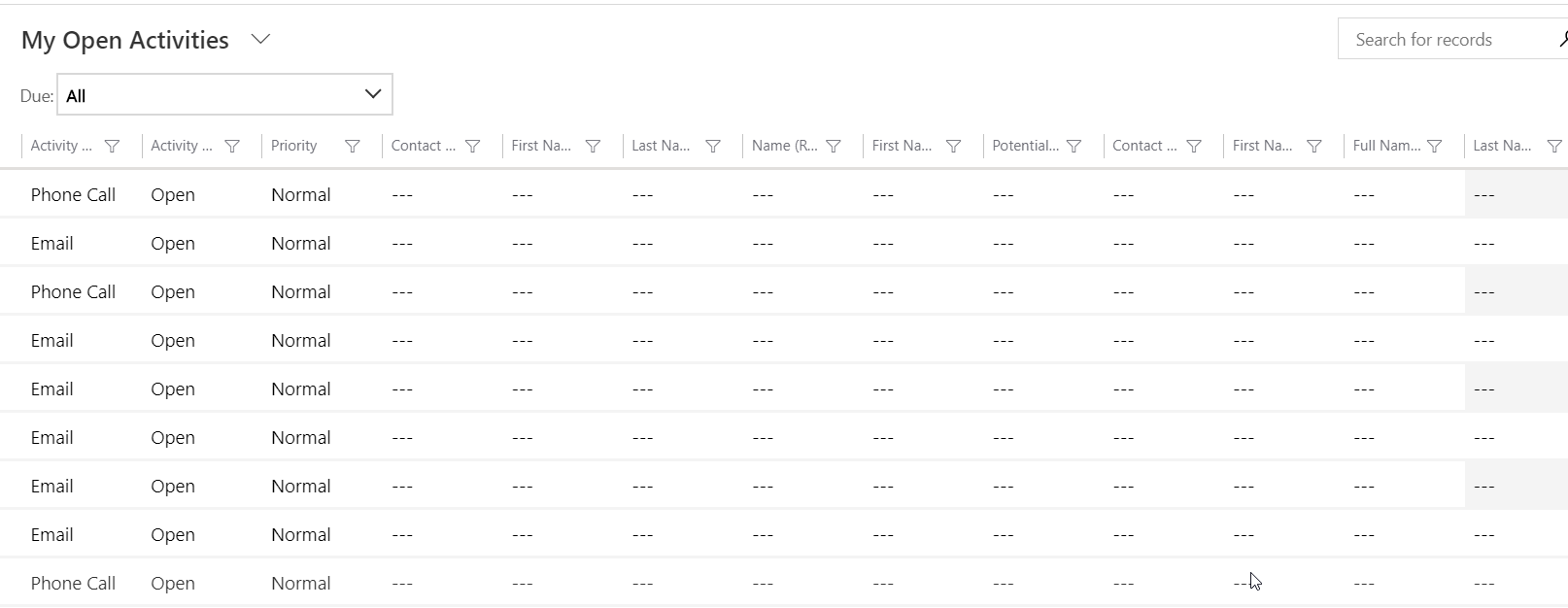
the Activity View ( My Open Activities / My Tasks)  doesn't seem to display the Contact information even though I add it as a column to the View. It shows blanks as in the image above ( the last 3 columns are the ones in concern)

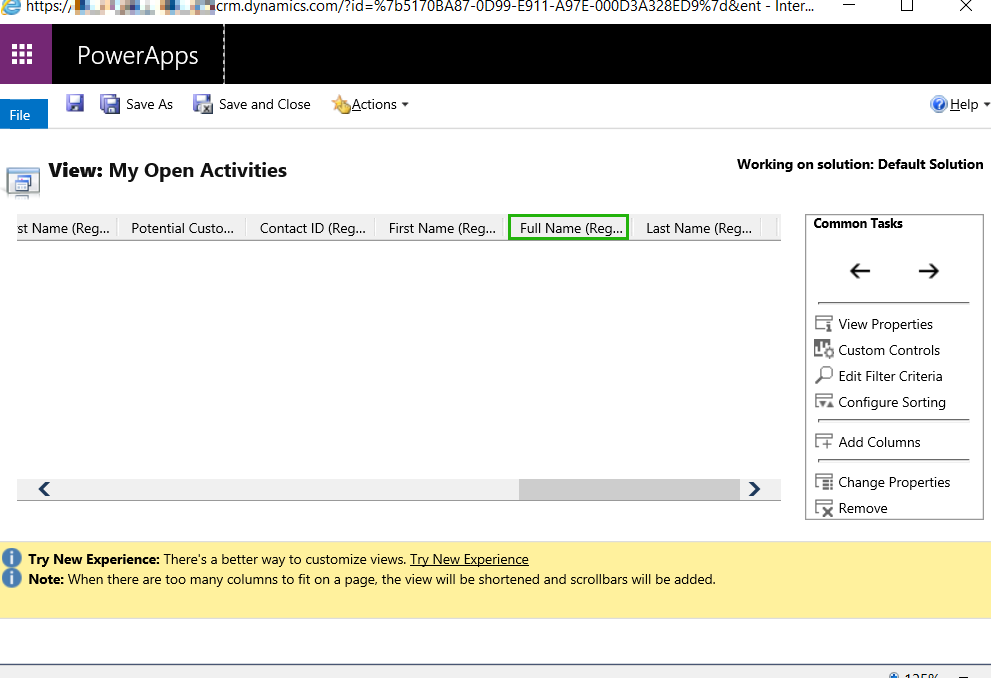
I am using the Regarding(Contact) option that is available to add as a column to the view.

Can someone kindly guide what I may be missing to be able to display the Contact info on the View ?

Best,

Suraj

I have the same question (0)
  • LuHao Profile Picture
    40,892 on at

    Hi suraj,

    Regarding (Contact) is actually the field 'Regarding', not the Contact lookup field you added to the form.

    The Record Type in the view editor should be selected as lookup field name (Contact), like 'Partner Contact (Contact)'.

    pastedimage1577757301306v1.png

    The column name should be field name of the contact entity (lookup field name), like 'Full Name (Partner Contact)'.

    pastedimage1577757443363v2.png

    So please add the correct columns to the view.

  • Suggested answer
    ba365guy Profile Picture
    2,950 on at

    Hi suraj

    It works for me. Please see below:

    pastedimage1577766461720v1.png

    Only if the regarding field has contact type of record. 

  • Suggested answer
    ashish12 Profile Picture
    3,079 on at

    Try to add with advance find and if you can see the data, then add in the actual view.

Under review

Thank you for your reply! To ensure a great experience for everyone, your content is awaiting approval by our Community Managers. Please check back later.

Helpful resources

Quick Links

Introducing the 2026 Season 1 community Super Users

Congratulations to our 2026 Super Stars!

Meet the Microsoft Dynamics 365 Contact Center Champions

We are thrilled to have these Champions in our Community!

Congratulations to the March Top 10 Community Leaders

These are the community rock stars!

Leaderboard > Customer experience | Sales, Customer Insights, CRM

#1
ManoVerse Profile Picture

ManoVerse 196 Super User 2026 Season 1

#2
11manish Profile Picture

11manish 129

#3
CU11031447-0 Profile Picture

CU11031447-0 100

Last 30 days Overall leaderboard

Product updates

Dynamics 365 release plans
