web
You’re offline. This is a read only version of the page.
close
Skip to main content

Notifications

Announcements

No record found.

Community site session details

Community site session details

Session Id :
Microsoft Dynamics AX (Archived)

VAT/Sales Tax correction issue on ''Free Text Invoice"

(0) ShareShare
ReportReport
Posted on by 115

Dear All,

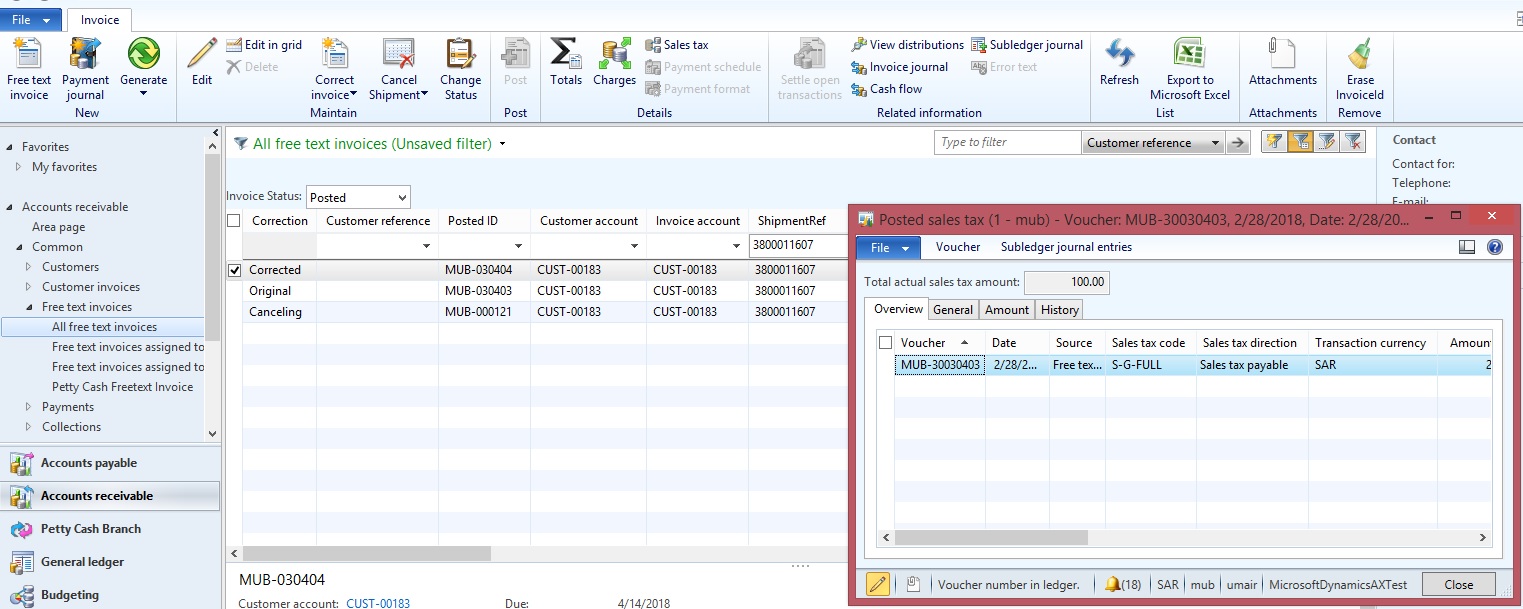
Kindly Advise VAT/Sales Tax not cancelling on free text invoice correction process. amount has been canceled excepts sales tax amount.

Original 
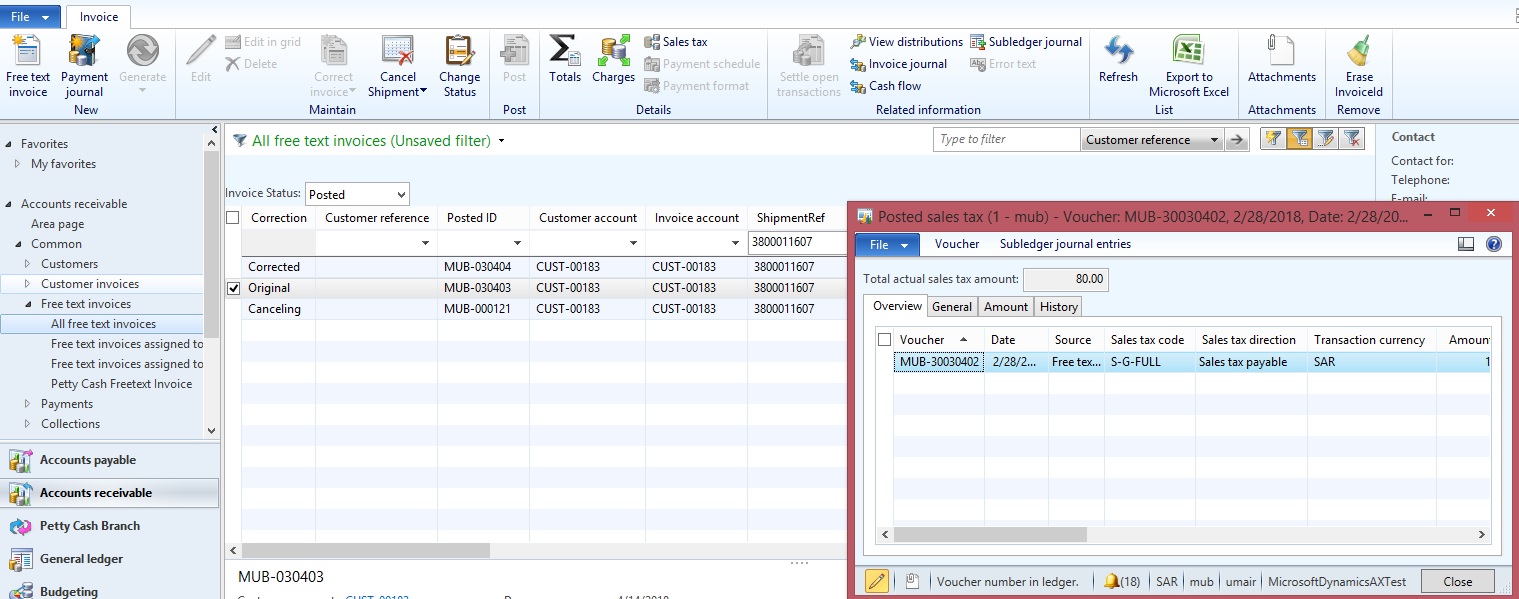
0564.Original.jpg

Corrected

Corrected.jpg

Cancellation : Issue is here that cancel one that automatically created in capturing sales tax code.
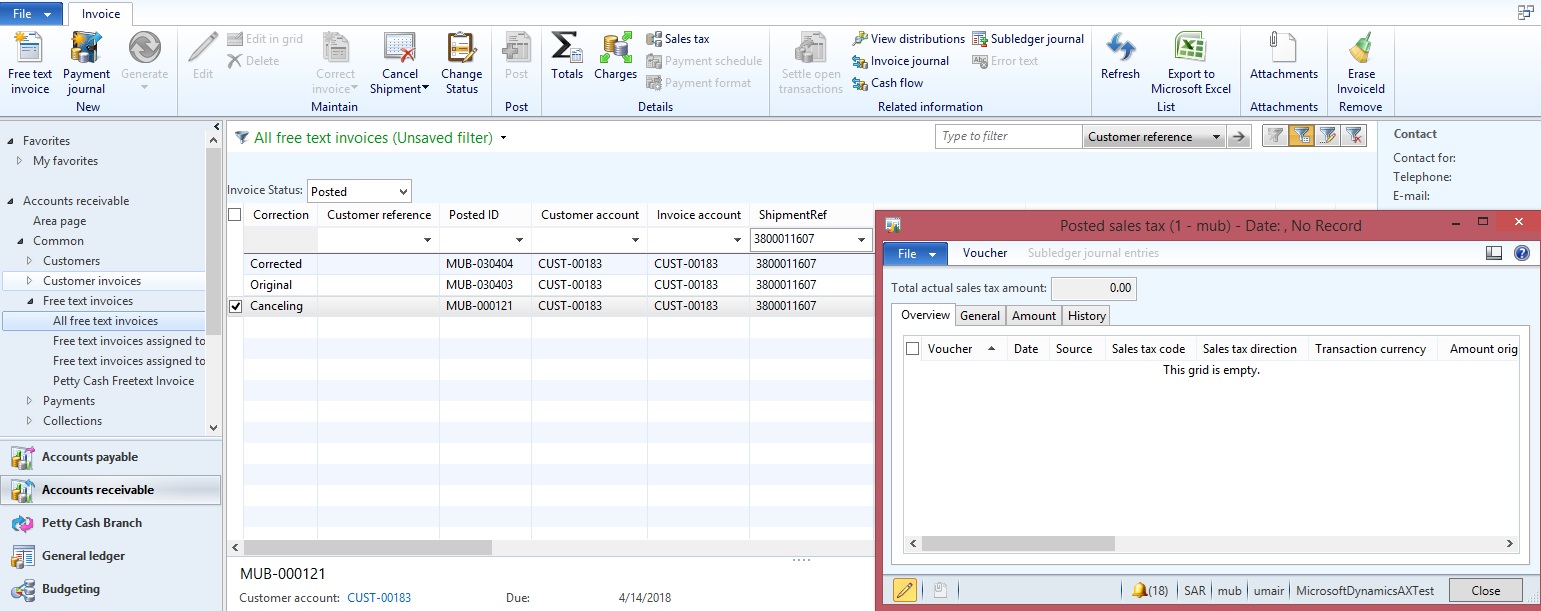
Cancellation.jpg

*This post is locked for comments

I have the same question (0)
  • ZvikaR Profile Picture
    168 on at

    do you have any regional functionality enabled?

    my instance does not have the additional field of "correction" (nor can I find the adjustment functionality)

  • Umair Zafar Profile Picture
    115 on at

    i think this is a licence feature we have it from the beginning of implementation.

    check you licence configuration under SA.  

  • Suggested answer
    Ludwig Reinhard Profile Picture
    Microsoft Employee on at

    Hi Umair Zafar,

    I am not sure what AX2012 version you operate but it might be caused by a bug.

    Can you please check whether the following hotfix resolves the issue

    KB 3039963An additional tax transaction is created during Free text invoice correction

    If this one does not fit, then please check the other available Hotfixes on LCS because there have been a couple of fixed released.

    Best regards,

    Ludwig

  • Umair Zafar Profile Picture
    115 on at

    Thank Ludwig Reinhard for respond, i am using AX 2012 R2 . mentioned hot fix not able to find, can you suggest more to fix the issue.

  • Ahmed Muhammad Alam Profile Picture
    3,089 on at

    Brother,

    I have came across with the same problem. Did you get any solution for it. We are using AX 2012 R2 CU7.

  • Umair Zafar Profile Picture
    115 on at

    Ahmed Alam, No brother till that no solution I found. manual process we are folllowing only.

    if you get anything please let me know

  • Ahmed Muhammad Alam Profile Picture
    3,089 on at

    Dear Umair,

    What are the process that you are following. Can you please help us.

    Best Regards

  • Suggested answer
    Umair Zafar Profile Picture
    115 on at

    Ahmed, Sorry for delay respond

    Remove posting type "sales tax" from the related Mainaccount than make return entry from GL.

    Again revert back posting type in order to work VAT process smoothly.

Under review

Thank you for your reply! To ensure a great experience for everyone, your content is awaiting approval by our Community Managers. Please check back later.

Helpful resources

Quick Links

Responsible AI policies

As AI tools become more common, we’re introducing a Responsible AI Use…

Neeraj Kumar – Community Spotlight

We are honored to recognize Neeraj Kumar as our Community Spotlight honoree for…

Leaderboard > 🔒一 Microsoft Dynamics AX (Archived)

#1
Martin Dráb Profile Picture

Martin Dráb 4 Most Valuable Professional

#1
Priya_K Profile Picture

Priya_K 4

#3
MyDynamicsNAV Profile Picture

MyDynamicsNAV 2

Last 30 days Overall leaderboard

Featured topics

Product updates

Dynamics 365 release plans