web
You’re offline. This is a read only version of the page.
close
Skip to main content

Announcements

No record found.

News and Announcements icon
Community site session details

Community site session details

Session Id :
Microsoft Dynamics AX (Archived)

Inventory value report - Filter Issue

(0) ShareShare
ReportReport
Posted on by
Hi
 
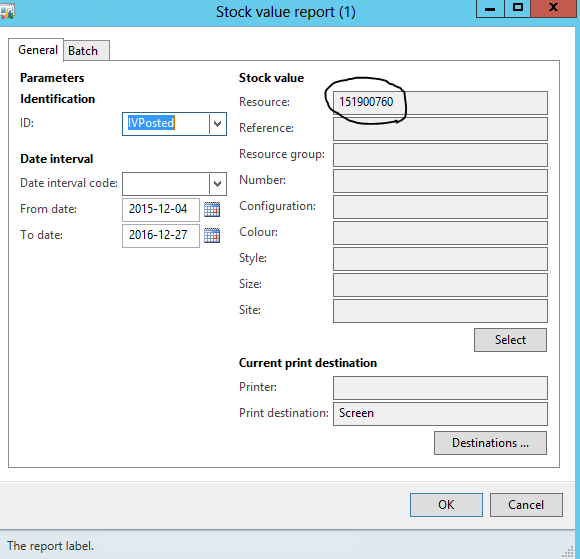
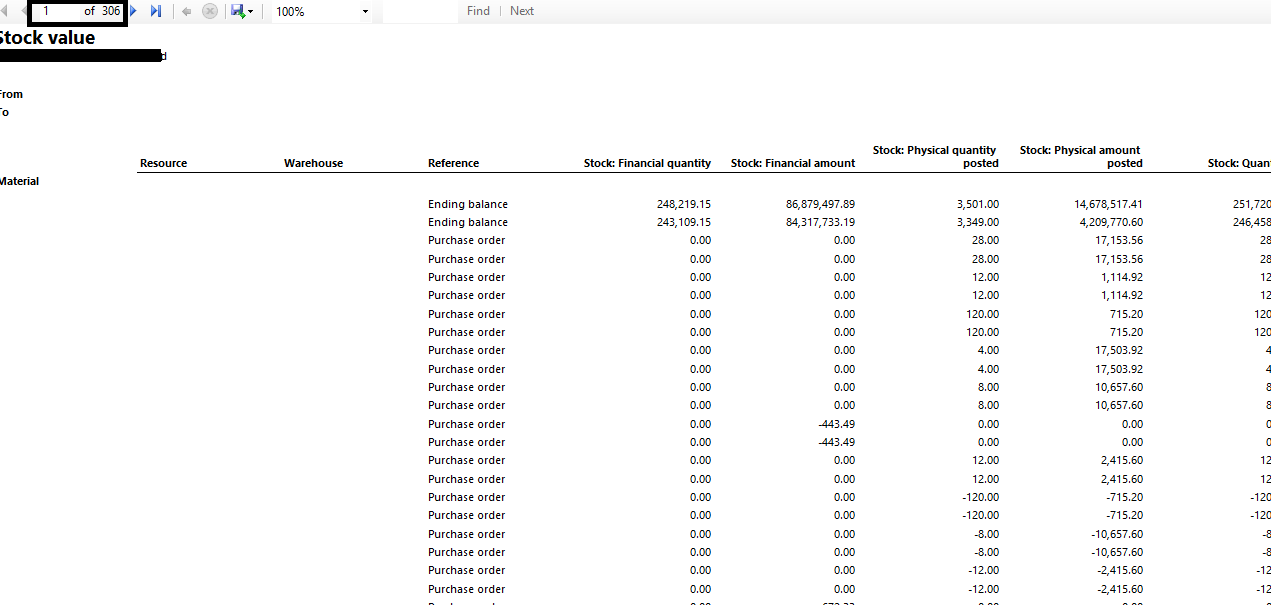
If i give a wrong resource Value which is not available in the database, i am not getting "No value available" instead i am getting all the records from the database for 306 pages which you can see in the below screen shot.
 
I haven't done any changes in the code level. I am new to inventory, please help me why AX is behaving in such a way.
336282.Capture.PNG

43000.Untitled.png

*This post is locked for comments

I have the same question (0)
  • Ludwig Reinhard Profile Picture
    Microsoft Employee on at

    Hi,

    Can you open the IVPosted setup of your report and post us a screenprint here?

    Especially about the lower part of the setup that concerns the transactions shown.

    Many thanks,

    Ludwig

  • Community Member Profile Picture
    on at

    Hi Ludwig ,


    Thanks for the quick reply!!

    I have posted the screen print of the  IV posted setup below as two parts

    iv2.PNG

    iv2.PNG


    - Anna

  • Ludwig Reinhard Profile Picture
    Microsoft Employee on at

    Hello Anna,

    I think the Report Looks indeed a bit strange.

    I was actually expecting that you have setup 'postings' instead of the totals in the report setup.

    Do you know whether other users see the report the same way as you do or can they open the report without any issue?

    If they can view the report without any issue you can try deleting your usage data before running the report again.

    In addition, try to restart the reporting server to check whether this resolves the issue.

    If this does not help, you need to talk to a developer in order to help you getting this fixed.

    Best regards,

    Ludwig

  • Community Member Profile Picture
    on at

    Thanks for the reply Crispin

    Should i remove that parameter to make the filter work based on the resource??

    Btw i noticed is in the another server this report is working fine but in the current server this report is not working fine.I have compared the code both are same!

    Anna

  • Ludwig Reinhard Profile Picture
    Microsoft Employee on at

    Hi Anna,

    have you tried restarting the server on which the report does not work properly?

    Best regards,

    Ludwig

    P.S. The resource parameters that you select refer to the item id. Most companies I worked with in the past selected the 'view resource' parameter and the 'view resource group' + total Parameter for the resource group.

Under review

Thank you for your reply! To ensure a great experience for everyone, your content is awaiting approval by our Community Managers. Please check back later.

Helpful resources

Quick Links

Introducing the 2026 Season 1 community Super Users

Congratulations to our 2026 Super Stars!

Meet the Microsoft Dynamics 365 Contact Center Champions

We are thrilled to have these Champions in our Community!

Congratulations to the April Top 10 Community Leaders

These are the community rock stars!

Leaderboard > 🔒一 Microsoft Dynamics AX (Archived)

#1
CP04-islander Profile Picture

CP04-islander 39

#2
Michel ROY Profile Picture

Michel ROY 14

#3
imran ul haq Profile Picture

imran ul haq 8

Last 30 days Overall leaderboard

Featured topics

Product updates

Dynamics 365 release plans
