Ok.. figure this out.. the reason why i don't see what you mentioned above is due to Indian localization.
Here is how this will work:
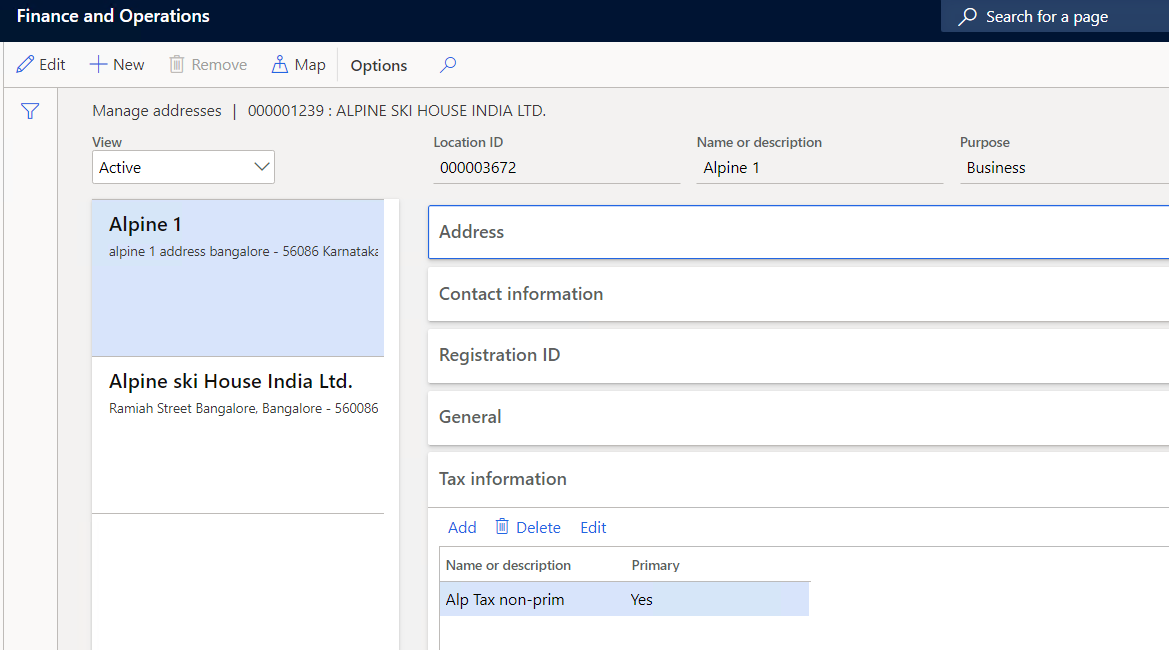
1. On your vendor address, when you define the tax information, make sure it's set to 'Primary'. if not, then it will just leave it blank. It doesn't matter whether your address is primary or not. Tax should default based on address selection on tax screen.
See tax setup. (It's marked primary). Note: if i don't mark primary while creating the record and select the address, tax information will be blank.
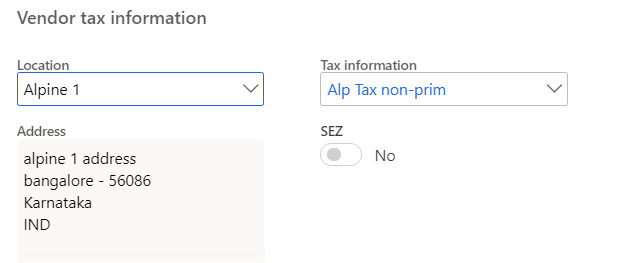
Apline 1 address selection... bring the right tax information.
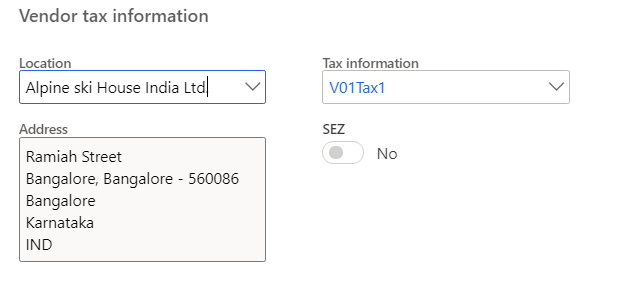
Selected another address, it worked good as well.
Hope this helps.







