Hi Partner,
You could add achieve it by adding a custom field "Registration Status" to Event Registration entity and creating 3 workflows.
1. Registration
As per my understanding, when an event registration record is created, it means that contact has registered to the event.
So workflow 1 will be execute on creation of Event Registration, it will set the custom field to "Registered".
2. Attendance
If a contact decides to attend the event, we will run "Check in registrations" for the selected registration record(Event form > Registration and attendance > Event registration), a check-in record for the selected will be created accordingly.
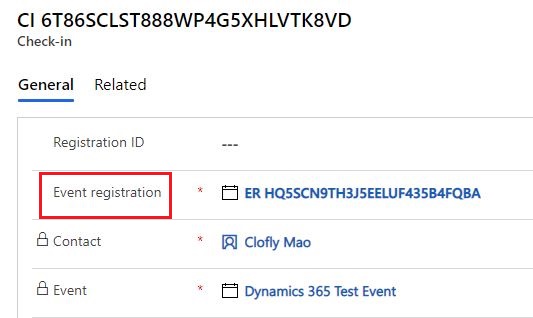
Therefore, workflow 2 will be executed on creation of Check-In entity, set its the custom field of its "Event registration" lookup field to "Attended".
3. Cancel registration
According to documentation:
https://docs.microsoft.com/en-us/dynamics365/marketing/set-up-event#the-registration-and-attendance-tab
We should deactivate the corresponding record to cancel an event registration.
Workflow 3 will still be executed on update of Event Registration and when the statuscode field(Status reason) is set to 2(Inactive, while 1 is Active.), then setting the "Registration Status" to "Cancelled".
Finally, create scoring conditions based on value of the custom field.
Regards,
Clofly


