web
You’re offline. This is a read only version of the page.
close
Skip to main content

Announcements

No record found.

News and Announcements icon
Community site session details

Community site session details

Session Id :
Finance | Project Operations, Human Resources, ...
Suggested Answer

Trace Settlement Voucher Number from Expense Voucher

(0) ShareShare
ReportReport
Posted on by 40

I am not a consultant rather a finance professional using Dynamics 365

Part of our requirement is to keep physical copies of payments, they are physically filed by Journal Batch Number (JBN) of the payment.

The expenses are recorded via Invoicing # and then are settled through marking them. 

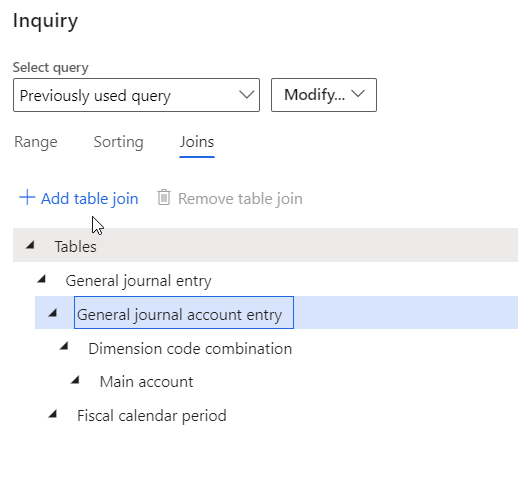
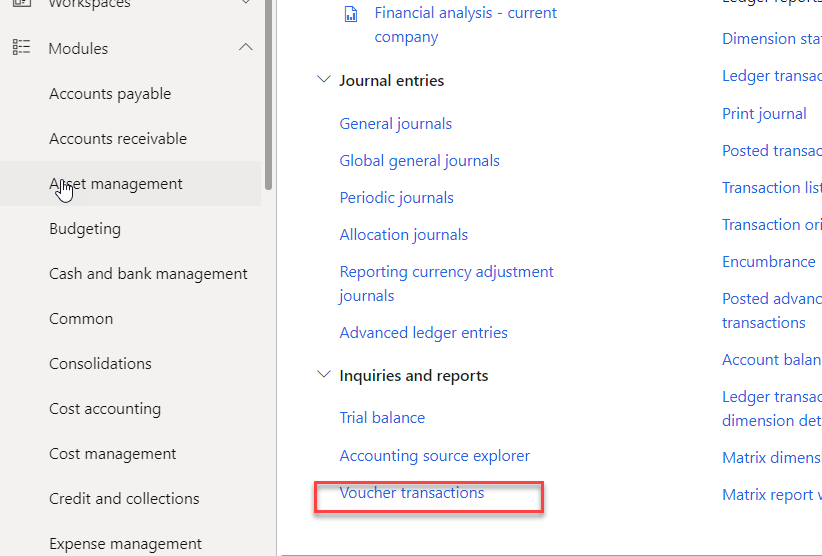
I need help tracing the JBN (of Payment) from Expense Invoice Vouchers. I am trying to use voucher transactions from GL and modifying the query to include settlement but this is not working. Please guide  
pastedimage1639630858488v3.png

pastedimage1639630827015v2.png

I have the same question (0)
  • André Arnaud de Calavon Profile Picture
    304,711 Super User 2026 Season 1 on at

    Hi Jenanzeb,

    When you have posted expenses as invoices, there are vendor transactions created. When posting the payment journal, it will create a new vendor transaction and these vendor transactions will be settled; not the vouchers. From the vendor transactions you can find the source document which should tell you the JBN as well.

  • Suggested answer
    Alireza Eshaghzadeh Profile Picture
    14,853 Super User 2026 Season 1 on at

    Hi Jehanzeb,

    Vendor transaction (i.e Vendor invoice) will be settled to vendor payment journal line while posting of vendor payment journal that its journal lines are associated (i.e marked) to vendor invoices.

    pastedimage1639651639273v2.png

    When you check vendor transaction against invoice or payment you click on "View settelement" to find the settled voucher:

    pastedimage1639651901127v3.png

    pastedimage1639651935020v4.png

    You can check this routine from voucher transaction by filtering with voucher number, choose "Original document" and click view detail on document "Purchase invoice"

    pastedimage1639652018927v5.png

    pastedimage1639652072980v6.png

    and then click on "Transaction" to check the settled trans on vendor transactions:

    pastedimage1639652140160v7.png

Under review

Thank you for your reply! To ensure a great experience for everyone, your content is awaiting approval by our Community Managers. Please check back later.

Helpful resources

Quick Links

Introducing the 2026 Season 1 community Super Users

Congratulations to our 2026 Super Stars!

Meet the Microsoft Dynamics 365 Contact Center Champions

We are thrilled to have these Champions in our Community!

Congratulations to the April Top 10 Community Leaders

These are the community rock stars!

Leaderboard > Finance | Project Operations, Human Resources, AX, GP, SL

#1
Giorgio Bonacorsi Profile Picture

Giorgio Bonacorsi 608

#2
André Arnaud de Calavon Profile Picture

André Arnaud de Cal... 591 Super User 2026 Season 1

#3
CP04-islander Profile Picture

CP04-islander 430

Last 30 days Overall leaderboard

Product updates

Dynamics 365 release plans