web
You’re offline. This is a read only version of the page.
close
Skip to main content

Notifications

Announcements

No record found.

Community site session details

Community site session details

Session Id :
Microsoft Dynamics CRM (Archived)

Windows Security popup on CRM client machine

(0) ShareShare
ReportReport
Posted on by 212

Hello. I am experiencing a problem on a brand new client machine running Windows 10 which is used to access CRM. After entering the CRM URL in Internet Explorer 11, I am getting a login popup as shown below (the other client machines on the same network, including Windows 10 machines, do not get this popup and instead get the CRM sign in page, so its seems that it is not a server configuration issue). I can log in through this popup by entering the username: crmdomainname\username and password. The problem is when a user accesses the case form and selects a value from a lookup field (there is JavaScript code added to this lookup's onChange event which retrieves a value from the database via a SOAP call to the webservice and adds the returned value to a second lookup), the below popup appears and does not accept the correct password. However, on the other client machines the JavaScript code runs fine and there is no authentication popup.

I have tried all the potential resolutions in the following guide http://www.qgate.co.uk/knowledge/microsoft-dynamics-crm-always-prompting-for-username-and-password/ such as adding the CRM URL to Trusted Sites and enabling Integrated Security in Internet Explorer but this has not solved the problem. Is there a way to prevent this Windows Security popup from showing and instead log in using the CRM sign in page?
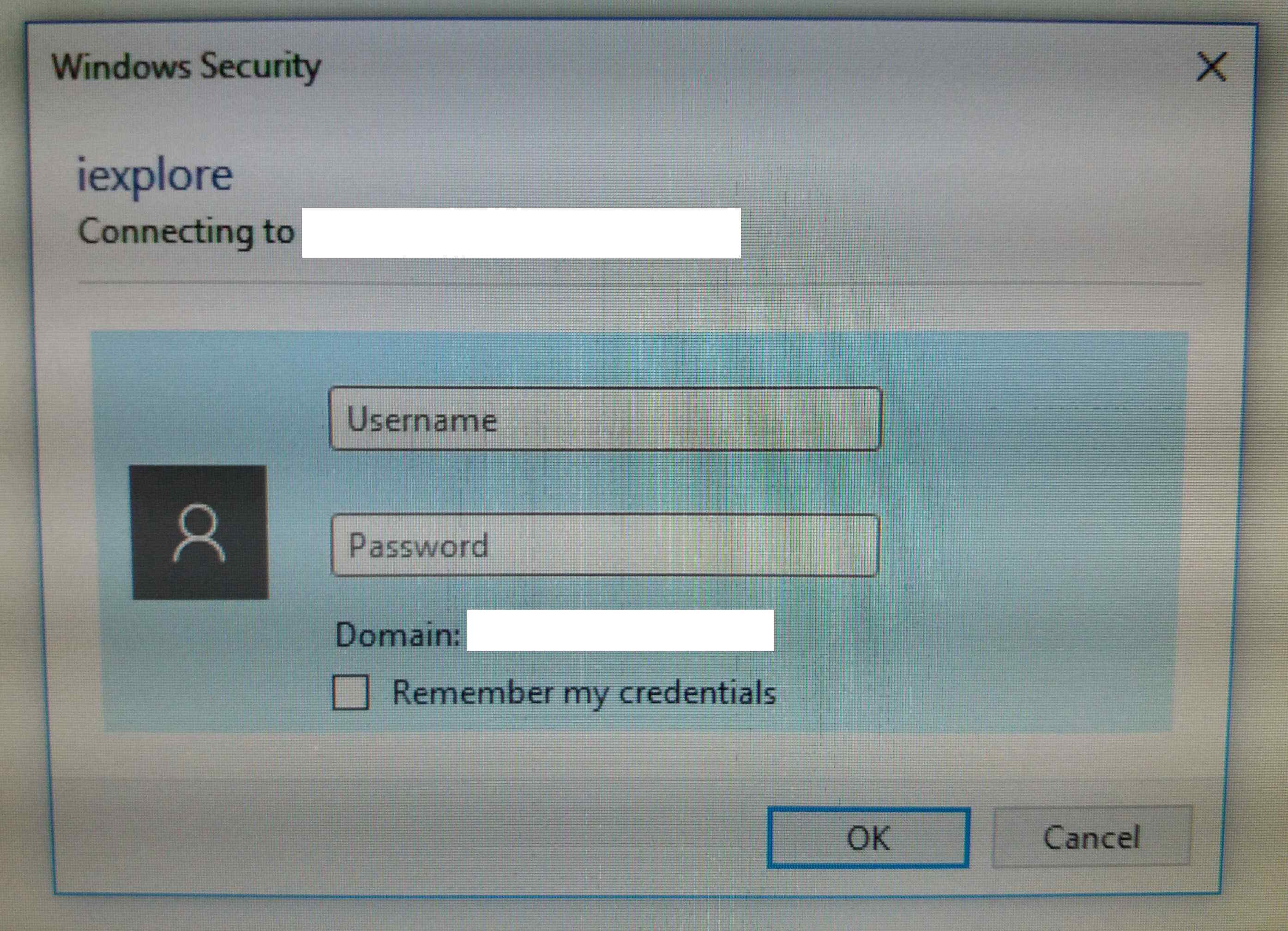
Windows-security-popup.jpg

*This post is locked for comments

I have the same question (0)
  • ashlega Profile Picture
    34,477 on at

    Hi,

     I'll just take a stab at it.. Has that windows 10 machine been added to the same domain where CRM server is? I think IE integrated security won't work otherwise

  • synthesis Profile Picture
    212 on at

    [quote user="Alex Shlega"]

    Has that windows 10 machine been added to the same domain where CRM server is? I think IE integrated security won't work otherwise

    [/quote]

    No it hasn't. All the other client machines (on the same network) are also not on the same domain as the CRM server and they do not have this Windows Security popup problem and work fine.

  • ashlega Profile Picture
    34,477 on at

    Hm.. if it's CRM4, then it's, actually, supposed to be web forms authentication(what you are referring to as CRM login screen). Not sure at which point that windows authentication would be required at all then.. Can you browse anywhere else from that machine (do you have any other web site on your network that would require authentication)?

  • Aric Levin - MVP Profile Picture
    30,190 Moderator on at

    It's been a while since CRM 4, so maybe something that might help.

    Can you see if you can add the CRM site to trusted sites or local intranet?

    I know that you are not on the same domain, but it might be something related to your Internet Explorer settings.

    Are the other windows machines that don't experience this issue connected to the domain, or have the same configuration.

    I would try to see if I can find the difference between your machine and theirs.

    Easy to say, but hard to find...

  • Verified answer
    synthesis Profile Picture
    212 on at

    After enabling the Internet Explorer option "Use recommended security and compatibility settings", the Windows Security popup has gone away and I can now log into CRM using the sign in webpage.

Under review

Thank you for your reply! To ensure a great experience for everyone, your content is awaiting approval by our Community Managers. Please check back later.

Helpful resources

Quick Links

Responsible AI policies

As AI tools become more common, we’re introducing a Responsible AI Use…

Neeraj Kumar – Community Spotlight

We are honored to recognize Neeraj Kumar as our Community Spotlight honoree for…

Leaderboard > 🔒一 Microsoft Dynamics CRM (Archived)

#1
SA-08121319-0 Profile Picture

SA-08121319-0 4

#1
Calum MacFarlane Profile Picture

Calum MacFarlane 4

#3
Alex Fun Wei Jie Profile Picture

Alex Fun Wei Jie 2

Last 30 days Overall leaderboard

Featured topics

Product updates

Dynamics 365 release plans
