web
You’re offline. This is a read only version of the page.
close
Skip to main content

Announcements

No record found.

News and Announcements icon
Community site session details

Community site session details

Session Id :
Microsoft Dynamics 365 | Integration, Dataverse...
Suggested Answer

Adding multiple items from a related entity to a Word template

(0) ShareShare
ReportReport
Posted on by 25

Hi,

I am in the process of creating some templates and I haven't touched them in a while as I have been in the canvas app space so I am having a massive mental blank.

My template has an entity called an agreement with a 1:N relationship with line items that are associated to this. My query is within my word template I need to add ALL associated line items to this document template and I am having problems wrapping my head around how I am going to achieve this.

Assuming it would have to be a flow as I would need to get and populate the template based on those associated line items. If it is the Flow path how do I ensure I set this up correctly to populate this template? 

Thanks!

I have the same question (0)
  • Suggested answer
    LuHao Profile Picture
    40,892 on at

    Hi Mattnoble07,

    First please read this document on Word template: docs.microsoft.com/.../using-word-templates-dynamics-365

    I take the Opportunity entity and Opportunity Line entity as an example. The relationship between them is 1: N, similar to your agreement entity.
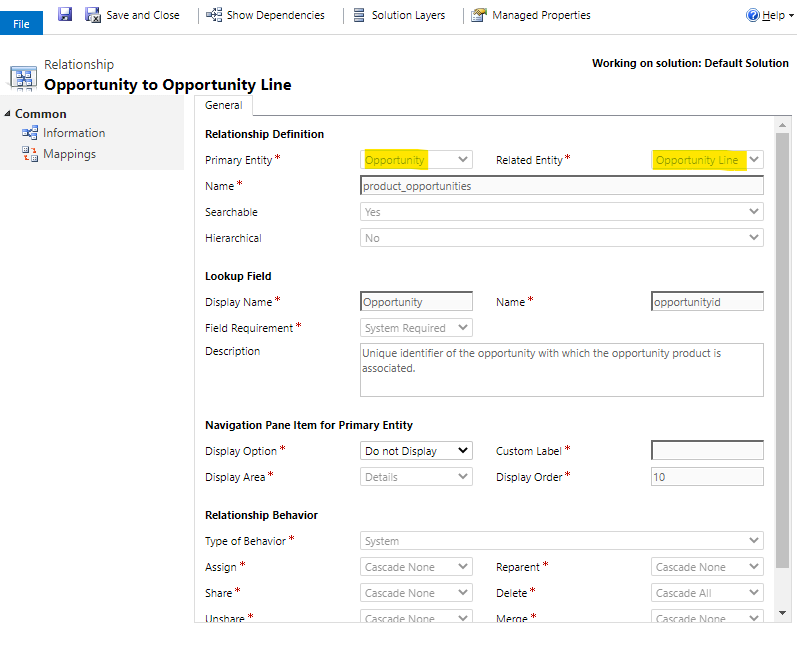
    pastedimage1588147000189v1.png

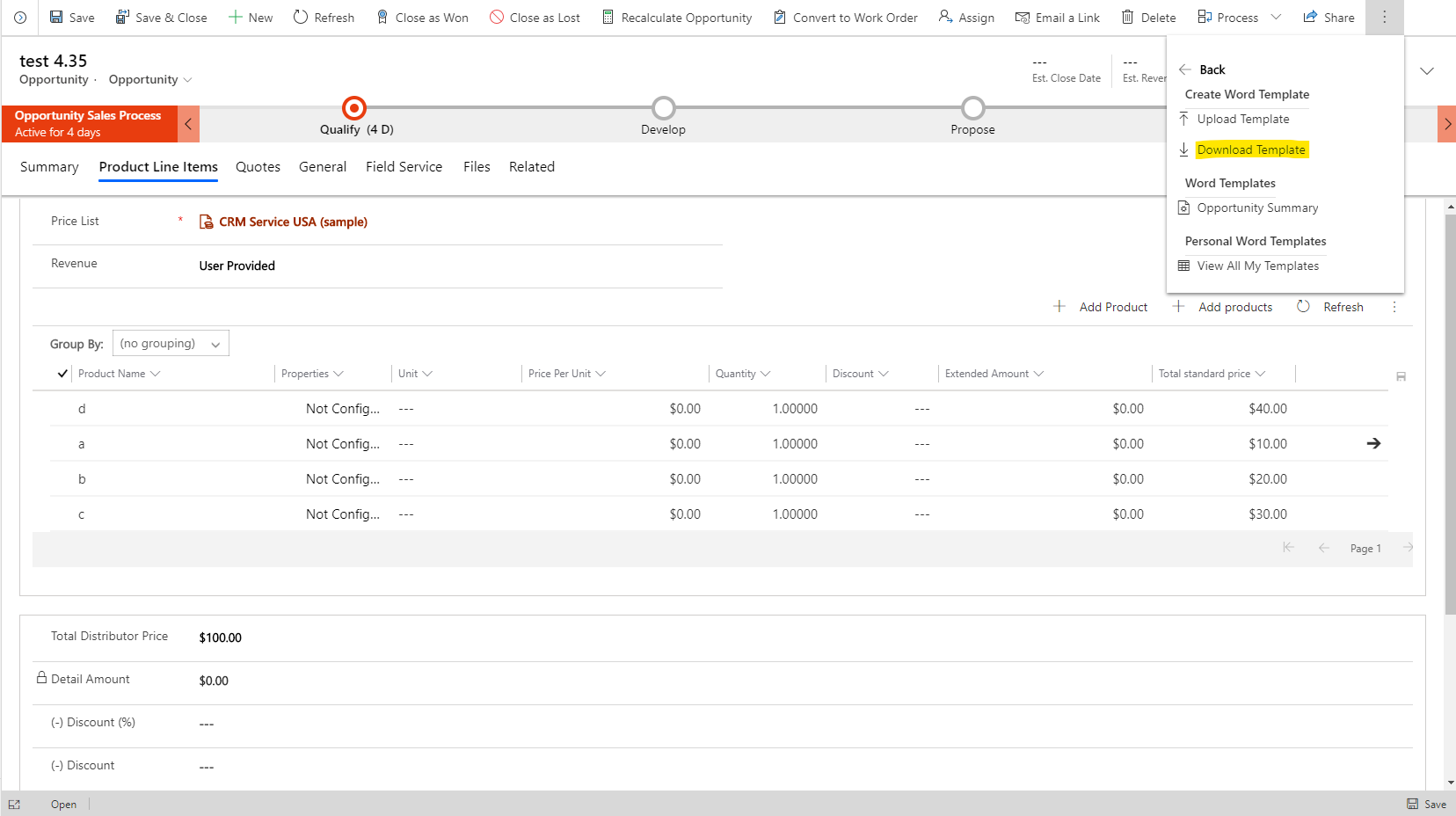
    In an Opportunity, I have 4 Opportunity Lines. Click Word Template > Download Template.
    pastedimage1588147122523v2.png

    In the Download file to create a template dialog, select 1:N Relationship to Opportunity Line.
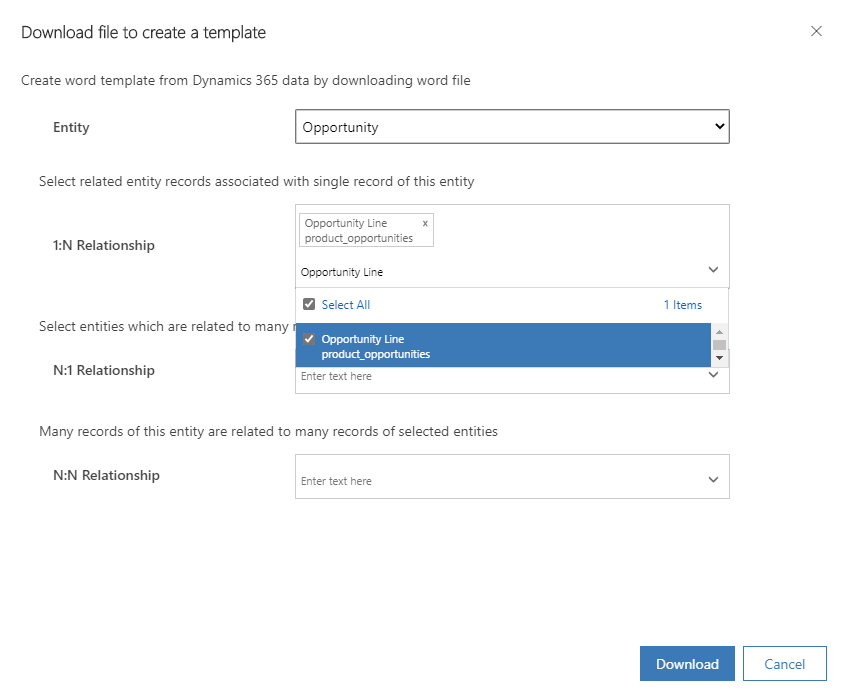
    pastedimage1588147256082v3.png

    In the Word, click Developer tab > XML Mapping Pane

    pastedimage1588147304895v4.png

    Select the XML schema. It will begin with "urn:microsoft-crm/document-template/". Then find associated line items entity, expand the secondary list, and the fields in it are the associated line items field.

    pastedimage1588147437377v5.png

    We first insert a table to represent the framework of associated line items. Then in the XML pane, right-click the entity field, and then click Insert Content Control > Plain Text. The data of this field will be added to the table.
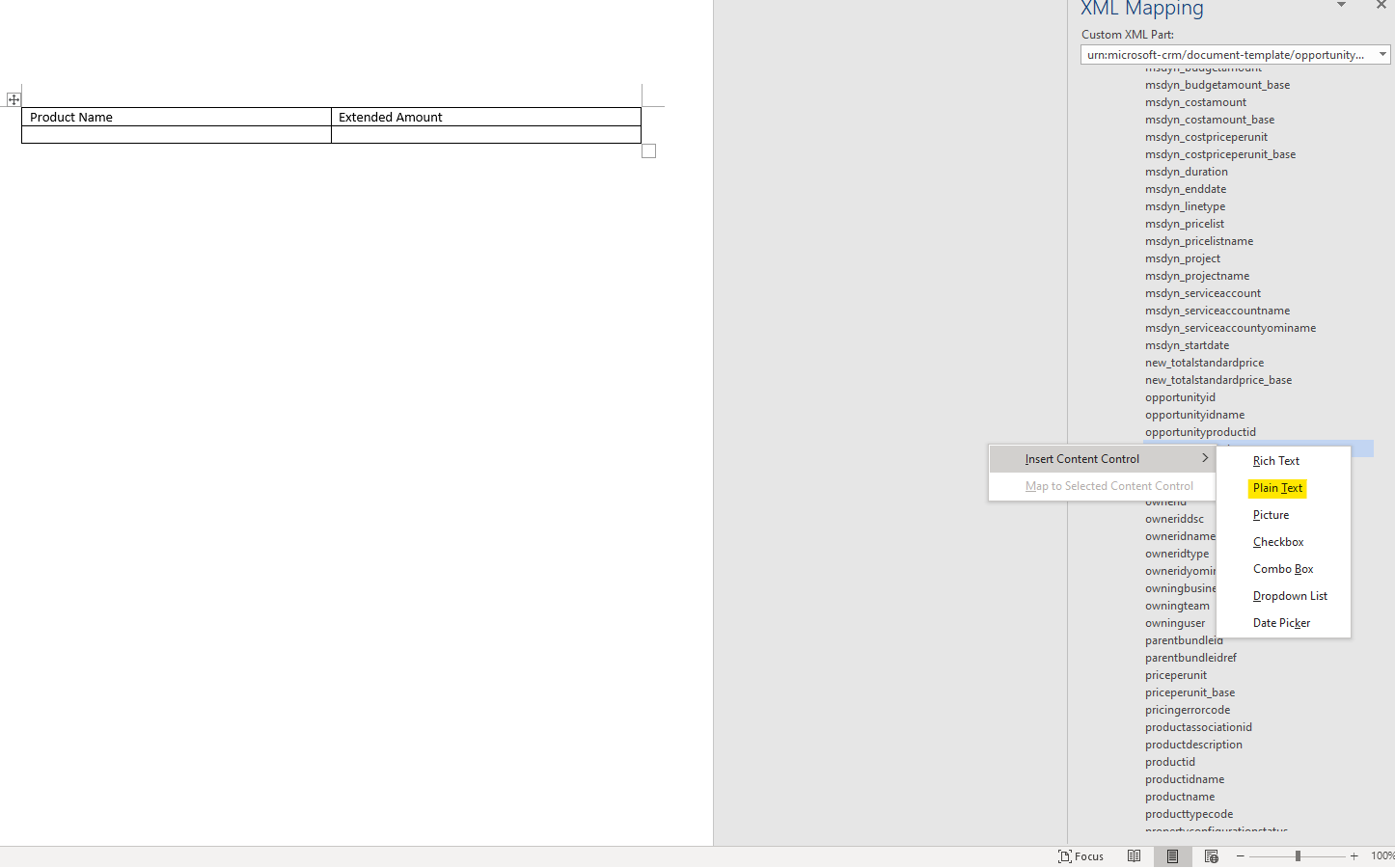
    pastedimage1588148207893v8.png

    After performing all such actions on all fields in the table, select the entire table row in the template. In the XML Mapping Pane, right-click the relationship containing the content control fields, and then click Repeating.

    pastedimage1588148345900v9.png

    Save this word and upload it to D365.
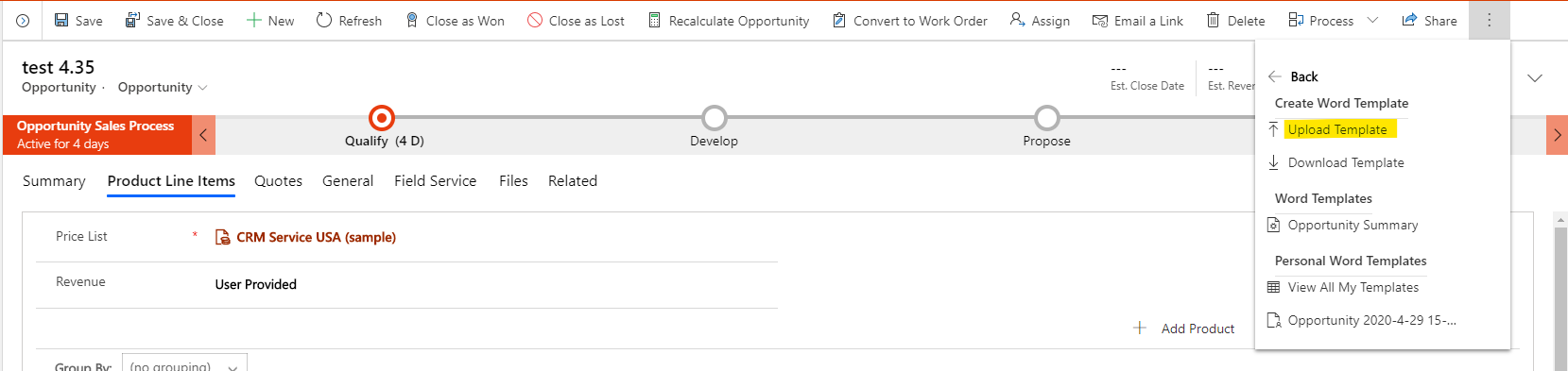
    pastedimage1588148379528v10.png

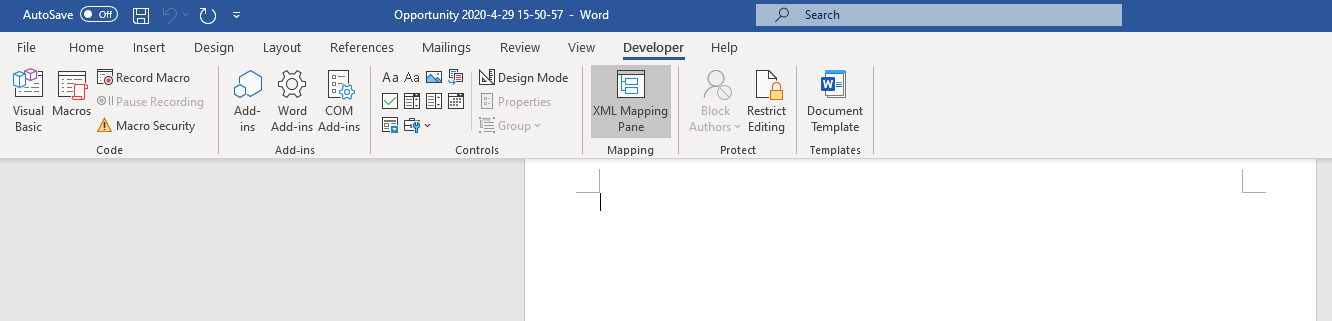
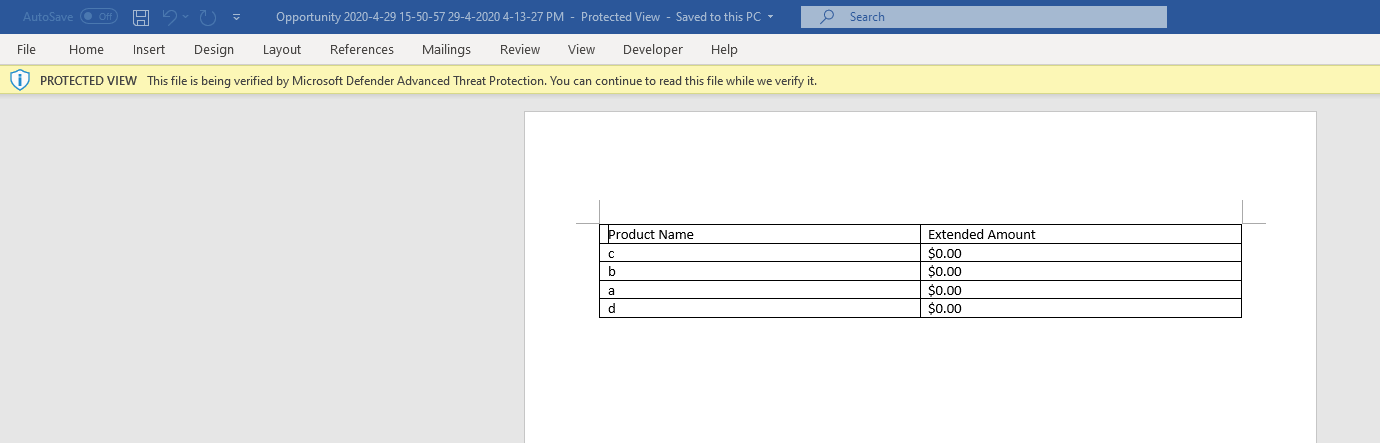
    Finally download this template, we can see the effect.
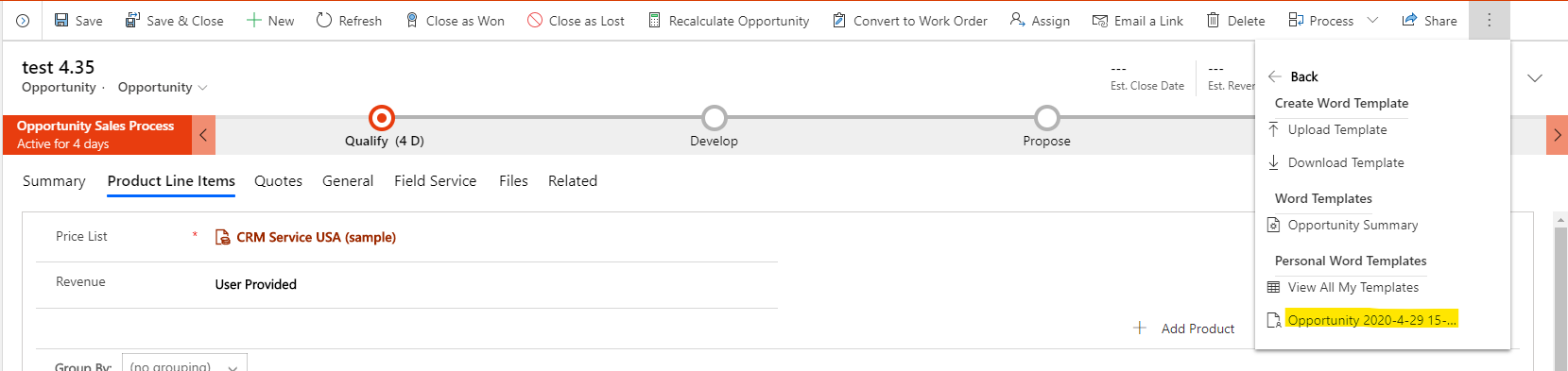
    pastedimage1588148420413v11.png

    pastedimage1588148440049v12.png

  • Mattnoble07 Profile Picture
    25 on at

    Hi,

    Thanks for this.

    I wasn't aware of the repeating template feature so that is really useful. My issue is that I only want to populate Line Items that are confirmed. The repeating function would populate ALL line items associated with my agreement not just those with a specific status which is kind if where I am stuck.

    What would the suggestion be to get this specific criteria to repeat within the template?

    Your assistance is really appreciated.

    Thanks,

  • LuHao Profile Picture
    40,892 on at

    Hi Mattnoble07,

    1. Unfortunately, the OOTB word template does not have this feature., you have to write controls or download plug-ins.

    Please refer to community.dynamics.com/.../word-document-templates-that-use-fetchxml-for-complex-data-retrieval

    community.dynamics.com/.../related-entities-in-word-templates

    2. To achieve it, wo could use report or SSRS.

    Please refer to these articles.

    https://crmbook.powerobjects.com/basics/analytics/microsoft-dynamics-crm-report-wizard/

    https://community.dynamics.com/365/b/readyxrm/posts/how-to-create-your-first-dynamics-365-ssrs-report

    You could save it as word.

    pastedimage1588234115679v1.png

    Finally, don’t forget to click Yes under “Did this answer your question?” to close this thread.

    Thanks. 

Under review

Thank you for your reply! To ensure a great experience for everyone, your content is awaiting approval by our Community Managers. Please check back later.

Helpful resources

Quick Links

Introducing the 2026 Season 1 community Super Users

Congratulations to our 2026 Super Stars!

Meet the Microsoft Dynamics 365 Contact Center Champions

We are thrilled to have these Champions in our Community!

Congratulations to the March Top 10 Community Leaders

These are the community rock stars!

Leaderboard > Microsoft Dynamics 365 | Integration, Dataverse, and general topics

#1
11manish Profile Picture

11manish 174

#2
ManoVerse Profile Picture

ManoVerse 58 Super User 2026 Season 1

#3
Niki Patel Profile Picture

Niki Patel 42

Last 30 days Overall leaderboard

Product updates

Dynamics 365 release plans