web
You’re offline. This is a read only version of the page.
close
Skip to main content

Announcements

No record found.

News and Announcements icon
Community site session details

Community site session details

Session Id :
Finance | Project Operations, Human Resources, ...
Suggested Answer

Ledger Allocation Rules - Use of Mathematical Calculations

(0) ShareShare
ReportReport
Posted on by 330

Hello all - 

Anyone set up a ledger rule where Mathematical Calculation is used? Looking for some examples of how to use this functionality. I would greatly appreciate any help that can be offered.

In my case I have a client that allocates group health expenses each month based on a calculation of $1,050 per headcount. They have 508 employees spread out over 20 departments. For the headcount portion I created a journal entry where headcount by department is debited to headcount with the credit going to headcount offset. So for example department A gets a debit of $10, department B is debited for $4 and so on. Is there a way to then build the allocation by multiplying, for example, department A's FTE value of 10 by the allocation rate of $1,050 and then use that result as a debit to the group health ledger expense account?

pastedimage1605660987767v1.png

Regards.

I have the same question (0)
  • MATTGUO Profile Picture
    22,351 Moderator on at

    Hi Barry,

    The mathematical calculation is used to process the multiplication or division of source value.

    For example, the source value is 1000, if you select the multiply by10, the total value could be allocated is 10000.

    For your requirement, please try to use the fixed percentage/weight allocation method.

  • Suggested answer
    Ludwig Reinhard Profile Picture
    Microsoft Employee on at

    Hello BarryR, 

    I think this rule might help but you have to know exactly what you want to achieve. 

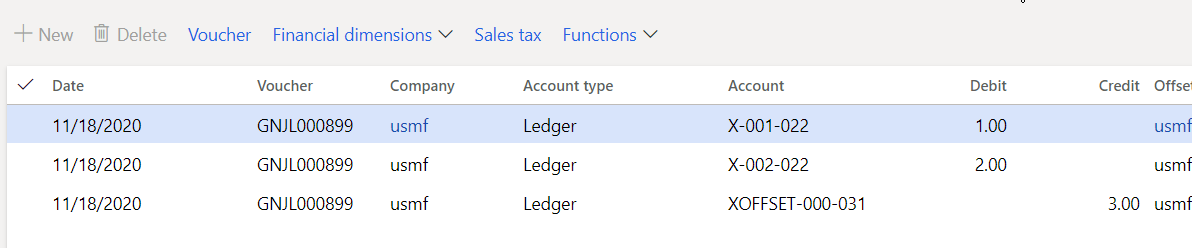
    I made a simple example and posted two lines on a statistical account X with BU 001 and BU 002 (just ignore the department numbers)

    I posted the 'headcount' of 1 and 2 on those accounts. 
    7633.a1.png

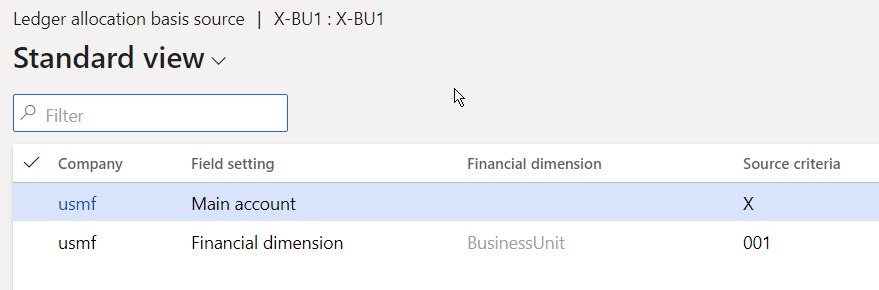
    That's the ledger allocation basis used
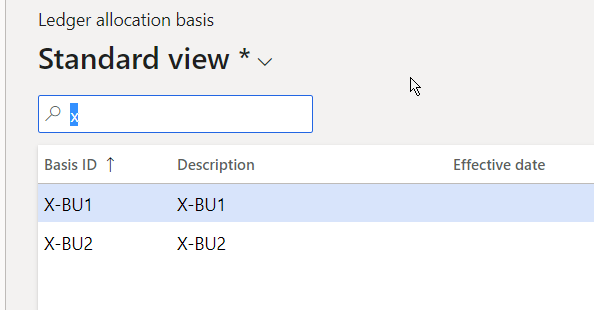
    a2.png

    a3.png

    And then I setup the ledger allocation rule
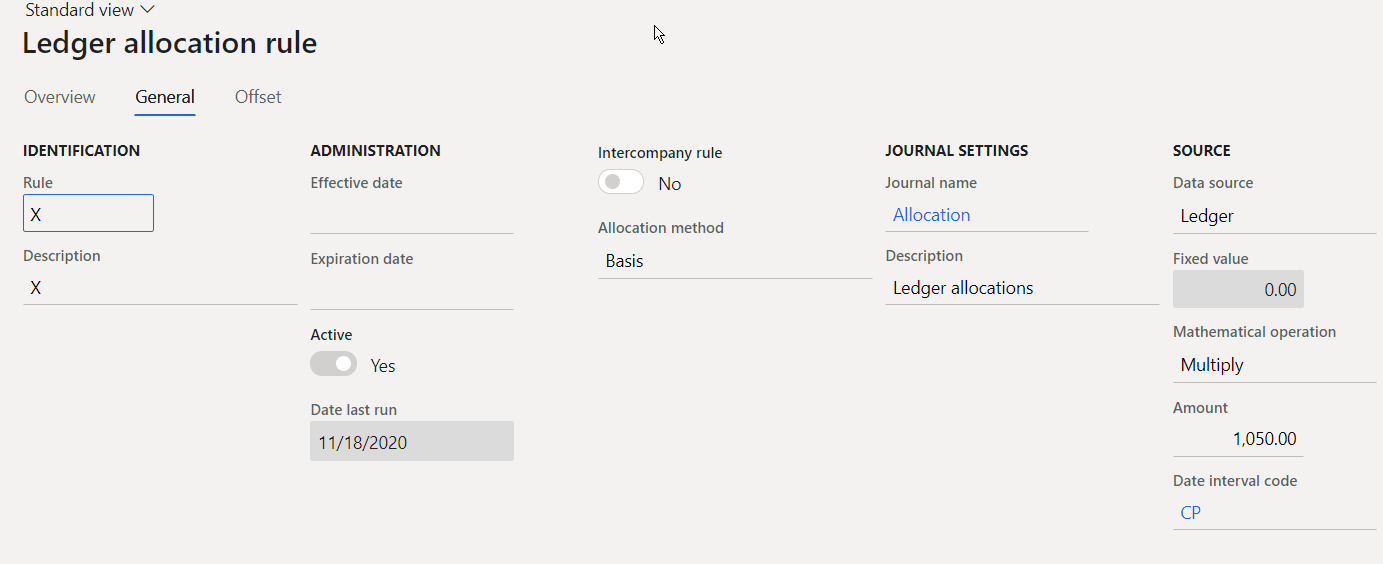
    a4.png

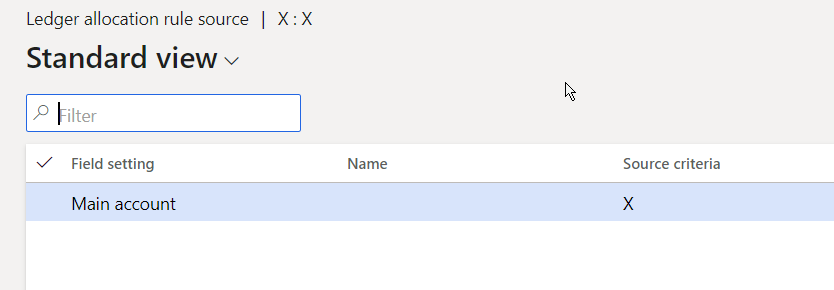
    Source is the statistical account

    a5.png

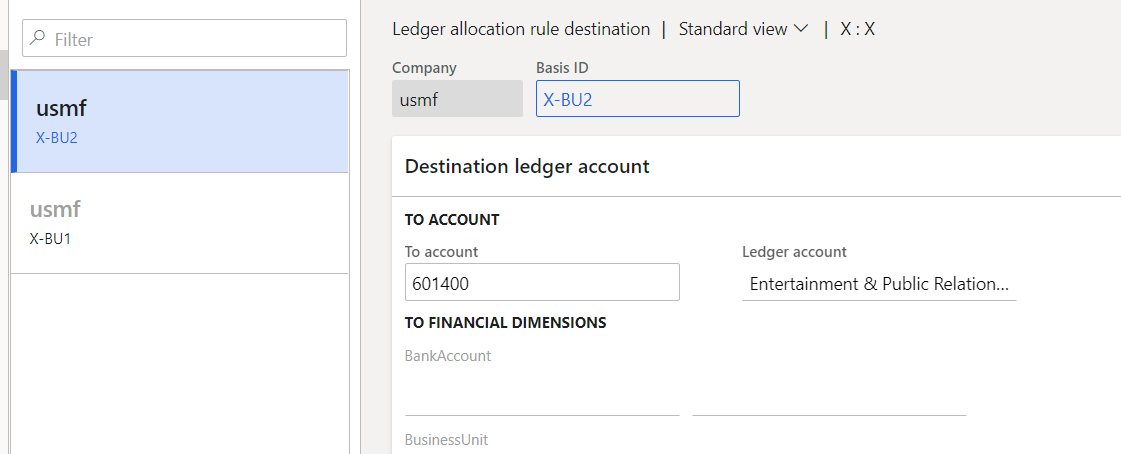
    Destination are two ledger accounts

    7206.a6.png

    If you process this rule you get something like that
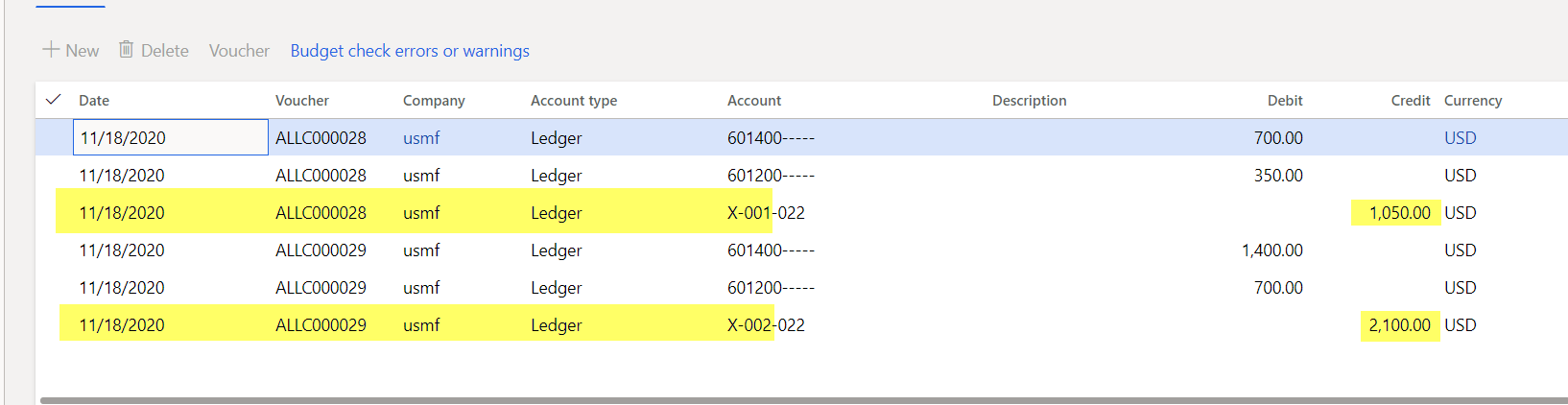
    a7.png

    So, in my case the headcount is multiplied by 1050 and this amount is then allocated to the accounts 601200 and 601400 based on the base (headcount). 

    You can easily setup something similar and test this setup by making sure that you select 'proposal' only when you execute the allocation request. 

    Best regards, 

    Ludwig

  • BarryR Profile Picture
    330 on at

    Thanks for your response MATTGUO

  • BarryR Profile Picture
    330 on at

    I'll try this, thanks for your response Ludwig.

Under review

Thank you for your reply! To ensure a great experience for everyone, your content is awaiting approval by our Community Managers. Please check back later.

Helpful resources

Quick Links

Introducing the 2026 Season 1 community Super Users

Congratulations to our 2026 Super Stars!

Meet the Microsoft Dynamics 365 Contact Center Champions

We are thrilled to have these Champions in our Community!

Congratulations to the March Top 10 Community Leaders

These are the community rock stars!

Leaderboard > Finance | Project Operations, Human Resources, AX, GP, SL

#1
Giorgio Bonacorsi Profile Picture

Giorgio Bonacorsi 635

#2
André Arnaud de Calavon Profile Picture

André Arnaud de Cal... 592 Super User 2026 Season 1

#3
CP04-islander Profile Picture

CP04-islander 356

Last 30 days Overall leaderboard

Product updates

Dynamics 365 release plans