web
You’re offline. This is a read only version of the page.
close
Skip to main content

Announcements

No record found.

News and Announcements icon
Community site session details

Community site session details

Session Id :
Microsoft Dynamics AX (Archived)

Sales tax not calculating for intercompany vendor invoice journal

(0) ShareShare
ReportReport
Posted on by

Hi, I am trying to post a intercompany vendor invoice journal.

My Vendor is from the "Company A" and the other line with Ledger that I have created is from "Company B". Both the companies have different Tax group and codes. I want to apply Company B tax code and amount on the line.

Kindly refer to the snap shot.
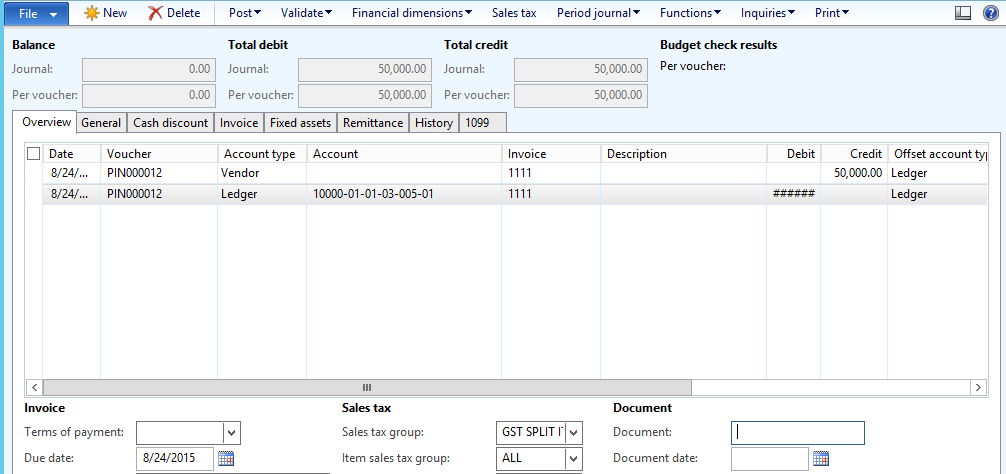
1778.Journal.png

Tax coming empty when clicking the Sales tax button.
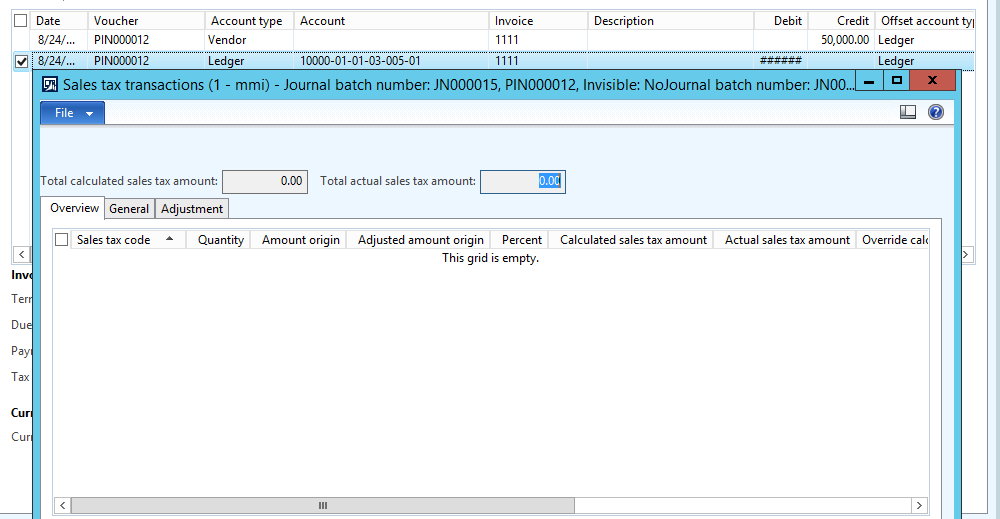
Journal2.png

below are my setting in GL/Setup/Sales Tax
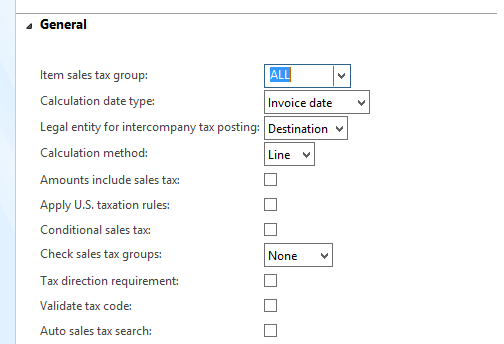
JournalParameters.png

*This post is locked for comments

I have the same question (0)
  • Suggested answer
    Community Member Profile Picture
    on at

    You must specify a delivery date to calculate the due date for the journal voucher.

    1. Click Accounts payable > Journals > Invoices > Invoice journal.

    2. Create a journal. For more information, see the first steps in Create and validate journals and journal lines.

    3. Click Lines and enter information about the first vendor invoice.

    4. By default, the Date field contains the system date. If required, you can enter another date, and this date appears on the posted invoice.

    5. Enter the information that is required for posting:

      • Account – The vendor account number.

      • Invoice – The vendor's invoice number.

      • Credit or Debit – The invoice amount. The Credit field is used for vendor purchases and the Debit field is used for credit notes.

      • Offset account – The offset account must have the same currency as the Currency field.

    6. Enter information in other fields, such as Description, as required.

    7. (USA) Click the Invoice tab. In the 1099 box field, select the 1099 box code for the original issue discount (OID).

    8. (USA) In the 1099 amount field, enter the amount to be reported in the 1099 form.

    9. (ESP) On the General tab, in the Delivery date field, select the date on which the items or services are delivered. On the Overview tab, the Due date field is updated with the due date that is calculated for the voucher.

    10. Click Validate > Validate voucher only to run a check that the voucher is ready for posting.

    -Jason

  • Community Member Profile Picture
    on at

    Thanks for your reply, but you didn't mentioned the issue that I am facing. I am unable to calculate the Tax in case of intercompany invoice journal.

  • Community Member Profile Picture
    on at

    Did you ever get an answer to your question, we have exactly the same situation and looking for the best setup to address this situation.

    The only way we found we be to copy the sales tax groups in both companies of the interco transaction, but it seems a little bit sub-optimal.

  • Suggested answer
    Pranav Kumar Profile Picture
    Microsoft Employee on at

    Try to enter sales tax group and item sales tax group for the line with account type Vendor and check again.

    Pranav

  • Suggested answer
    Ludwig Reinhard Profile Picture
    Microsoft Employee on at

    Hi,

    Can you check your GL Parameters - sales tax section and check what has been selected in the field "legal entity for intercompany tax posting"? Can you try modifying this Parameter in a demo System and check whether this makes a difference? (Might require creating the Journal again).

    In addition, can you check on LifeCycle Services based on your system Version whether a similar Problem has been described that might be fixed with a hotfix.

    Best regards,

    Ludwig

Under review

Thank you for your reply! To ensure a great experience for everyone, your content is awaiting approval by our Community Managers. Please check back later.

Helpful resources

Quick Links

Introducing the 2026 Season 1 community Super Users

Congratulations to our 2026 Super Stars!

Meet the Microsoft Dynamics 365 Contact Center Champions

We are thrilled to have these Champions in our Community!

Congratulations to the April Top 10 Community Leaders

These are the community rock stars!

Leaderboard > 🔒一 Microsoft Dynamics AX (Archived)

#1
CP04-islander Profile Picture

CP04-islander 24

#2
Michel ROY Profile Picture

Michel ROY 14

#3
imran ul haq Profile Picture

imran ul haq 8

Last 30 days Overall leaderboard

Featured topics

Product updates

Dynamics 365 release plans
