web
You’re offline. This is a read only version of the page.
close
Skip to main content

Announcements

No record found.

News and Announcements icon
Community site session details

Community site session details

Session Id :
Finance | Project Operations, Human Resources, ...
Suggested Answer

Custom table-field is not showing full values or updating from Open In Excel feature

(0) ShareShare
ReportReport
Posted on by 35

Good day,

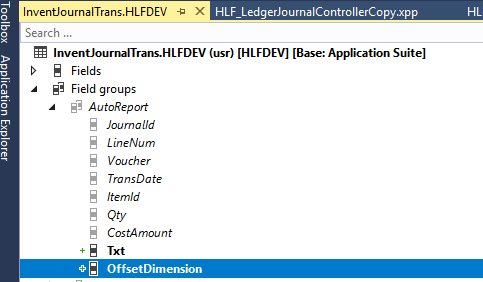
I added two custom fields to my table (InventJournalTrans).

Fields added: Txt(string) and OffsetDimension (DimensionDynamicAccount)

When I open a Movement Journal and use the Open In Excel feature the Txt field is showing full values and updating the journal in F&O properly when you publish.

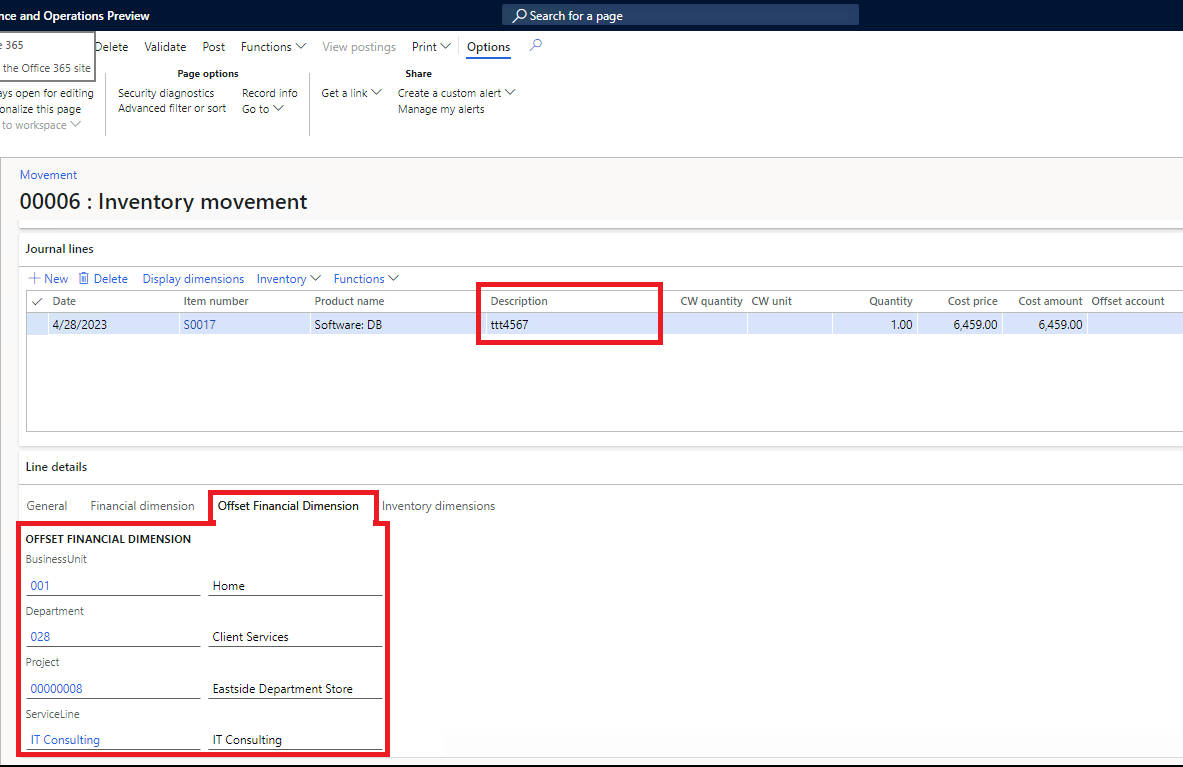
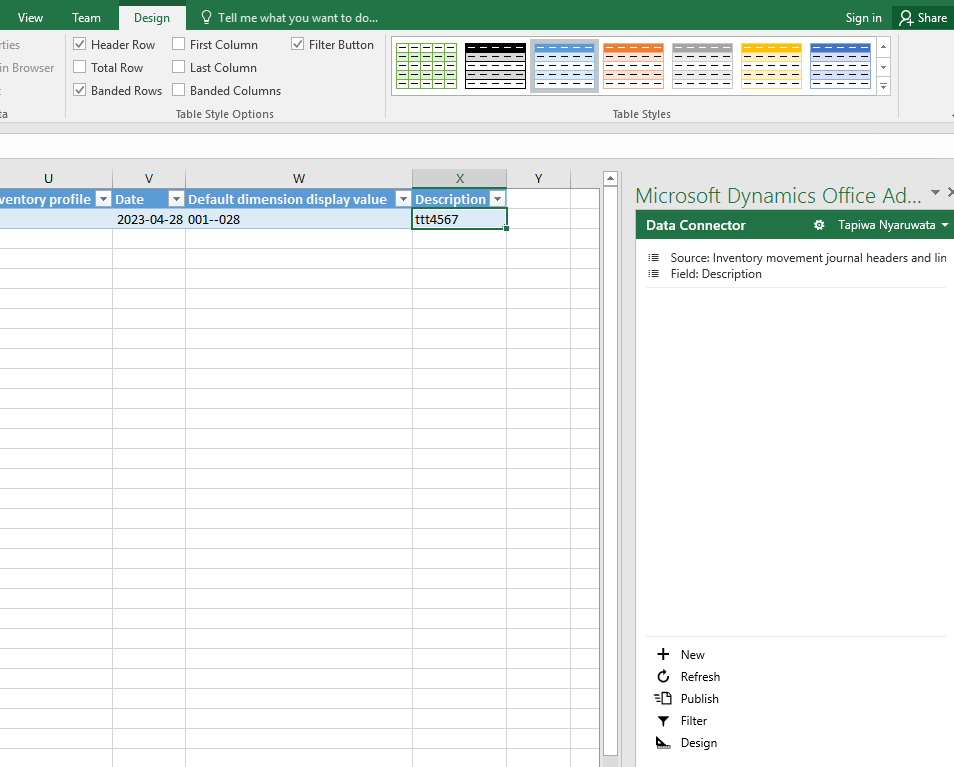
However, the OffsetDimension field is showing partial values and is not updating the journal in F&O when you click "Publish". For instance there can be 4 values on the offset dimensions ie (001-028-0000008-IT Consulting), but when you use the Open In Excel feature it just shows 001--028. I dont know why its omitting the other dimension values

Can you please assist me on how to solve this OffsetDimension field so that it shows full values and updates the Movement Journal when i click publish.

I have attached screenshots
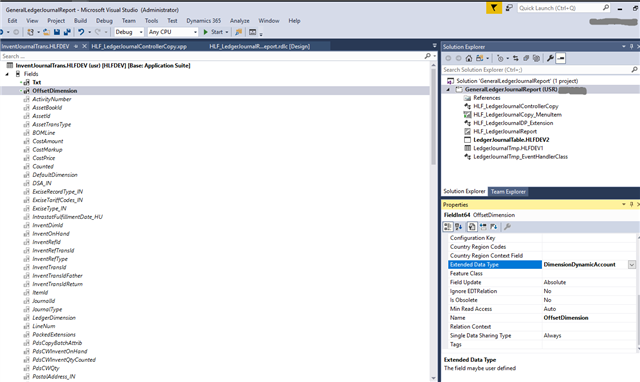
Screenshot-_2800_170_2900_.png_2D00_640x480.pngScreenshot-_2800_171_2900_.pngScreenshot-_2800_172_2900_.pngScreenshot-_2800_173_2900_.png

I have the same question (0)
  • Suggested answer
    Bharani Preetham Peraka Profile Picture
    3,634 Moderator on at

    Please check the string size what you have given for that new field. Make sure it should be same like in standard.

  • Anton Venter Profile Picture
    20,635 Super User 2026 Season 1 on at

    It might just be setup or it might be the financial dimensiion entitiy extensions need updating. Perhaps the article below can be of some help,

    Add dimensions to Dynamics 365 Finance

    https://learn.microsoft.com/en-us/dynamics365/fin-ops-core/dev-itpro/financial/dimensions-overview#add-dimensions-to-dynamics-365-finance

  • Suggested answer
    André Arnaud de Calavon Profile Picture
    303,314 Super User 2026 Season 1 on at

    Hi Tapiwa,

    You might need to configure which dimensions will be used with the data entity integrations. You can do this on the form Financial dimension configuration for integrating applications. (Menu path: General ledger > Chart of Accounts > Dimensions.)

Under review

Thank you for your reply! To ensure a great experience for everyone, your content is awaiting approval by our Community Managers. Please check back later.

Helpful resources

Quick Links

Introducing the 2026 Season 1 community Super Users

Congratulations to our 2026 Super Stars!

Congratulations to our 2025 Community Spotlights

Thanks to all of our 2025 Community Spotlight stars!

Leaderboard > Finance | Project Operations, Human Resources, AX, GP, SL

#1
André Arnaud de Calavon Profile Picture

André Arnaud de Cal... 510 Super User 2026 Season 1

#2
Giorgio Bonacorsi Profile Picture

Giorgio Bonacorsi 399

#3
Adis Profile Picture

Adis 251 Super User 2026 Season 1

Last 30 days Overall leaderboard

Product updates

Dynamics 365 release plans