web
You’re offline. This is a read only version of the page.
close
Skip to main content

Notifications

Announcements

No record found.

Community site session details

Community site session details

Session Id :
Supply chain | Supply Chain Management, Commerce
Suggested Answer

Install (MPOS) Modern Point of Sale on development environment

(0) ShareShare
ReportReport
Posted on by 5

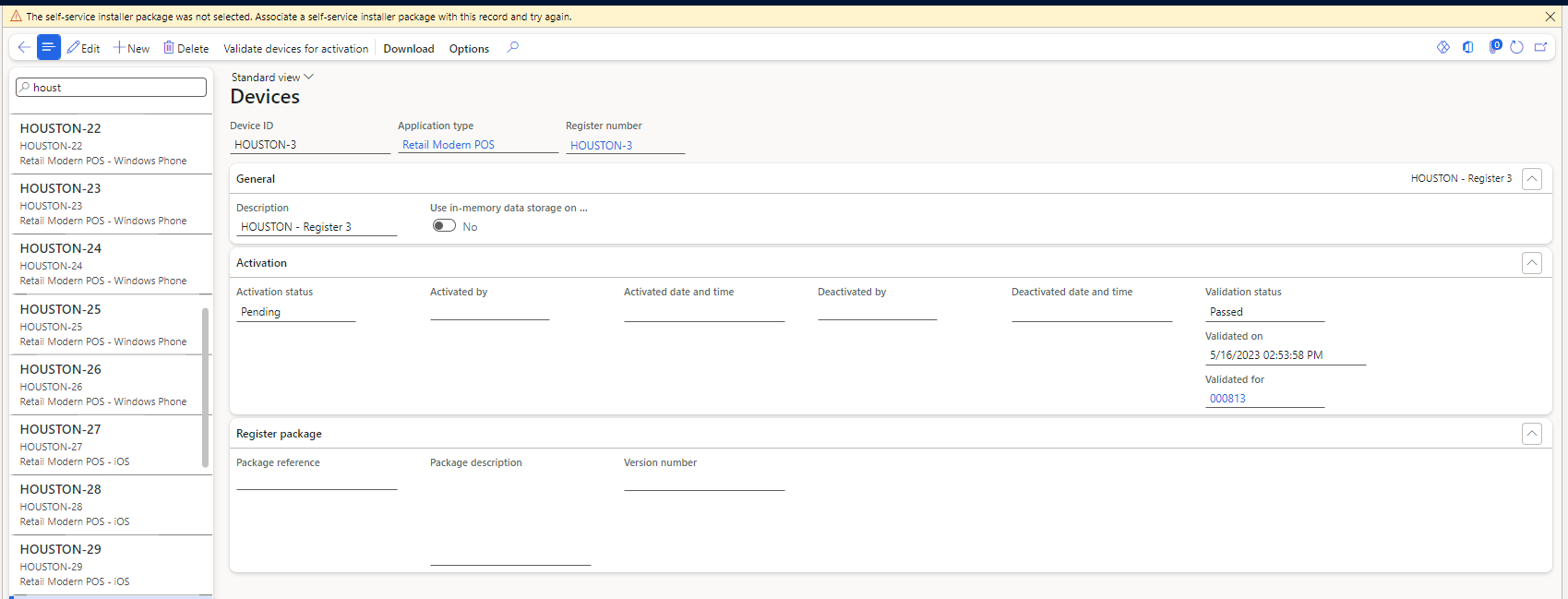
I'm trying to run POS on my local machine for testing purposes. I followed the instructions here and here. I was able to start a trial version, create worker, set address to Houston as instructed and download the configuration file(XML) for ModernPos. But when I want to download the retail SDK file, I'm getting this error: 

The self-service installer package was not selected. Associate a self-service installer package with this record and try again.

I tried to download from lcs dynamics, but it is showing empty. Please tell me how I can download "Retail Modern POS" and run it on my local machine.

pastedimage1684325771800v1.pngpastedimage1684325797342v2.png

I have the same question (0)
  • Suggested answer
    Vickram Profile Picture
    153 on at

    Hi Farzad,

    In order to download MPS installer, first you need to synchronize the self service installer package from LCS to you D65 Commerce environment.

    Below is the link for the steps to synchronize the installers package:

    learn.microsoft.com/.../synchronize-installers

  • Farzadfarah Profile Picture
    5 on at

    I'm also getting error when I want to update the packages

    pastedimage1684482445705v1.png

  • Suggested answer
    Shafeeque P. Profile Picture
    6,533 Moderator on at

    From the screenshot, you have posted. You are not inside a project. You need to get into a project (ref. screenshot) in LCS and then go to the asset library. What type(Implementation/Presales ) of LCS project are you linked to? Can you also confirm the type of environment you have (Dev VM (hosted on your PC or host server), Tier 1 Dev box(All in Oce) linked to the Implementation project )? 

    pastedimage1684494444620v1.png

    Sometimes, the installer sync from LCS doesn't work as expected. The easy process you can follow into, login to a project in LCS. Go to the self service package menu and use the IMPORT button to import it from the SHARE ASSET LIBRARY.

    pastedimage1684494654620v2.png

Under review

Thank you for your reply! To ensure a great experience for everyone, your content is awaiting approval by our Community Managers. Please check back later.

Helpful resources

Quick Links

Responsible AI policies

As AI tools become more common, we’re introducing a Responsible AI Use…

Neeraj Kumar – Community Spotlight

We are honored to recognize Neeraj Kumar as our Community Spotlight honoree for…

Leaderboard > Supply chain | Supply Chain Management, Commerce

#1
Laurens vd Tang Profile Picture

Laurens vd Tang 271 Super User 2025 Season 2

#2
Siv Sagar Profile Picture

Siv Sagar 171 Super User 2025 Season 2

#3
André Arnaud de Calavon Profile Picture

André Arnaud de Cal... 130 Super User 2025 Season 2

Last 30 days Overall leaderboard

Featured topics

Product updates

Dynamics 365 release plans



