web
You’re offline. This is a read only version of the page.
close
Skip to main content

Announcements

No record found.

News and Announcements icon
Community site session details

Community site session details

Session Id :
Microsoft Dynamics AX (Archived)

Retail Statement Posting

(0) ShareShare
ReportReport
Posted on by

Hi all,

I am using Microsoft Dynamics AX 2012 R3 CU 10. I am facing an error at the time of Retail statement posting

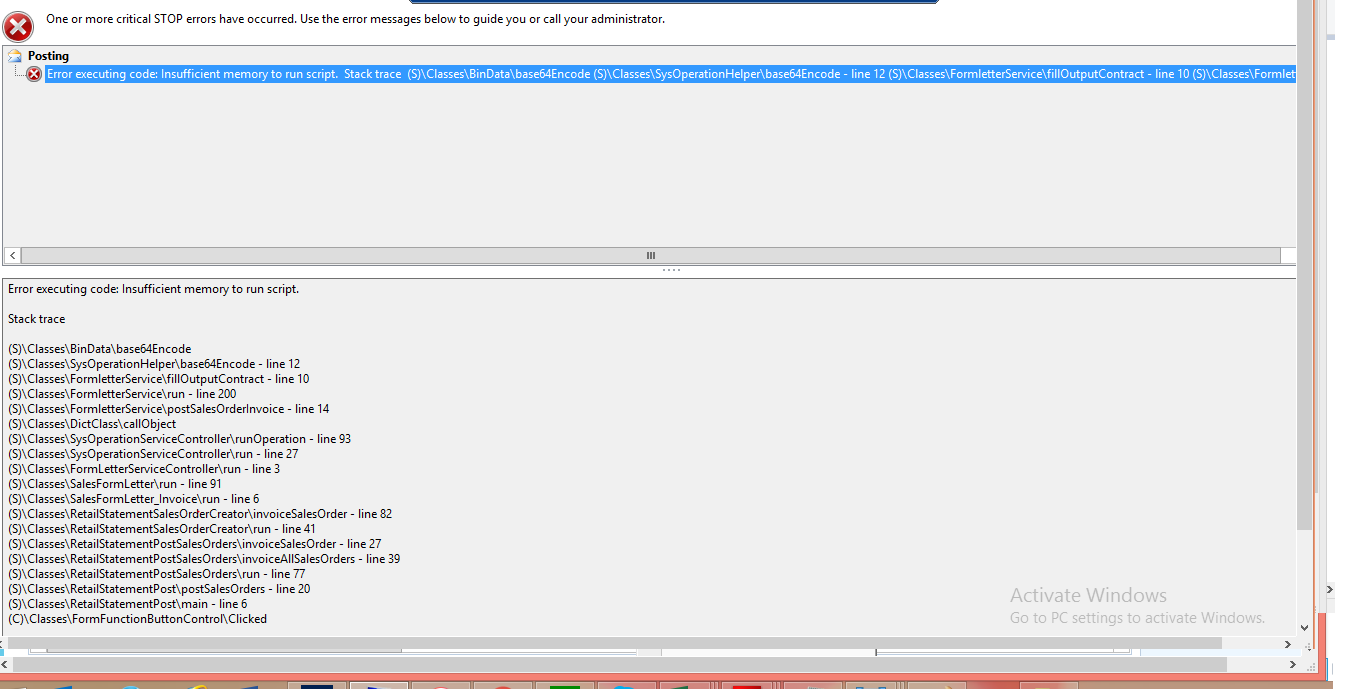
"Error Executing Code: Insufficient Memory to Run scripts."

The error relates to a particular date in which number of retail transactions is greater than usual (almost twice) only and is not recurring for other dates. I am unable to clear or delete statement as it has not rolled back properly. Has anyone faced or gone though this error at the time of statement posting.

The screen shots of error are here under
1050.Capture5.png

*This post is locked for comments

I have the same question (0)
  • Suggested answer
    Rodolfo Recalde Profile Picture
    on at

    Hi Bilal,

    I have already gone through a similar scenario on a Black Friday, when the number of transactions is exposingly greater.


    1) A possible solution, if this scenario is not recurrent, would be to create the statement manually, and make a filter by Staff / Register - Start time - End Time (Figure 1)
    So you can split the transactions into various statements.

    CreateStatement_5F00_DAX_5F00_Recalde.pngFigure 1

    That way you can have fewer transactions per statement.

    2) You can also check in Retail Stores Form -  Statement/Closing Group:


    "Depending on the calculation criteria that were defined for the statement in the STORE form, the lines are displayed by register number, by operator ID, or as a total. The lines are separated by payment method.The statement lines can also be displayed by shift. In the Stores form, if the Statement method field is set to Shift and the Split by Statement method check box is selected, a separate statement is created per shift when the statement calculation is run."

    Check that your business scenario is suitable for changing the way you calculate the statement. You may be able to create fewer rows.


    3) Calculate and post statements more than once a day to decrease the number of transactions per statement.

    4) One final solution would be to increase server memory.


    I hope this Helps!

    Regards,

    Rodolfo Recalde.

  • Community Member Profile Picture
    on at

    Hi Rodolfo 

    Thank You for your valuable suggestions. The issue has been resolved. The statement had to undergo a major surgery in SQL and X++ to release all the transactions. Statement was posted subsequently in smaller chunks and interestingly this issue also related to transaction on festive first evening of Ramadan.

    Thanks for your advice

    Regards

    Bilal Yaqub

Under review

Thank you for your reply! To ensure a great experience for everyone, your content is awaiting approval by our Community Managers. Please check back later.

Helpful resources

Quick Links

Introducing the 2026 Season 1 community Super Users

Congratulations to our 2026 Super Stars!

Meet the Microsoft Dynamics 365 Contact Center Champions

We are thrilled to have these Champions in our Community!

Congratulations to the April Top 10 Community Leaders

These are the community rock stars!

Leaderboard > 🔒一 Microsoft Dynamics AX (Archived)

#1
CP04-islander Profile Picture

CP04-islander 24

#2
Michel ROY Profile Picture

Michel ROY 14

#3
Jagadabi Profile Picture

Jagadabi 6

Last 30 days Overall leaderboard

Featured topics

Product updates

Dynamics 365 release plans
