web
You’re offline. This is a read only version of the page.
close
Skip to main content

Announcements

No record found.

News and Announcements icon
Community site session details

Community site session details

Session Id :
Microsoft Dynamics AX (Archived)

Suspend shift after suspended transaction in Retail POS AX2012 R3

(0) ShareShare
ReportReport
Posted on by

Hi,

I have to develop a requirement that need to suspend transaction and shift in a button ( to swap with another sales person )

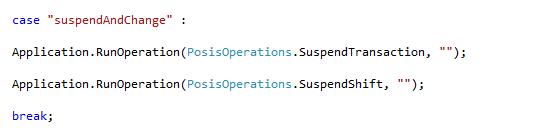
I mapped " [ " button to call BlankOperation : "suspendAndChange" to run my custom logic.

In this BlankOperation first I called Application.RunOperation(PosisOperations.SuspendTransaction, ""); before calling Application.RunOperation(PosisOperations.SuspendShift, ""); 
4162.2.png


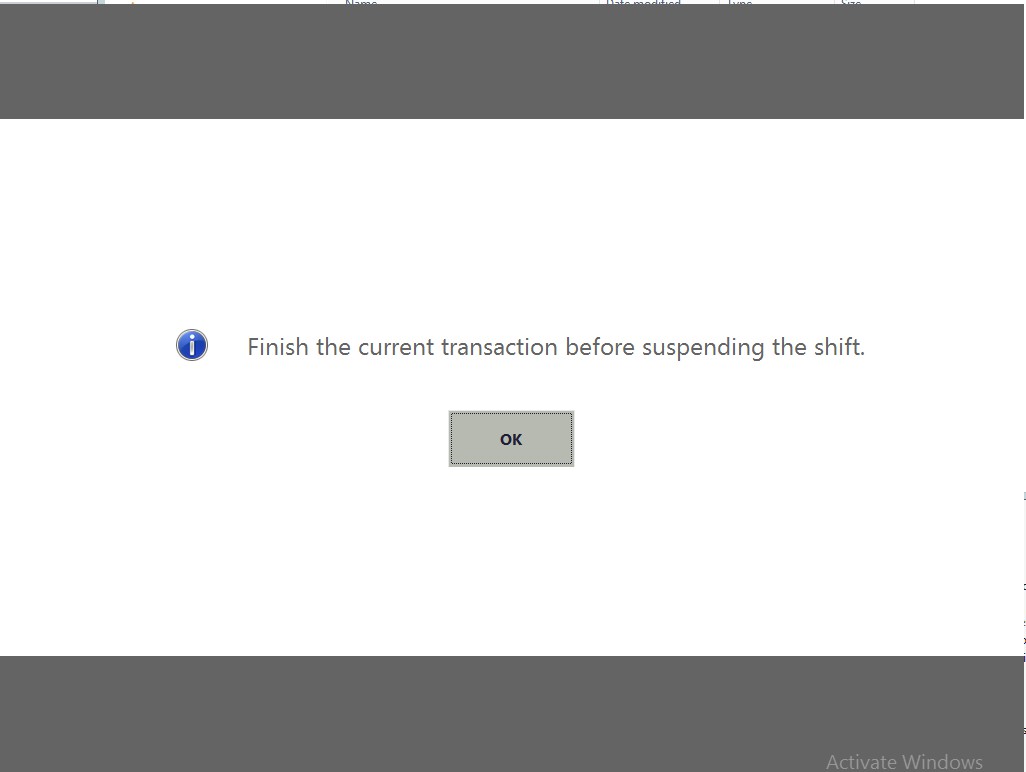
Then it resulted with this pic. 

messageImage_5F00_1468307144636.jpg

But if I ran this operations separately ( suspendtrans before suspendshift ) it worked.

Is there anything I have to do before calling SuspendShift ?

Any idea or suggestion are welcome !

Thanks in advance,

Parin Supasri

PS. I guess the transaction isn't saved before calling SuspendShift, but I have no idea how to forcefully save them.

*This post is locked for comments

I have the same question (0)
  • Nirvana115 Profile Picture
    4,921 on at

    Hi Parin,

    Normaly when u suspend transaction u need to confirm the message box Yes or No.

    Try to use a Sleep Method : System.Threading.Thread.Sleep(1000);

    called Application.RunOperation(PosisOperations.SuspendTransaction, "");

    System.Threading.Thread.Sleep(1000);

    before calling Application.RunOperation(PosisOperations.SuspendShift, "");

    Regards,

  • Community Member Profile Picture
    on at

    Hi Nirvana,

    Thank you for your quick reply.

    I tried to sleep before and after suspend shift but still got the same result (finish the current transaction before suspending shift). I also increase the waiting time to 3 ,5 ,10 secs but nothing has changed.

    Something interesting is after I close the warning dialog box. Current transaction then suspended. Maybe it does everything right after the BlankOperation finished ?

Under review

Thank you for your reply! To ensure a great experience for everyone, your content is awaiting approval by our Community Managers. Please check back later.

Helpful resources

Quick Links

Introducing the 2026 Season 1 community Super Users

Congratulations to our 2026 Super Stars!

Meet the Microsoft Dynamics 365 Contact Center Champions

We are thrilled to have these Champions in our Community!

Congratulations to the April Top 10 Community Leaders

These are the community rock stars!

Leaderboard > 🔒一 Microsoft Dynamics AX (Archived)

#1
CP04-islander Profile Picture

CP04-islander 24

#2
Michel ROY Profile Picture

Michel ROY 14

#3
Jagadabi Profile Picture

Jagadabi 6

Last 30 days Overall leaderboard

Featured topics

Product updates

Dynamics 365 release plans