web
You’re offline. This is a read only version of the page.
close
Skip to main content

Announcements

No record found.

News and Announcements icon
Community site session details

Community site session details

Session Id :
Microsoft Dynamics GP (Archived)

Unit cost of inventory item is Zero

(0) ShareShare
ReportReport
Posted on by

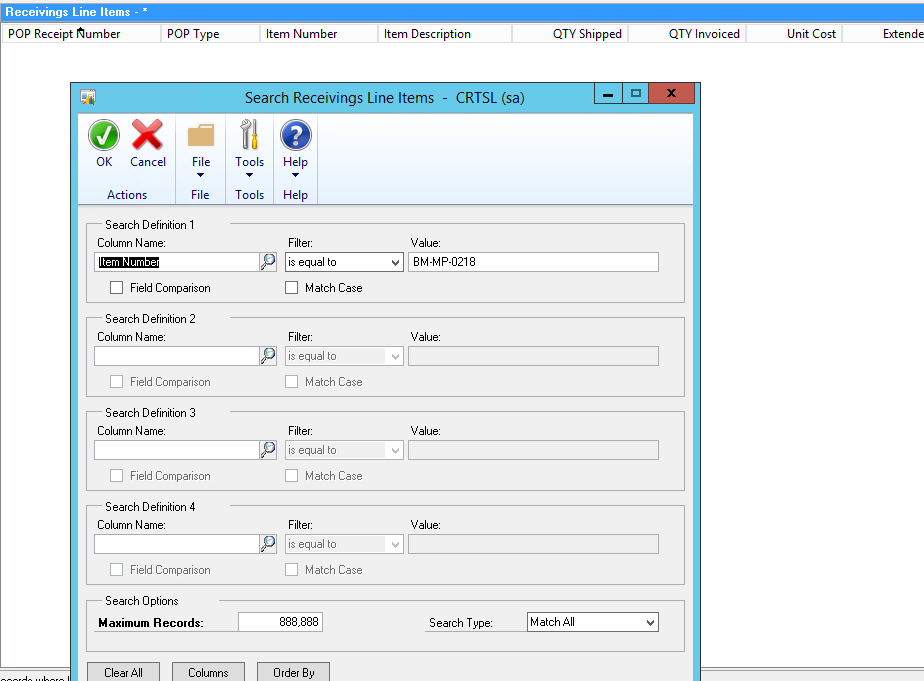
We generate some invoices and found that unit cost of items is zero in the sales transaction entry. I wnt to the smartlist>purchasing>receiving line items and searched the item but this item was never received. I went to the inventory>inquiry and inquired Qty on hand was 40, 15 were allocated and 25 was available. but standard cost and current cost iz zero.

I realized that at the time of entering opening balances and opening inventory qty someone may be forgot to enter the unit cost.

Now I want to give the cost to that specific item. How can it assign a unit cost so that it could be picked up and shown in invoice.

Below is the image of invoice
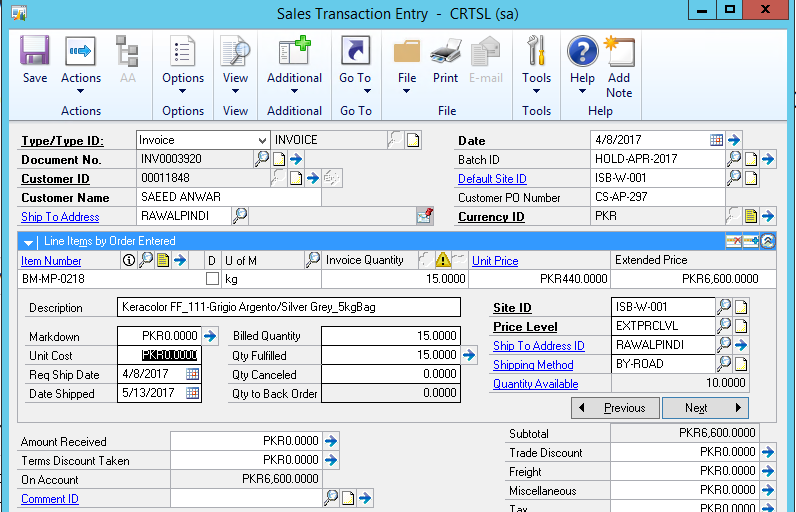
Unit-cost-1.png

Below is the image of inventory inquiry window
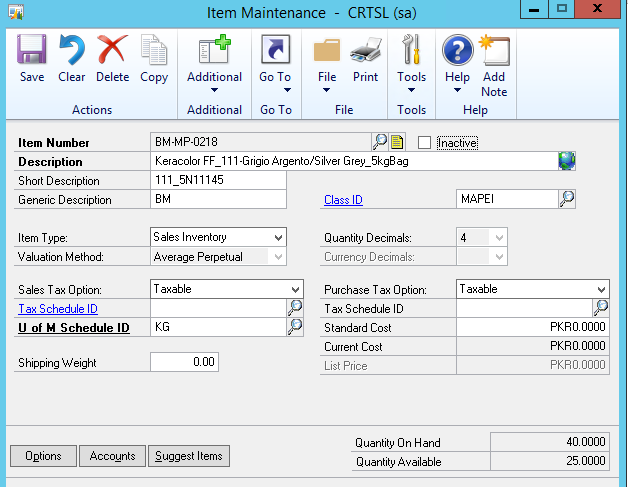
Unit-Cost-2.png

Below is the image of smartlist

Unit-cost-3.png

*This post is locked for comments

I have the same question (0)
  • Verified answer
    Tim Wappat Profile Picture
    5,713 on at

    Have a look at the tool Tools> Utilities>Inventory>Change Item Standard Cost

    Press F1 on that form to get more info.

    Tim.

  • Verified answer
    Ian Grieve Profile Picture
    22,784 on at

    When you are using an Averaging valuation method you need to manage your standard costs. Tim's suggestion is a good starting point.

  • Community Member Profile Picture
    on at

    As a follow up question, is there any configuration in GP that will force the Sale Invoice entry to require unit cost value to be greater than 0? Thanks

Under review

Thank you for your reply! To ensure a great experience for everyone, your content is awaiting approval by our Community Managers. Please check back later.

Helpful resources

Quick Links

Introducing the 2026 Season 1 community Super Users

Congratulations to our 2026 Super Stars!

Meet the Microsoft Dynamics 365 Contact Center Champions

We are thrilled to have these Champions in our Community!

Congratulations to the April Top 10 Community Leaders

These are the community rock stars!

Leaderboard > 🔒一 Microsoft Dynamics GP (Archived)

#1
talty09 Profile Picture

talty09 2

#1
Anthony Beatty Profile Picture

Anthony Beatty 2

#3
CP04-islander Profile Picture

CP04-islander 1

Last 30 days Overall leaderboard

Featured topics

Product updates

Dynamics 365 release plans