web
You’re offline. This is a read only version of the page.
close
Skip to main content

Notifications

Announcements

No record found.

Community site session details

Community site session details

Session Id :
Microsoft Dynamics CRM (Archived)

ID3242: The security token could not be authenticated or authorized

(1) ShareShare
ReportReport
Posted on by

Hi Guys,

I am trying to login to Microsoft Dynamics CRM 2015, as following:

public OrganizationServiceProxy ConnectToMsCrm(string UserName, string Password, string SoapOrgServiceUri)
{
try
{
ClientCredentials credentials = new ClientCredentials();
credentials.UserName.UserName = UserName;
credentials.UserName.Password = Password;
Uri serviceUri = new Uri(SoapOrgServiceUri);
OrganizationServiceProxy proxy = new OrganizationServiceProxy(serviceUri, null, credentials, null);
proxy.EnableProxyTypes();

return proxy;
}
catch (Exception ex)
{
LogHelper.Error(typeof(ConnectToMSCrmService), "Error while connectiong to CRM", ex);
return null;
}
}

var proxy = _connectToMsCrmService.ConnectToMsCrm("username", "password", "ipsdev.obeikan.com.sa/.../Organization.svc"); _organizationService = (IOrganizationService)proxy; Guid userid = ((WhoAmIResponse)_organizationService.Execute(new WhoAmIRequest())).UserId;

Now, when trying to execute, it is throwing the following error:
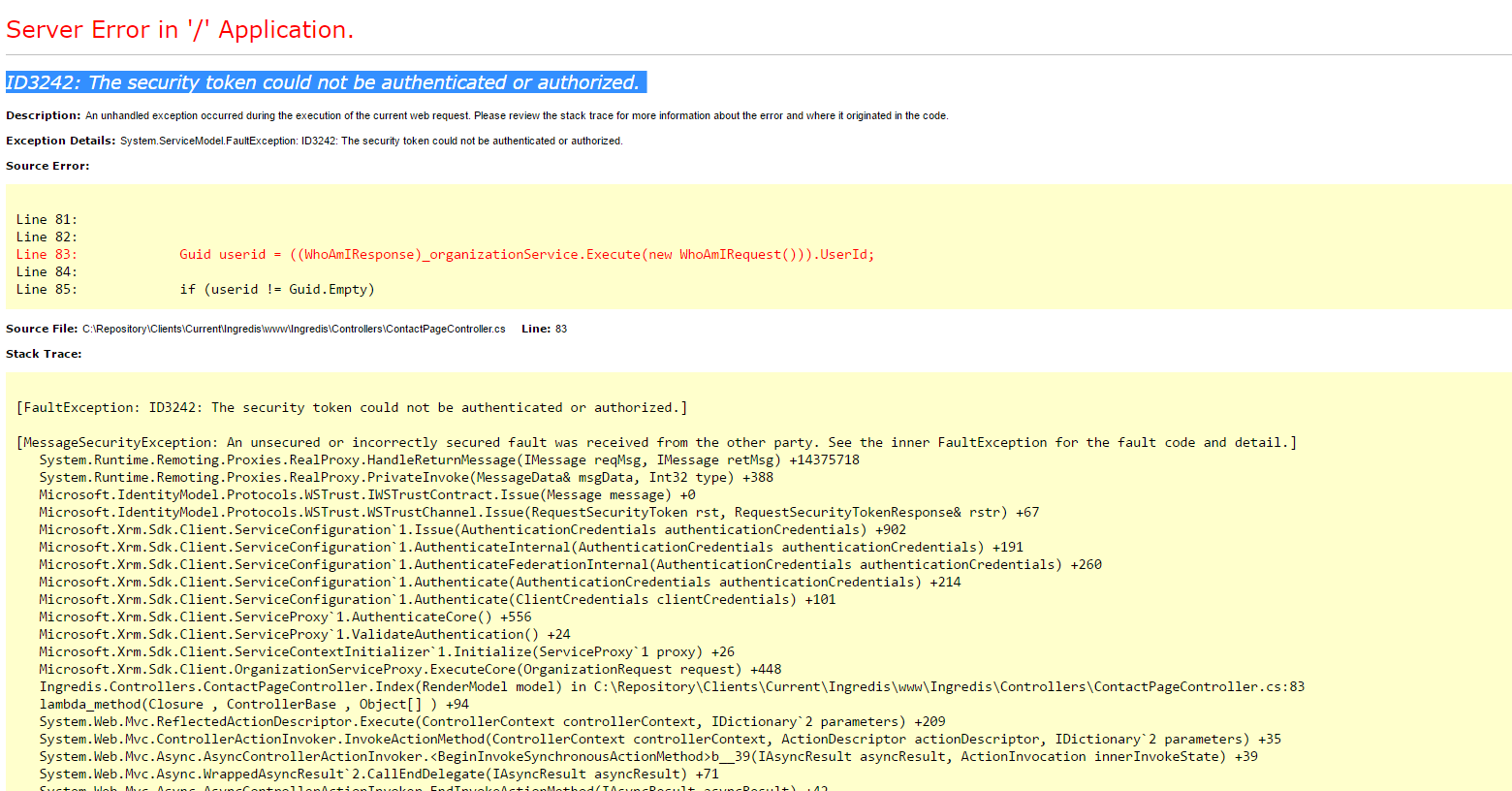
01641.Untitled.png

Then when trying to access  https://ipsdev.obeikan.com.sa/

and login with the same credentials, it will logs in.

Any help of guidance please?

Thank you in advance.


*This post is locked for comments

I have the same question (0)
  • minohimself Profile Picture
    2 on at

    Try to put @domain to your username ;)

  • Community Member Profile Picture
    on at

    The username is like an email: Test2.CRM@ipsdubai.com

    So you mean like this: ipsdubai.com/Test2.CRM@ipsdubai.com  ?

    Thanks

  • minohimself Profile Picture
    2 on at

    Yes try it like that, try it also without domain

  • Community Member Profile Picture
    on at

    I tried already like that, username as : Test2.CRM@ipsdubai.com but it does not worked. Throws the above error.

    Next Monday, will try it just the username without the domain: Test2.CRM

  • kghareeb Profile Picture
    5 on at

    Hi Simon,

    I am facing similar issue, were you able to fix yours

  • gagahlot Profile Picture
    on at

    Hey kghareeb,

    How did u resolve it?

  • Nishant Rana Profile Picture
    11,325 Microsoft Employee on at

    Well in our case it was a different reason

    nishantrana.me/.../

    Just check how the ADFS / IFD is configured.

Under review

Thank you for your reply! To ensure a great experience for everyone, your content is awaiting approval by our Community Managers. Please check back later.

Helpful resources

Quick Links

Responsible AI policies

As AI tools become more common, we’re introducing a Responsible AI Use…

Neeraj Kumar – Community Spotlight

We are honored to recognize Neeraj Kumar as our Community Spotlight honoree for…

Leaderboard > 🔒一 Microsoft Dynamics CRM (Archived)

#1
SA-08121319-0 Profile Picture

SA-08121319-0 4

#1
Calum MacFarlane Profile Picture

Calum MacFarlane 4

#3
Alex Fun Wei Jie Profile Picture

Alex Fun Wei Jie 2

Last 30 days Overall leaderboard

Featured topics

Product updates

Dynamics 365 release plans
