web
You’re offline. This is a read only version of the page.
close
Skip to main content

Notifications

Announcements

No record found.

Community site session details

Community site session details

Session Id :
Microsoft Dynamics 365 | Integration, Dataverse...
Suggested Answer

Move SSRS report categories from environment to another

(0) ShareShare
ReportReport
Posted on by 905

Hello,

I have SSRS reports that have different categories and I was able to find a way to add new categories options as per the below blog post:

Dynamics 365: Organize Reports with Custom Report Categories and Views - The Marks Group | Small Business Consulting | CRM Consultancy

I was trying to create a view for each category, however, my main concern is if I want to move the reports to a different environment how can i migrate the same categories that was added on the development environment?'

Report Related Category (ReportCategory) table/entity reference (Microsoft Dataverse) - Power Apps | Microsoft Learn

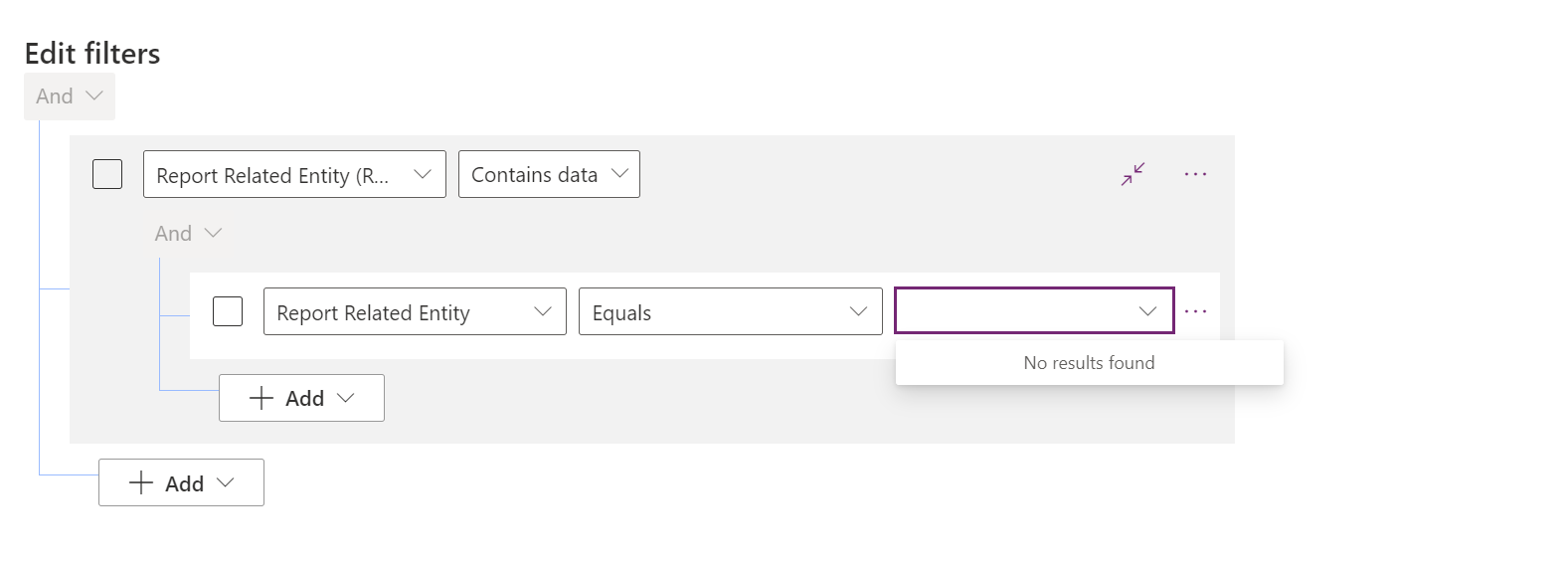
Additionally, I found a way to create a view filtered by report related entity as follows:
pastedimage1673939553061v1.png

But couldn't find the related entity I am integrating with to filter it up and also it is not possible to add a relationship with the entity.

What is the easiest way to accomplish the above requirements?

Any help is greatly appreciated.

Best regards,
EBMRay

I have the same question (0)
  • Suggested answer
    Amit Katariya007 Profile Picture
    10,409 Super User 2025 Season 2 on at

    Can u check once if have report category table on dev environment? And let me now what are the records in it.

  • Suggested answer
    Bipin D365 Profile Picture
    28,983 Moderator on at

    Hi,

    Report category table records need to be exported from dev and imported to your target instance

    learn.microsoft.com/.../reportcategory

    You can export excel and convert that into CSV to import to target instance

    Configuration migration tool can also be used to migrate these records

  • EBMRay Profile Picture
    905 on at

    Hello Amit Katariya007 

    The table exists on the dev environment as I found it on FetchXML builder and not from the tables in powerapps.

    Thank you.

  • EBMRay Profile Picture
    905 on at

    Hello Bipin Kumar ,

    I found the table in the fetch XML builder as follows:

    pastedimage1674023286917v1.png

    Basically, I need to migrate the category options.

    In the configuration migration tool, I was not able to find this table to include in the Master data.

    ReportCategory.png
    What would be an alternative to including it in the configuration migration tool?

    Your help is greatly appreciated.

    Best regards,
    EBMRay

  • EBMRay Profile Picture
    905 on at

    Hello Bipin Kumar ,

    Have you had the change to check my last reply?

    Best regards,
    EBMRay

  • Suggested answer
    Amit Katariya007 Profile Picture
    10,409 Super User 2025 Season 2 on at

    As Bipin suggested, Export the table and upload it on the destination environment.

  • EBMRay Profile Picture
    905 on at

    Hello Amit Katariya007 ,

    The category is a picklist, not a table, so I used Option Set editor on xrmtoolbox and I was able to add the options I want.

    pastedimage1674196140050v2.png

    Best regards,
    EBMRay

  • Suggested answer
    Amit Katariya007 Profile Picture
    10,409 Super User 2025 Season 2 on at

    does it worked for the respective option?

  • EBMRay Profile Picture
    905 on at

    Yes it worked by amending changes to the picklist option and not by exporting table to do the import.

Under review

Thank you for your reply! To ensure a great experience for everyone, your content is awaiting approval by our Community Managers. Please check back later.

Helpful resources

Quick Links

Responsible AI policies

As AI tools become more common, we’re introducing a Responsible AI Use…

Neeraj Kumar – Community Spotlight

We are honored to recognize Neeraj Kumar as our Community Spotlight honoree for…

Leaderboard > Microsoft Dynamics 365 | Integration, Dataverse, and general topics

#1
Siv Sagar Profile Picture

Siv Sagar 93 Super User 2025 Season 2

#2
#ManoVerse Profile Picture

#ManoVerse 80

#3
Martin Dráb Profile Picture

Martin Dráb 64 Most Valuable Professional

Last 30 days Overall leaderboard

Product updates

Dynamics 365 release plans



