web
You’re offline. This is a read only version of the page.
close
Skip to main content

Notifications

Announcements

No record found.

Community site session details

Community site session details

Session Id :
Microsoft Supply Chain Center Forum - Note: thi...
Answered

Issue ingesting data SCC Insights

(0) ShareShare
ReportReport
Posted on by 35

I'm trying to ingest data into SCC admin center and I got this message error. There's a way to reload the data? Or I need to wait for another 3 hour for the next execution?

The message is not clear, so I cant resolve the issue.
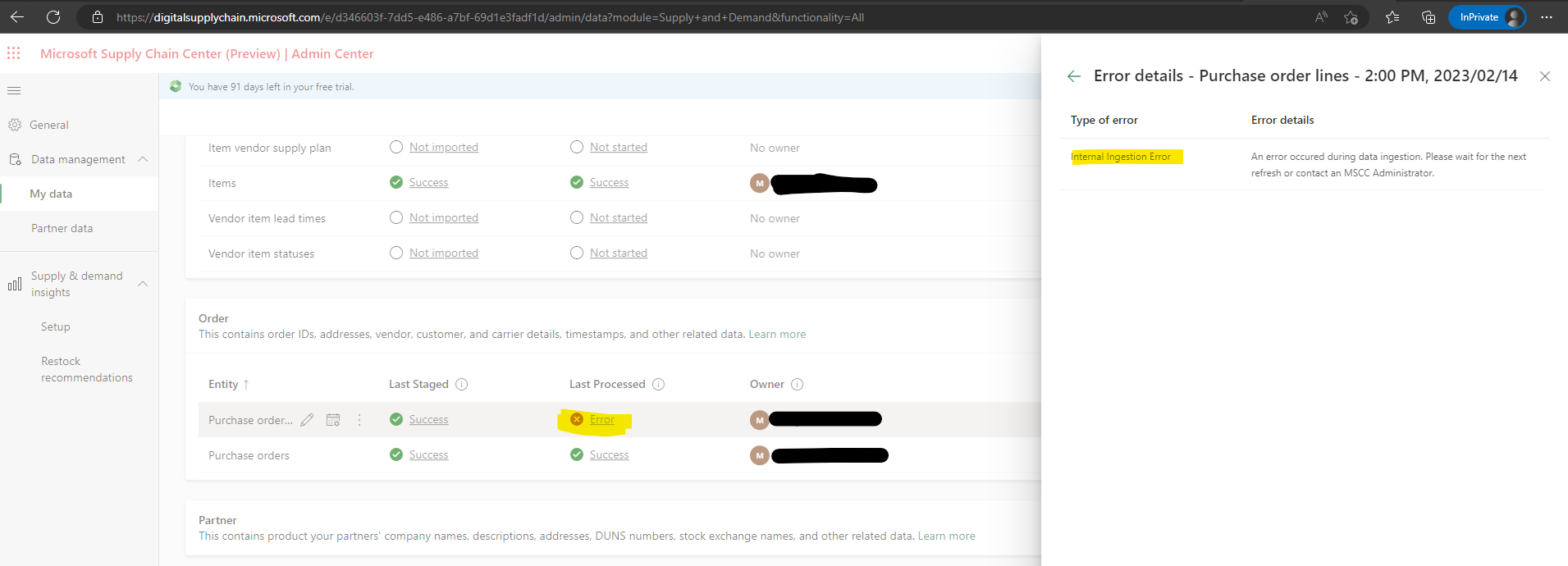
pastedimage1676380825388v1.png

There's a way to manually run this refresh?
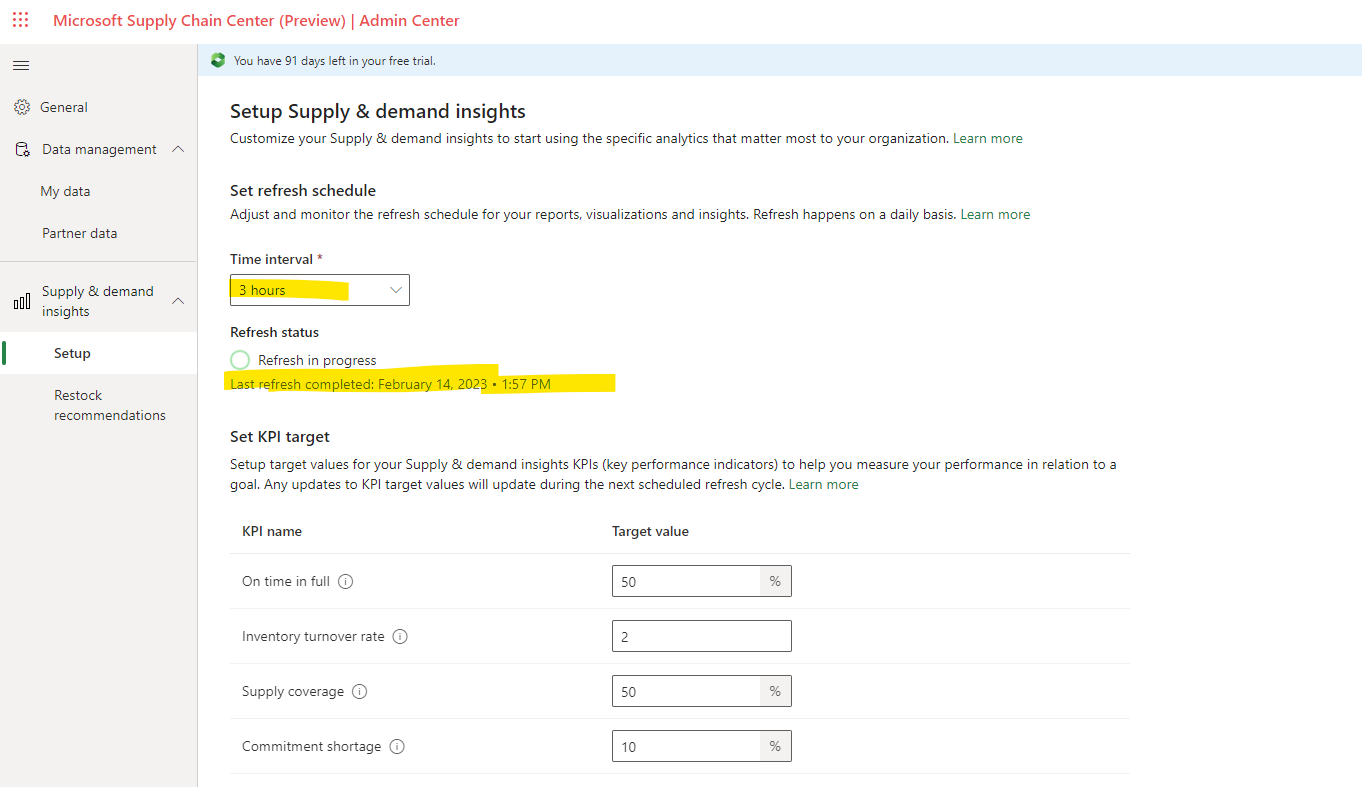
pastedimage1676380923073v2.png

Thanks!

I have the same question (0)
  • JuanMSFT Profile Picture
    on at

    Hello Mary, you do not have to wait until the next scheduled refresh. This document has the information on how to update your data: learn.microsoft.com/.../review-update-delete-data

  • Mary Rivas Profile Picture
    35 on at

    Hi Juan

    You said, if I only ingest the data, all the charts will be refresh? I try it but actually doesn't it. 

    Right now, I deleted all the data and still show some information in the charts.

    pastedimage1676448100080v1.png

    pastedimage1676448134187v2.png

    So, my doubt is, I need to wait until refresh or just only ingest the data and refresh to see it on the charts?

    Thanks!!

    Mary 

  • JuanMSFT Profile Picture
    on at

    Hello Mary, did you remove the sample data before getting started with data ingestion? All the preloaded data needs to be removed before you ingest your own data. For that, you need to go to Admin center and click the Remove data button.

    pastedimage1676478577226v1.png

  • Verified answer
    Mary Rivas Profile Picture
    35 on at

    Hi Juan! Yes I did it! . Actually deleted all the data and ingested again with all the attributes and now I can see one of the chart, but the refresh Isn't only with the ingest, I need the data processes and then I see the analytics.

    Thanks for your help

  • JuanMSFT Profile Picture
    on at

    I am glad that worked. Let me know if you need anything else.

Under review

Thank you for your reply! To ensure a great experience for everyone, your content is awaiting approval by our Community Managers. Please check back later.

Helpful resources

Leaderboard > Microsoft Supply Chain Center

Last 30 days Overall leaderboard

Featured topics

Product updates

Dynamics 365 release plans



