web
You’re offline. This is a read only version of the page.
close
Skip to main content

Notifications

Announcements

No record found.

Community site session details

Community site session details

Session Id :
Customer experience | Sales, Customer Insights,...
Answered

Organization Chart in Account form

(0) ShareShare
ReportReport
Posted on by 1,235

Hi,

Does anyone know in the organization chart of Account form, possible to display additional field info inside ? Currently we can see the name and the job tittle. 

Also does anyone experience to import any data related to the organization chart?

Thanks.

Regards,
Teh

I have the same question (0)
  • cloflyMao Profile Picture
    25,210 on at

    Hi Teh,

    Org chart is not customizable, but once you had created hierarchy for contacts who are in same account, then you could build a custom hierarchy chart for these contacts.

    1. A configured org chart in an account record.

    pastedimage1583136530245v1.png 

    2. In Customization > Contact > Hierarchy settings, create a new record, 

    then select an existing or create a new quick view form for current setting.

    pastedimage1583136809343v2.png

    3. By open hierarchy of contact, we can see a similar chart to org chart:

    pastedimage1583137000283v4.png

    We should notice that only first 3 rows could display when we view hierarchy for contacts.

    pastedimage1583136952603v3.png

    Please read this article for details about Hierarchy:

    https://www.crmsoftwareblog.com/2018/02/dynamics-365-record-hierarchy/

    Regards,

    Clofly

  • Venedict Profile Picture
    1,235 on at

    Hi Clofly,

    Thanks for your prompt reply. Understand on the customization part, how about data import? Possible to import the data for the organization chart?

    Thanks.

    Regards,

    Teh

  • Suggested answer
    Yiming  Profile Picture
    on at

    Hi,

    Currently, org chart cannot be customized, it only shows name and title. 

    For the data import question, it seems it is unlikely to import the data related to org chart. We can only set the hierarchy inside the CRM. But I found that we can export the org chart from Dynamics to Visio, kindly check https://www.dynamics-hr-management.com/en/e-learning/elearning_office_365_microsoft_visio_org_chart.htm if you are interested in this.

    Some useful links about org chart for your reference: 

    https://docs.microsoft.com/en-us/dynamics365/sales-enterprise/live-org-chart

    https://www.alithya.com/en/insights/blog-posts/using-hierarchy-visualizations-to-capture-org-charts-in-dynamics-crm

    Meantime, if you have any suggestions or ideas about the Org Chart feature, kindly please raise it here https://experience.dynamics.com/ideas/. It is a channel to reach the Dynamics 365 CRM product team directly. This is a very efficient way to improve Dynamics 365.  Thanks!

    Hope it can help.

  • Verified answer
    cloflyMao Profile Picture
    25,210 on at

    Hi Teh,

    It seems that you could import data for org chart.

    Just make sure that Company Name and parent contact fields have been added in your custom view for import.

    Below are my steps:

    1. Create the custom view for contact entity:

    pastedimage1583163551212v1.png

    2. Export the view as upload excel template

    Contact entitylist > Excel Templates > View All My Template:
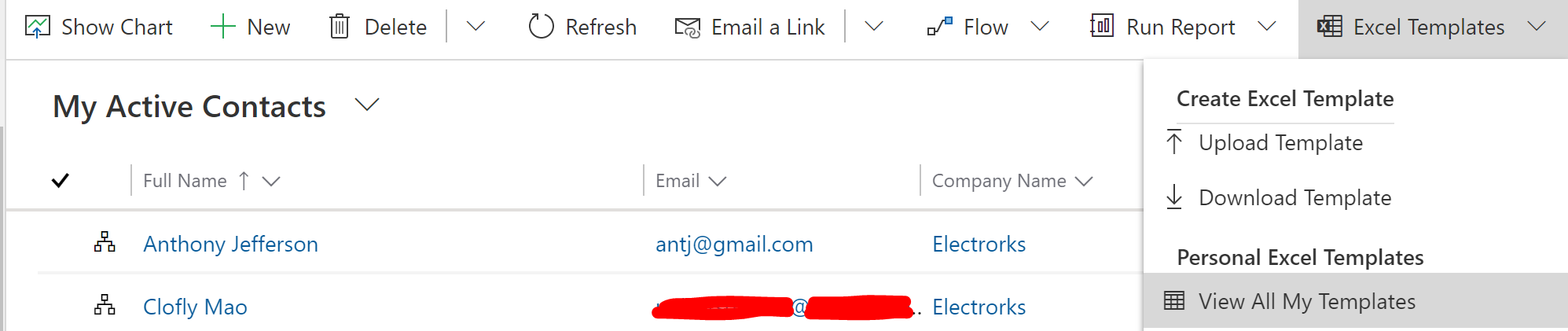
    pastedimage1583163735383v3.png

    In Download to Create Excel Template dialog, set the previous custom view.
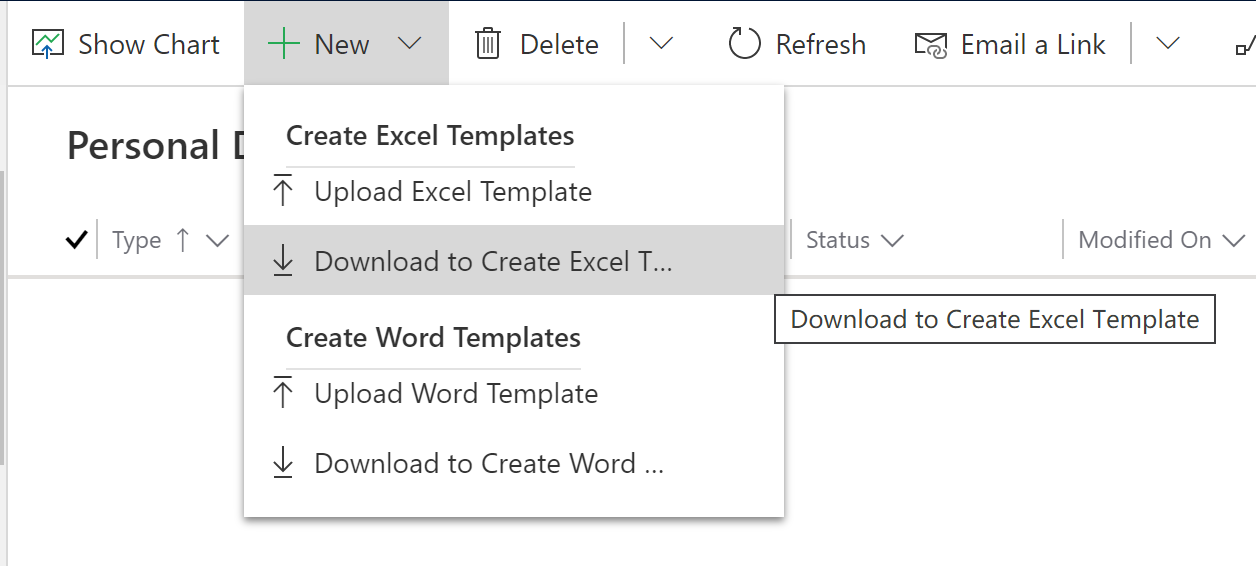
    pastedimage1583163673330v2.png

    3. I added two new records,(row 4 and row 5) and just copy two lookup field text value into new record's fields.

    pastedimage1583163894327v4.png

    4. Import the excel into Marketing, 2 records are created, due to step 3,

    those people are all in same company, and Clofly is the manager for other 4 records.
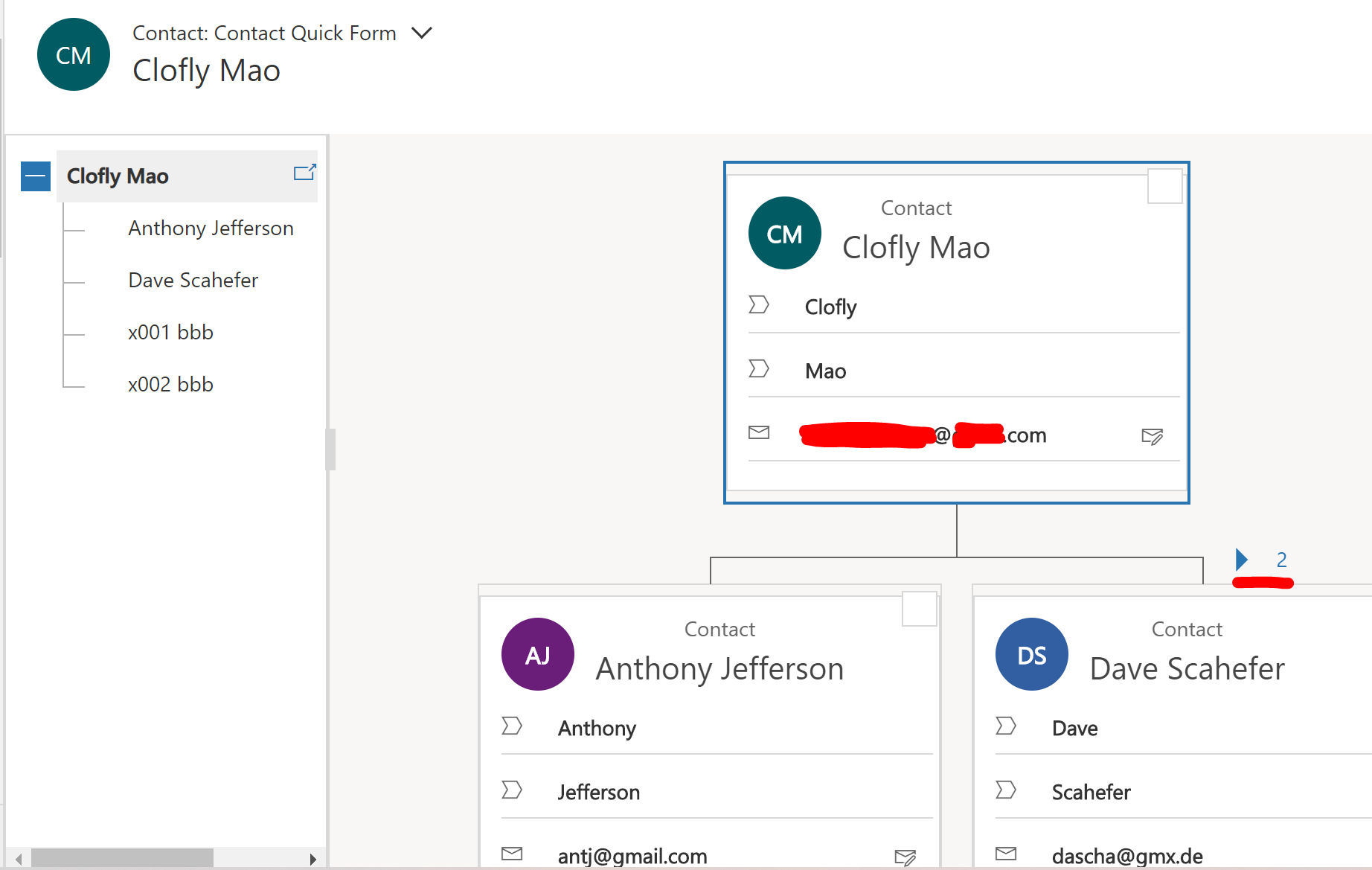
    pastedimage1583164019625v5.png

    5. We can also find new change in account org chart.
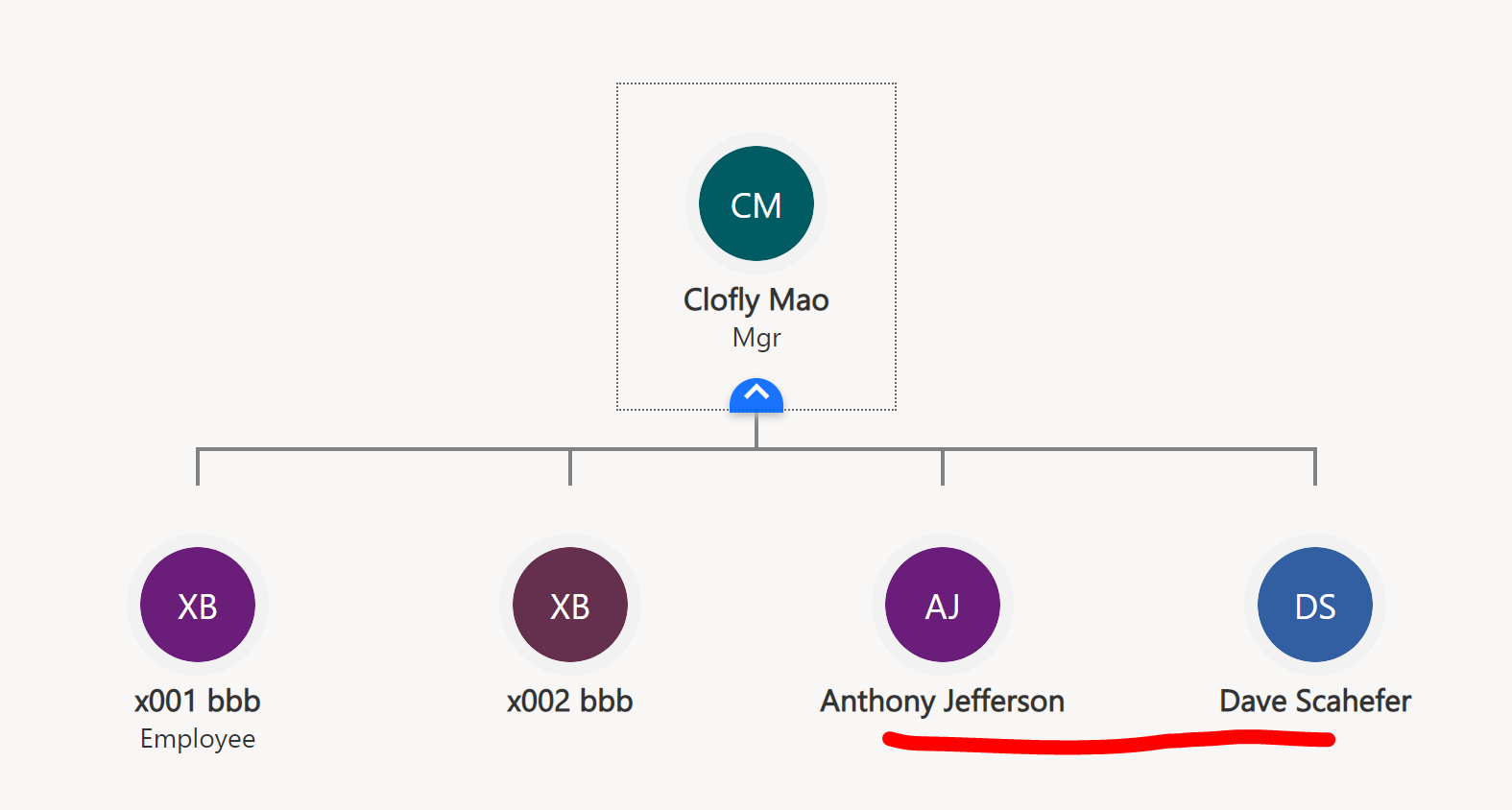
    pastedimage1583164081706v6.png

    Regards,

    Clofly

  • Venedict Profile Picture
    1,235 on at

    Hi Clofly,

    Thanks for your reply. Will try it out.

    Regards,

    Teh

Under review

Thank you for your reply! To ensure a great experience for everyone, your content is awaiting approval by our Community Managers. Please check back later.

Helpful resources

Quick Links

Responsible AI policies

As AI tools become more common, we’re introducing a Responsible AI Use…

Neeraj Kumar – Community Spotlight

We are honored to recognize Neeraj Kumar as our Community Spotlight honoree for…

Leaderboard > Customer experience | Sales, Customer Insights, CRM

#1
Tom_Gioielli Profile Picture

Tom_Gioielli 170 Super User 2025 Season 2

#2
#ManoVerse Profile Picture

#ManoVerse 61

#3
Gerardo Rentería García Profile Picture

Gerardo Rentería Ga... 52 Most Valuable Professional

Last 30 days Overall leaderboard

Product updates

Dynamics 365 release plans
