web
You’re offline. This is a read only version of the page.
close
Skip to main content

Announcements

No record found.

News and Announcements icon
Community site session details

Community site session details

Session Id :
Finance | Project Operations, Human Resources, ...
Suggested Answer

handle a new Column into the Bank Statement Lines table [BankStmtISOReportEntry]

(0) ShareShare
ReportReport
Posted on by 115

6518.ab.png

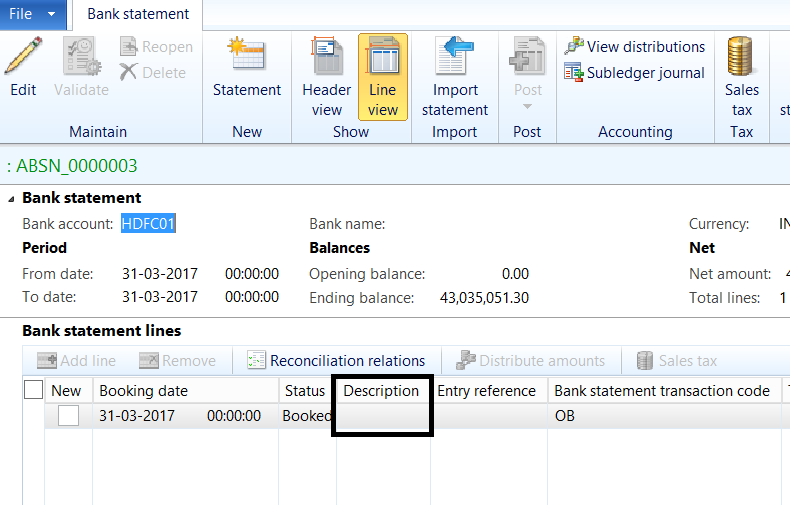
I have added new field ,Description in BankStmtISOReportEntry table . Bank Statement format is MT940 . 

{1:F01axisINBBADEL0000000000}{2:I940CRESCHZFXARSN}{4:
:20:2503465687
:25:00155000004589
:28C:00001/001
:60M:C201026INR948256879,59
:61:201023C53539,66S940ACCTSERVREF
:86:70000273TERMINAL 1 CARDS SETTL. 2/10/19
:61:201023D81,67S940ACCTSERVREF
:86:70000273TERMINAL 1CREDIT VOUCHER2/10/19
:61:201023C30054,00S940ACCTSERVREF
:86:DELHIVERY PRIV-Abcdefghizklfor test
:61:201023C847,60S940ACCTSERVREF
:86:PayZapp - Abcdefghizklfor test 23/10/2020
:62M:C201026INR94913836,18
-}

Now i want to Upload above Bank statement Line in Ax . & each 86 tag Line have to upload in  ,Description  Field Which i newly created Field in Bank Statement Line .

So my question is How to add New Tag/Column in MT940TXT-to-MT940XML & MT940XML-to-Reconciliation in these xml files & how to Push Data of New Tag/column to table [BankStmtISOReportEntry] new field i.e. Description.  Thanks .. Please Help...

I have the same question (0)
  • Suggested answer
    Microsoft Profile Picture
    on at

    When you add a new field in the table.  and want to bulk upload info to AX,

    you can try to find and update existing related entity to include this new field. then have a try.

  • PK mishra Profile Picture
    115 on at

    Jasmine Thanks For Response,

    I have add a new field 6 days ago only .

    I try but i didnt find exact entity In AX R3 , If You Know ,Please Tell me , Thanks in advance.

  • Suggested answer
    Microsoft Profile Picture
    on at

    Yes, I just checked there is no entity available for this table: BankStmtISOReportEntry.

    but you can try to create entity and just included your needed field in the entity.

    1. In Visual studio, In the application suite project, right click to add a new item: data entity.

    2. then follow the wizard to select the table and the needed field for the entity.

    3. Build the entity.

    4. in workspace, try to upload the file by the newly created data entity and have a test.

Under review

Thank you for your reply! To ensure a great experience for everyone, your content is awaiting approval by our Community Managers. Please check back later.

Helpful resources

Quick Links

Introducing the 2026 Season 1 community Super Users

Congratulations to our 2026 Super Stars!

Meet the Microsoft Dynamics 365 Contact Center Champions

We are thrilled to have these Champions in our Community!

Congratulations to the April Top 10 Community Leaders

These are the community rock stars!

Leaderboard > Finance | Project Operations, Human Resources, AX, GP, SL

#1
Giorgio Bonacorsi Profile Picture

Giorgio Bonacorsi 608

#2
André Arnaud de Calavon Profile Picture

André Arnaud de Cal... 591 Super User 2026 Season 1

#3
CP04-islander Profile Picture

CP04-islander 430

Last 30 days Overall leaderboard

Product updates

Dynamics 365 release plans
