web
You’re offline. This is a read only version of the page.
close
Skip to main content

Notifications

Announcements

No record found.

Community site session details

Community site session details

Session Id :
Finance | Project Operations, Human Resources, ...
Answered

Cannot Launch report designer in D365 Finance and Operations

(0) ShareShare
ReportReport
Posted on by 25

Hi all,

Every time I open MS edge and click edit to launch the report designer is giving an error after I enter my password to sign in.

below is the screenshot for that error.
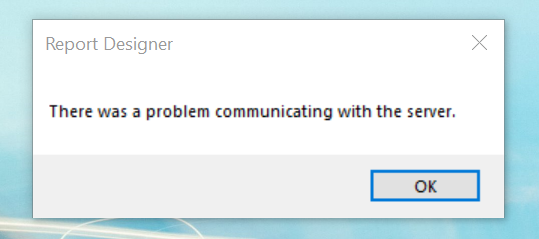
Report_5F00_Desginer_5F00_Error.png

This error is only happening when I use my laptop.

there are no errors when I use other laptops to open report designer.

Any help would be much appreciated.

thank you.

I have the same question (0)
  • Suggested answer
    Komi Siabi Profile Picture
    13,109 Most Valuable Professional on at

    Hello,

    If this works well on other laptops, you might want to confirm that the edge browser on your own computer is up to date. You should also try using private window in edge.

  • André Arnaud de Calavon Profile Picture
    301,141 Super User 2025 Season 2 on at

    Hi h4d35,

    When you have the issue only on one laptop, the Report Designer is working correctly. Do you know about possible differences in setup or security permissions? E.g. is this a ByoD (Bring your own Device) where the others are part of a domain?

  • h4d35 Profile Picture
    25 on at

    Hi..thanks.... the browser is updated but still same error.

  • h4d35 Profile Picture
    25 on at

    Hi..thanks.. Both laptops are connected to the same domain. Even laptops outside the domain can launch the app because D365 F&O is cloud-based.

  • André Arnaud de Calavon Profile Picture
    301,141 Super User 2025 Season 2 on at

    Hi,

    I only provided one example of a difference between multiple laptops. There might be difference in the Windows version (10 or 11), updates, other installed software, etc. There should be something different, but we don't know what.

    You can also try to use Fiddler to check if there are particular communication issues.

  • h4d35 Profile Picture
    25 on at

    Hi Andrew, thank you I will try that out and advise.

  • Verified answer
    h4d35 Profile Picture
    25 on at

    Hi Andre, I managed to resolve the issue. The root cause was the system time on the PC. It was some minutes ahead of the local time. I corrected the time and it is working perfectly. I found an article on MS site which states one of those cause and that was it.

    learn.microsoft.com/.../cannot-connect-to-server-error-message-when-starting-management-reporter

Under review

Thank you for your reply! To ensure a great experience for everyone, your content is awaiting approval by our Community Managers. Please check back later.

Helpful resources

Quick Links

Responsible AI policies

As AI tools become more common, we’re introducing a Responsible AI Use…

Neeraj Kumar – Community Spotlight

We are honored to recognize Neeraj Kumar as our Community Spotlight honoree for…

Leaderboard > Finance | Project Operations, Human Resources, AX, GP, SL

#1
André Arnaud de Calavon Profile Picture

André Arnaud de Cal... 456 Super User 2025 Season 2

#2
Martin Dráb Profile Picture

Martin Dráb 429 Most Valuable Professional

#3
BillurSamdancioglu Profile Picture

BillurSamdancioglu 239 Most Valuable Professional

Last 30 days Overall leaderboard

Product updates

Dynamics 365 release plans
