web
You’re offline. This is a read only version of the page.
close
Skip to main content

Notifications

Announcements

No record found.

Community site session details

Community site session details

Session Id :
Finance | Project Operations, Human Resources, ...
Suggested Answer

Can't see 'Tile button' option

(0) ShareShare
ReportReport
Posted on by 3,155

I am attempting to duplicate a workspace in D365.  While copying another workspace, I get to the point where I need to add 'Tile button' items but the option isn't there.
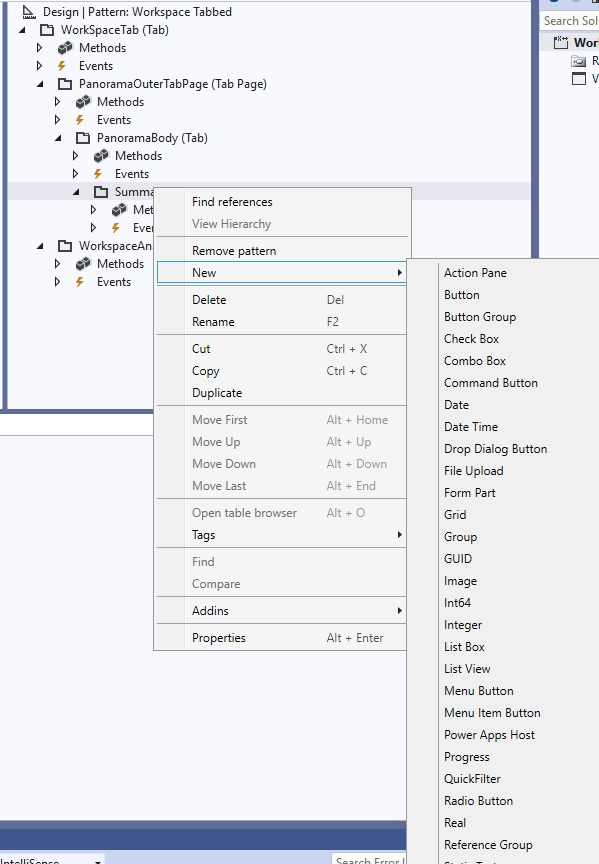
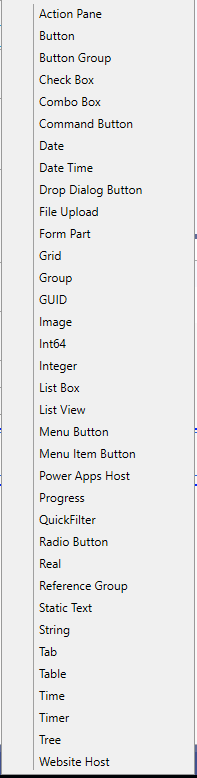
pastedimage1671056068956v1.pngpastedimage1671127597823v1.png

You can see the options are limited.  If I 'Duplicate' the workspace I'm trying to recreate (For learning purposes), then I can see all the options I should:
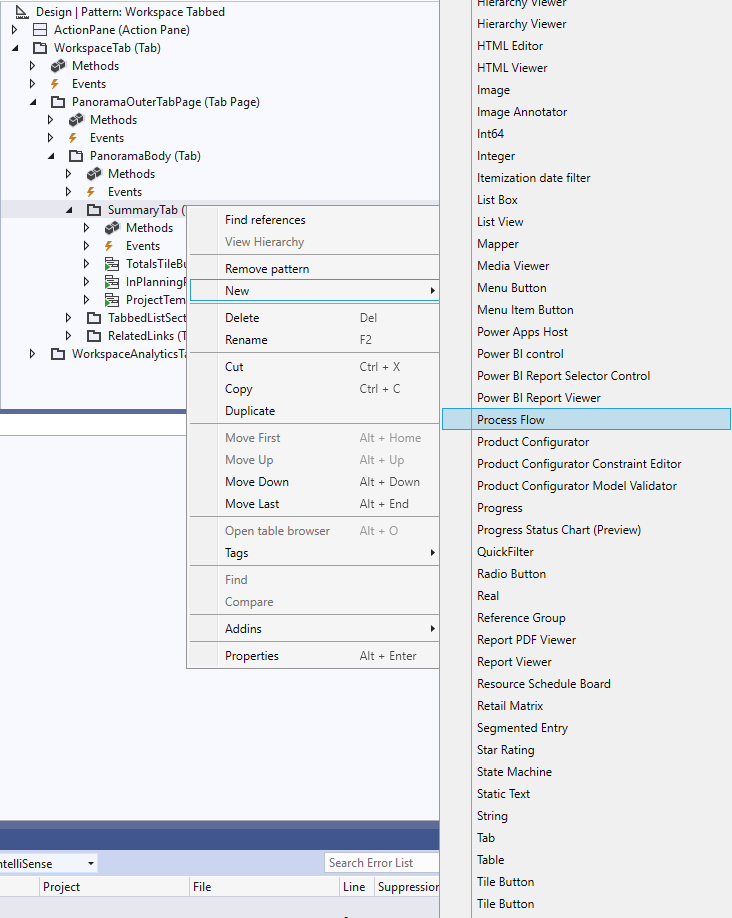
pastedimage1671056176857v2.png

I'm thinking that I've set something up incorrectly. I just can't figure out what it is.

I have the same question (0)
  • Suggested answer
    GirishS Profile Picture
    27,827 Moderator on at

    Hi Bradley James,

    I guess its showing all the controls in full screen. As you can see from the 1st screenshot there is a control below Reference group which is shown as half.

    Even me also faced similar issue and as a workaround I will copy the tile button from standard form and paste it in my design.

    I don't know what is the reason for this but you can try copying controls from standard form.

    Thanks,

    Girish S.

  • b_radlyjames Profile Picture
    3,155 on at

    That is a good workaround.  It is not showing below 'Reference group'.  The list is much shorter than it should be.

  • GirishS Profile Picture
    27,827 Moderator on at

    Oh, you have pasted separate screenshots. But as I said the only workaround will be copying the tiles from standard form.

    Or you need to design the form from scratch.

    Thanks,

    Girish S.

Under review

Thank you for your reply! To ensure a great experience for everyone, your content is awaiting approval by our Community Managers. Please check back later.

Helpful resources

Quick Links

Responsible AI policies

As AI tools become more common, we’re introducing a Responsible AI Use…

Neeraj Kumar – Community Spotlight

We are honored to recognize Neeraj Kumar as our Community Spotlight honoree for…

Leaderboard > Finance | Project Operations, Human Resources, AX, GP, SL

#1
Martin Dráb Profile Picture

Martin Dráb 663 Most Valuable Professional

#2
André Arnaud de Calavon Profile Picture

André Arnaud de Cal... 540 Super User 2025 Season 2

#3
Sohaib Cheema Profile Picture

Sohaib Cheema 348 User Group Leader

Last 30 days Overall leaderboard

Product updates

Dynamics 365 release plans
