web
You’re offline. This is a read only version of the page.
close
Skip to main content

Notifications

Announcements

No record found.

Community site session details

Community site session details

Session Id :
Microsoft Dynamics CRM (Archived)

Error in IE while running a report: No such interface supported

(0) ShareShare
ReportReport
Posted on by 315

Hello,

While I am running a report with a drop down parameter, I come across the following error message:
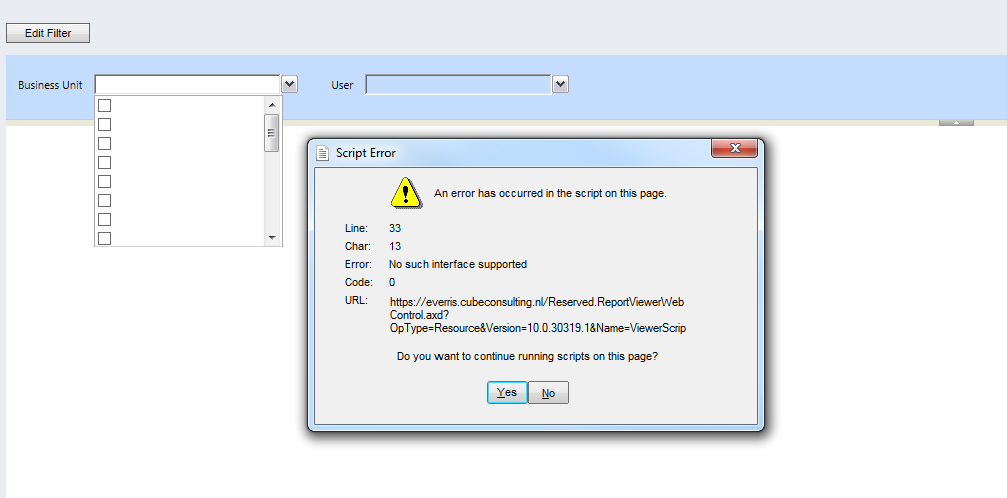
This happens with IE. I get this error message as soon as I click a parameter drop down that has multiple selections. 

I have debugged the code and it throws the error at this line:
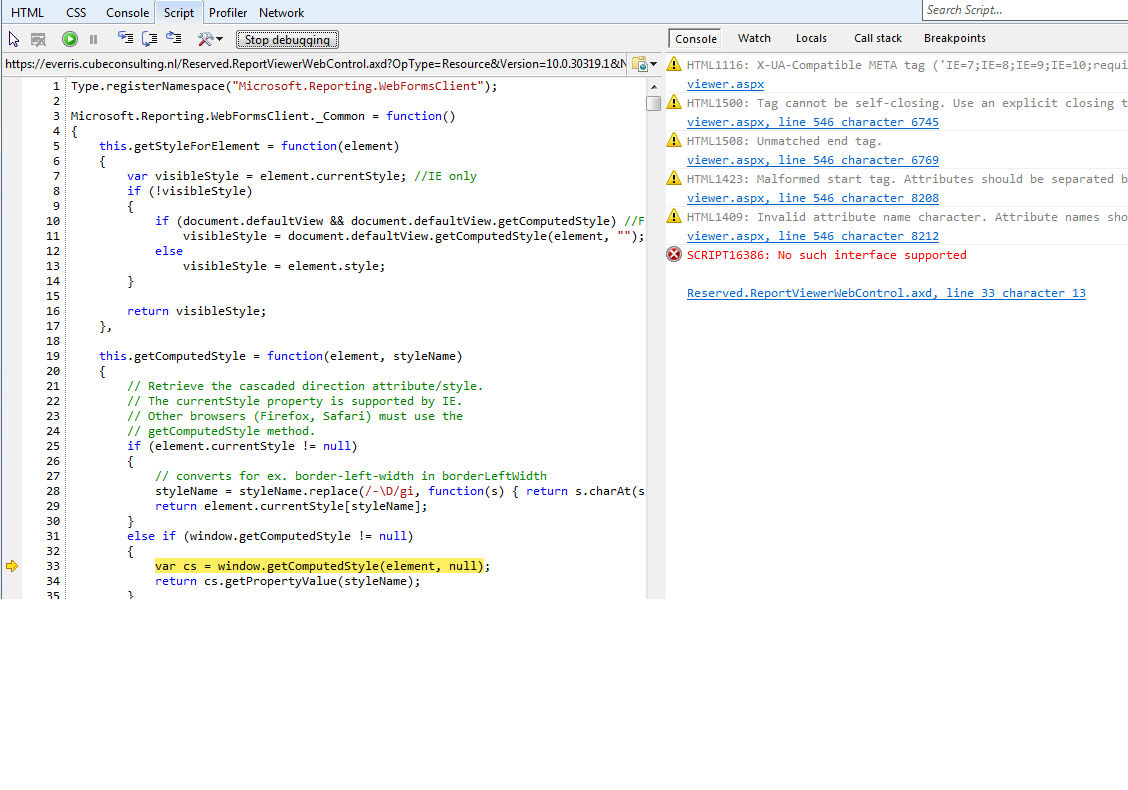
Can anyone help?

*This post is locked for comments

I have the same question (0)
  • MC125 Profile Picture
    15 on at

    I have the same issue. Bump.

  • Suggested answer
    Muhammad Adeel Javaid Profile Picture
    5,580 on at

    For IE Troubleshooting Do the following please:

    Exit all programs.

    Click Start, and then click Control Panel.

    Under System and Security, click Find and Fix Problems.

    In the Task pane, click View All.

    Click Internet Explorer Performance.

    In the new window, click Next. Note The troubleshooter runs and fixes all identified issues automatically.

    Click Close.

  • Community Member Profile Picture
    on at

    Hi, did you find a solution for this? We have a similar problem but it only occurrs in the CRM Outlook client.

    /Joakim

  • Szeprik Profile Picture
    5 on at

    Hi Joakim,

    No, we haven't found a solution yet. We also get that error message only in Otlook, in IE window with that error message doesn't appear, but if you turn on debugger, you will see the actual error message.

  • Community Member Profile Picture
    on at

    Ok, we have a support case for it now. I will put the answer we get here.

    /Joakim

  • Suggested answer
    Muhammad Adeel Javaid Profile Picture
    5,580 on at

    I am suggesting three more methods and hope these will be of help for you:

    Method-1:

    Click on RUN

    In the Open box, type Regsvr32 urlmon.dll, and then click OK.

    When prompted with the DllRegisterServer in urlmon.dll succeeded message, click OK.

    Method-2:

    Open the Java Virtual Machine. To do so, visit the following Java Web site:

    http://www.java.com/en

    Close all instances of Internet Explorer.

    Click Start, click Control Panel, and then double-click Internet Options.

    Click the Advanced tab.

    Under Browsing, click to clear the Enable third-party browser extensions (requires restart) check box.

    Restart Internet Explorer.

    Method 3:

    1.      Open Internet Explorer.

    2.      Click Tools, and click Internet Options.

    3.      Click the Advanced tab.

    4.      Under Browsing, click to select the Disable Script Debugging check box.

    5.      Click OK to close all windows, and then restart the computer.

  • Suggested answer
    Muhammad Adeel Javaid Profile Picture
    5,580 on at

    You can also refer to this link please:

    support.microsoft.com/.../183808

  • MOX Profile Picture
    10 on at

    We have the same issue. Did you get anything back from support?

  • MOX Profile Picture
    10 on at

    Did you get a response from Microsoft on this case?

  • MC125 Profile Picture
    15 on at

    /Bump

    Same issue.

    Only happens in outlook client - not in IE client

    Tried all IE repairs.  

    Including

    support.microsoft.com/.../183808

    We have this issue on all of our windows 7 64 and 2008 R2 systems.

Under review

Thank you for your reply! To ensure a great experience for everyone, your content is awaiting approval by our Community Managers. Please check back later.

Helpful resources

Quick Links

Responsible AI policies

As AI tools become more common, we’re introducing a Responsible AI Use…

Neeraj Kumar – Community Spotlight

We are honored to recognize Neeraj Kumar as our Community Spotlight honoree for…

Leaderboard > 🔒一 Microsoft Dynamics CRM (Archived)

#1
SA-08121319-0 Profile Picture

SA-08121319-0 4

#1
Calum MacFarlane Profile Picture

Calum MacFarlane 4

#3
Alex Fun Wei Jie Profile Picture

Alex Fun Wei Jie 2

Last 30 days Overall leaderboard

Featured topics

Product updates

Dynamics 365 release plans



