web
You’re offline. This is a read only version of the page.
close
Skip to main content

Announcements

No record found.

News and Announcements icon
Community site session details

Community site session details

Session Id :
Microsoft Dynamics AX (Archived)

Add New Module in AX2012

(0) ShareShare
ReportReport
Posted on by 385

Dear Experts,

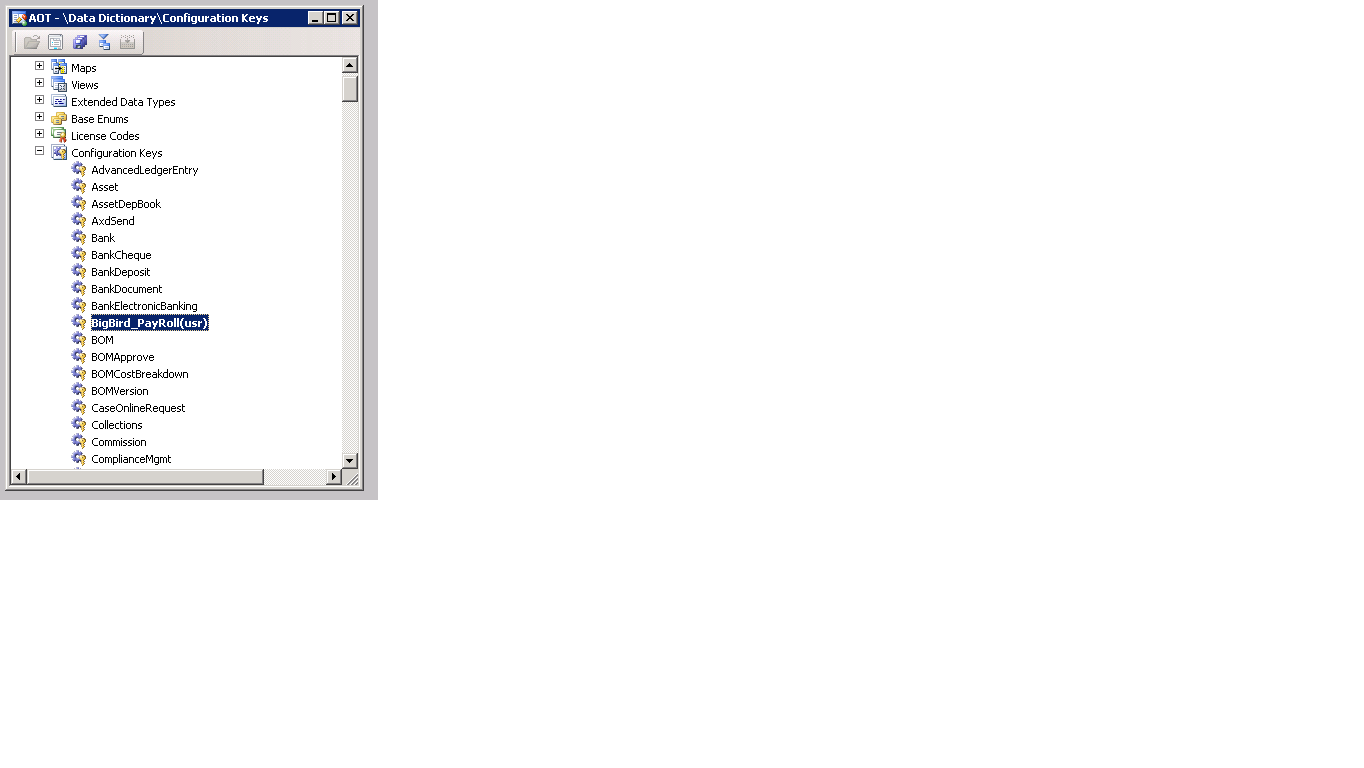
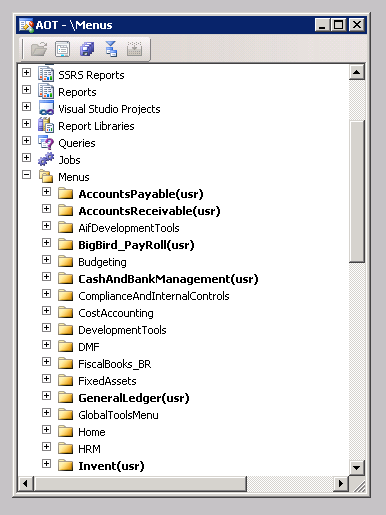
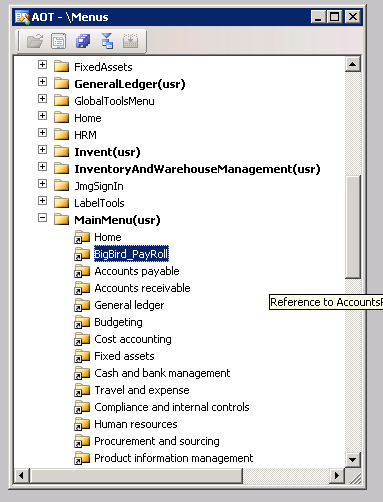
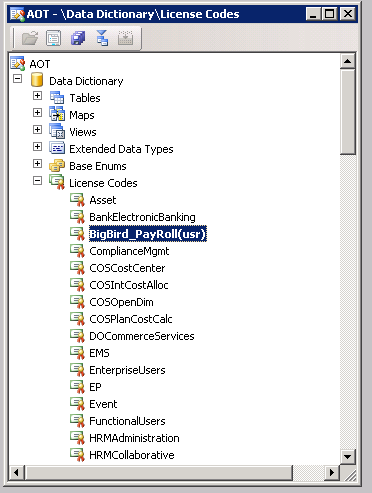
Actually I am currently developing new Payroll module and need to view over the Menu Item like others we have [AR, AP etc]. The thing is that I have also included the menu within the Menu Reference, but the thing is that I am unable to view it within the AX Env. even I have restarted the Service for the AX.

and attached all Screen Shot
3441.1.png

6165.2.png

8231.3.png

5504.4.png

Best Regards,

Muhammad Azam

*This post is locked for comments

I have the same question (0)
  • Bilal Issa Profile Picture
    4,370 on at

    Hi,

    you need to turn on the configuration you added, system administration -> setup -> license -> configuration , search for your configuration and turn it on, it will database synchronization.

    Regards,

    Bilal

  • Nadeem Bhatti Profile Picture
    2,055 on at


  • Azam Profile Picture
    385 on at

    Dear Bilal

    how to turn on Configuration , there is no my add configuration

  • Azam Profile Picture
    385 on at

    8306.8.png

    5076.6.png

    8780.7.png

    8306.8.png

  • Verified answer
    Community Member Profile Picture
    on at

    Make sure you have at least one menu item in your new menu, otherwise it wont be shown.

  • Verified answer
    André Arnaud de Calavon Profile Picture
    304,711 Super User 2026 Season 1 on at

    Hi Muhammad,

    Is this a customization or intended to be an ISV solution? If it is a customization, the License key is not required. As you showed in the properties, the license key is not linked to the configuration key, so it won't be used anyway.

    Also provide a label to your configuration key. Then the name will be visible in the License configuration form.

    After you provided the label, you can check if the configuration key is really activated. If active, then also make sure like Jens mentioned there is at least a menu item, also with a label.

  • Azam Profile Picture
    385 on at

    thanks Dear

Under review

Thank you for your reply! To ensure a great experience for everyone, your content is awaiting approval by our Community Managers. Please check back later.

Helpful resources

Quick Links

Introducing the 2026 Season 1 community Super Users

Congratulations to our 2026 Super Stars!

Meet the Microsoft Dynamics 365 Contact Center Champions

We are thrilled to have these Champions in our Community!

Congratulations to the April Top 10 Community Leaders

These are the community rock stars!

Leaderboard > 🔒一 Microsoft Dynamics AX (Archived)

#1
CP04-islander Profile Picture

CP04-islander 39

#2
Michel ROY Profile Picture

Michel ROY 14

#3
imran ul haq Profile Picture

imran ul haq 8

Last 30 days Overall leaderboard

Featured topics

Product updates

Dynamics 365 release plans