web
You’re offline. This is a read only version of the page.
close
Skip to main content

Announcements

No record found.

News and Announcements icon
Community site session details

Community site session details

Session Id :
Finance | Project Operations, Human Resources, ...
Answered

Package Deployment Failed, Rollback Failed

(0) ShareShare
ReportReport
Posted on by 1,214

Hi,

We are updating UAT environment from 10.0.10 (10.0.420.30016) to the latest version 10.0.12 (10.0.507.10035) but failed. 

Error message in Log is "The field 'CustTrans_Voucher' on the extension 'CustAccountStatementExtTmp.TBMTDD53' already exists. This extension cannot be applied to the base element." where CustTrans_Voucher is a custom field created in table extension CustAccountStatementExtTmp.TBMTDD53.

I assume Microsoft is adding this CustTrans_Voucher new field in the update and the field name is conflicting with our custom field name, hence causing this error. 

So I performed rollback but it failed with same error. From here, I can only resume the rollback and it will fail again and again.
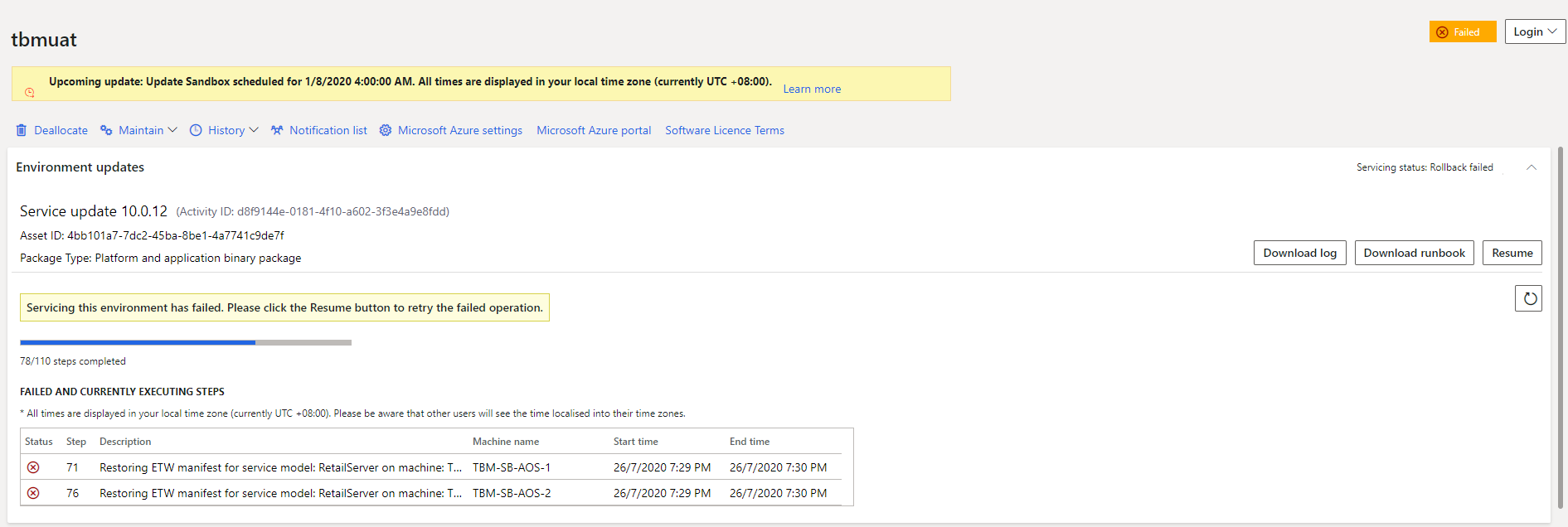
rollback-fail.PNG

At this point, what can I do to fix the environment?

Thank you.

I have the same question (0)
  • Verified answer
    André Arnaud de Calavon Profile Picture
    305,150 Super User 2026 Season 1 on at

    Hi Hairul,

    I would suggest to create a ticket for Microsoft Support, so they can see what is really causing this and how to avoid this in the future.

    When you create new fields or objects, make sure you use a prefix to prevent this type of issues.

    If you can't wait for Microsoft Support, you can try to rename the field in SQL server (on the UAT environment) and then resume or abort. Note that this procedure can't be executed on a production environment, so you need to be sure the package deployment can execute without errors on a staging environment.

  • Suggested answer
    Mea_ Profile Picture
    60,286 on at

    If it is not a self-service environment, you can RDP to the AOS servers and delete TBMTDD53 model folder from PackgaLocalDirectory (back it up before deleting). That should help as well.

  • WillWU Profile Picture
    22,363 on at

    Hi Hairul,

    Please try to build the model that the base element sit.

    In your case, you could build the Application suite.

    Please go to Dynamics 365 > Build models.

    pastedimage1595813688039v1.png

  • HAIRUL HAZRI Profile Picture
    1,214 on at

    We submitted a ticket to Microsoft, and they provide us an AutoETWManifestRestore.ps1 file to replace existing one in folder <ServiceVolume>\DeployablePackages\<LatestDeployablePackage>\RetailServer\scripts

    The rollback is now completed.

Under review

Thank you for your reply! To ensure a great experience for everyone, your content is awaiting approval by our Community Managers. Please check back later.

Helpful resources

Quick Links

Introducing the 2026 Season 1 community Super Users

Congratulations to our 2026 Super Stars!

Meet the Microsoft Dynamics 365 Contact Center Champions

We are thrilled to have these Champions in our Community!

Congratulations to the April Top 10 Community Leaders

These are the community rock stars!

Leaderboard > Finance | Project Operations, Human Resources, AX, GP, SL

#1
Giorgio Bonacorsi Profile Picture

Giorgio Bonacorsi 804

#2
André Arnaud de Calavon Profile Picture

André Arnaud de Cal... 639 Super User 2026 Season 1

#3
Subra Profile Picture

Subra 528

Last 30 days Overall leaderboard

Product updates

Dynamics 365 release plans
