Hi Theo, yes it's possible, we have this working currently using Power Automate. Our workflow is a bit complicated and Power Automate has been an excellent tool to handle it all, but there are some caveats to be aware of as well. I can't post a screenshot of the complete workflow as it's too big, but here are the main components:
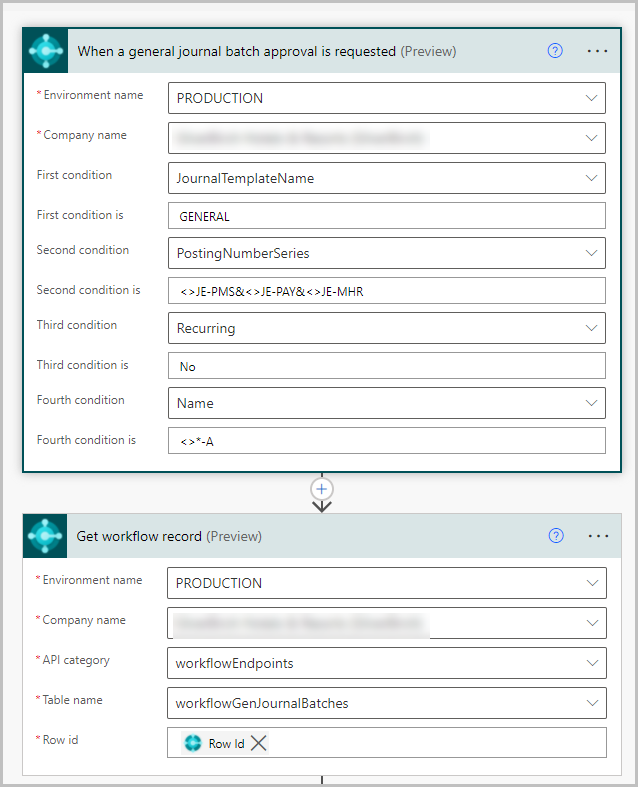
Start with the standard out of the box trigger and action to get the workflow record. These are created automatically if you use the Power Automate template, or you can start from scratch with a blank template.
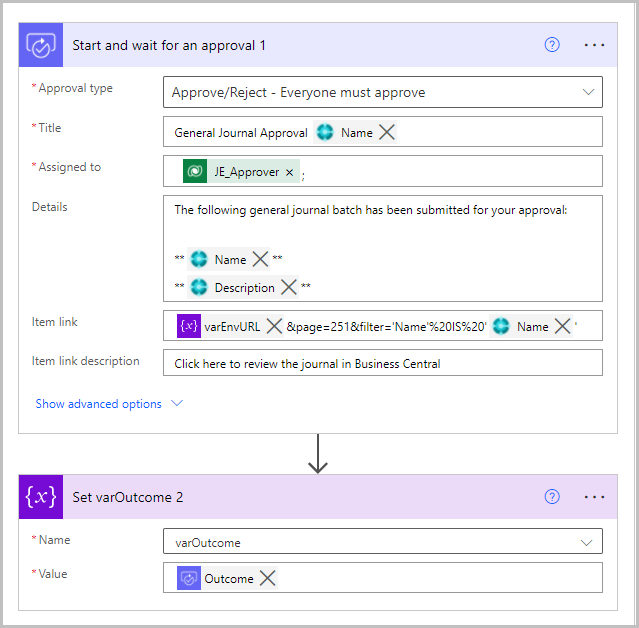
Go through the approval action. Since our workflow has a few branches depending on certain conditions, we use a variable to set the approval outcome.
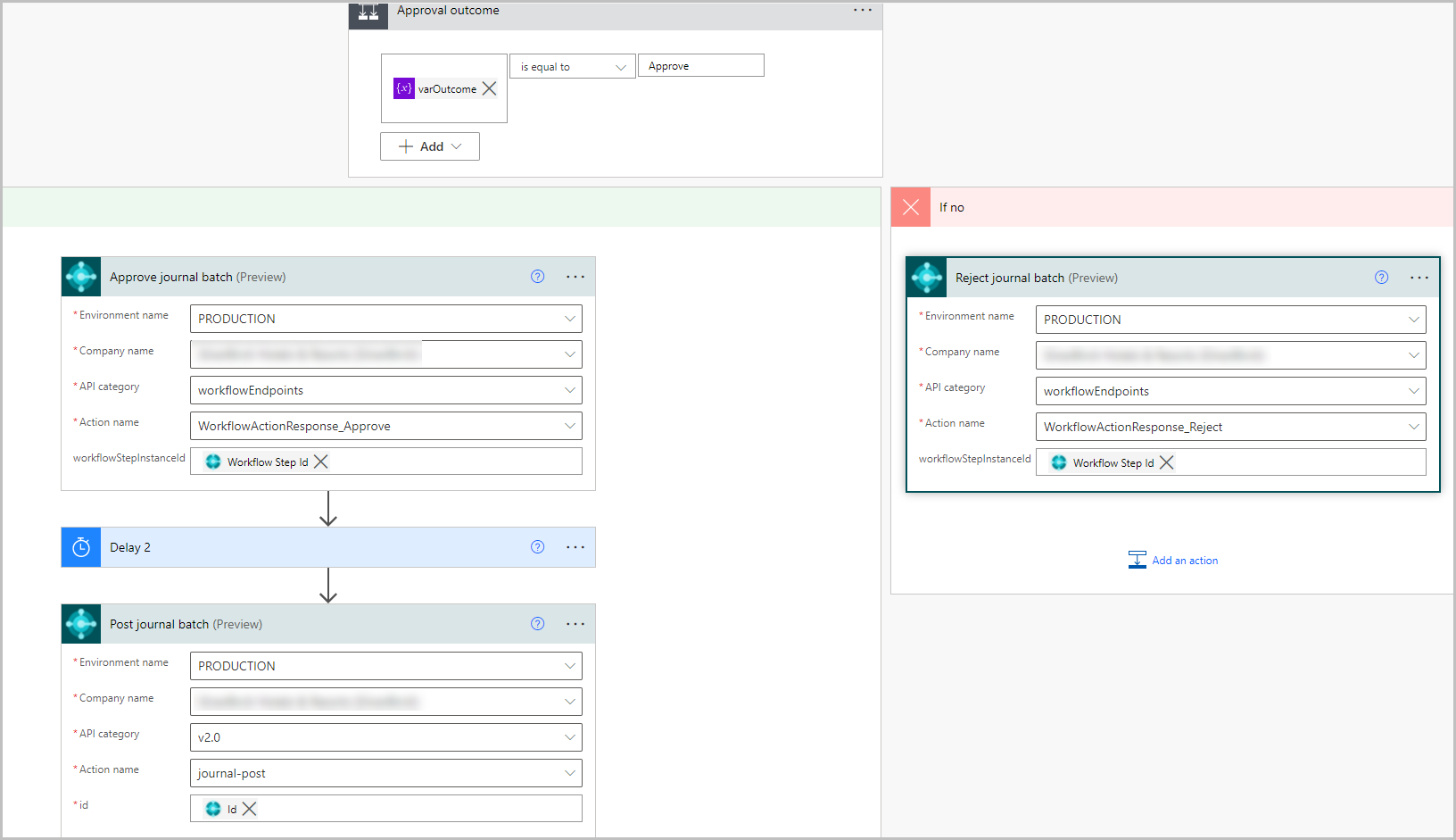
Process the approval outcome. To post the journal add the Execute action step and use the Id field from the Get workflow record step above.
Now for the caveats:
- You will notice there is a Delay step inserted between the Approve and Post steps. We ran into errors at times during testing due to the timing of these two steps, and also some table locking issues when more than one workflow was running at the same time. The delay seems to help with that.
- In general, error handling with can be a challenge, but there is a way to do it that I can post about here as separate message later. The biggest drawback is that currently in BC when a user submits a journal for approval there is no error message that blocks them if the journal batch contains issues such as invalid dimension combinations or posting date restrictions; this only happens at posting time. The user would get a warning if they use the Preview Posting function, but our users frequently forget to do that and it's not until the workflow attempts the Post step that it fails with an error.
- If a user cancels an approval request in BC, it does not sync with the Approvals app used in the Power Automate workflow, or the workflow itself. This means the approval request needs to be separately cancelled in the Approvals app or the workflow needs to be manually cancelled by a workflow owner. Hopefully this will be improved by Microsoft in the future because it causes a lot of confusion right now.
- BC does not have a Status field for journal batches, so it's impossible for users to determine if a batch has been submitted or approved in BC. They need to use the Approvals app in Teams to monitor the status, and we had to add extra notifications in the workflow. Another drawback that will hopefully be improved in the future. The link to Idea for this is here.
- Power Automate uses the user account that is configured in the BC connector to perform the posting step, not the user that submitted the request, and so the connector user will need to be setup in BC with the appropriate security permissions and posting dates in order for it to successfully post.
Feel free to DM me if you have any other questions on this.
Rob


