web
You’re offline. This is a read only version of the page.
close
Skip to main content

Notifications

Announcements

No record found.

Community site session details

Community site session details

Session Id :
Customer experience | Sales, Customer Insights,...
Unanswered

CRM D365: Form load stuck on Requesting data from Dynamics 365. Have tried clearing cache! No recent installs!

(0) ShareShare
ReportReport
Posted on by

Hope someone can help with this.

On one of my CRM environments, every time I try and open a Form, I receive a rotating, "in-progress" widget and the message "Requesting data from Dynamics 365.". And it just stays on this screen, never actually loading the Form.

This happens regardless of where I open the Form from. So, for example, if I double-click a record in a view, this happens. Or, if I do a search, and open the record from the list of records resulting from the search, I see this "Requesting data from Dynamics 365" message and rotating widget.

It also happens when I go into Customization, and edit the Form for an entity. The form editor works fine, but when I go and "Preview" the form (by clicking "Preview -> Desktop Client -> Update Form", I just see an empty form with a rotating widget).

This happens for all users.

We have not installed any new CRM updates.

This happens in Chrome and Firefox.

I have tried clearing my cache (doing this via all variations),

I have tried running CRM in incognito mode in Chrome.

None of the above make any difference. Still happens. Not sure of any recent changes that could have caused this problem, but it's a relatively new problem. It used to be fine.

I'm sure this isn't a SQL problem because I can query the CRM database no problem. Also, the views in CRM work fine.

Also, I have tried the "Use legacy form rendering" options in "System Settings -> General". Setting it to "yes" makes no difference.

Does anybody know:

  • How do I fix this?
  • Is there something running for all Forms that fires when all Forms are loaded (sort of like a system wide "OnLoad" setting?)
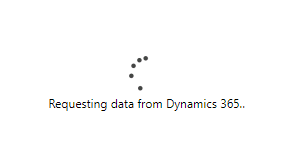
2318.Error.png

Appreciated.

I have the same question (0)
  • Pedro S Nunes Profile Picture
    on at

    Hello Mike,

    Can you please detail what is the exact CRM build you are using? Is it CRM OnPremise?

    Have you already checked in the Developer tools of browser if there are any errors, or if there is some HTTP request in the Network traces that ends up with an unexpected response from Server?

    It will be a good idea to compare the errors / network traces of a successful call vs call with the issue.

    Hope this helps.

    Thank you for using Microsoft Dynamics CRM Communities. 

    Pedro Nunes
    Support Escalation Engineer 
    Microsoft Dynamics CRM

  • Community Member Profile Picture
    on at

    Never found the answer to this, but a few weeks later this stopped happening.

    It just seemed to have fixed itself. We have no idea why.

    It's a bit scary: what if this were to happen on LIVE?

    Anyway, this is now closed.

Under review

Thank you for your reply! To ensure a great experience for everyone, your content is awaiting approval by our Community Managers. Please check back later.

Helpful resources

Quick Links

Responsible AI policies

As AI tools become more common, we’re introducing a Responsible AI Use…

Neeraj Kumar – Community Spotlight

We are honored to recognize Neeraj Kumar as our Community Spotlight honoree for…

Leaderboard > Customer experience | Sales, Customer Insights, CRM

#1
Tom_Gioielli Profile Picture

Tom_Gioielli 171 Super User 2025 Season 2

#2
#ManoVerse Profile Picture

#ManoVerse 83

#3
Jimmy Passeti Profile Picture

Jimmy Passeti 50 Most Valuable Professional

Last 30 days Overall leaderboard

Product updates

Dynamics 365 release plans
