Greetings,
Thank you for your post on the Microsoft Dynamics NAV Forum.
Please confirm the country version being used. My testing has been completed in the North America Version of Microsoft Dynamics NAV 2016.
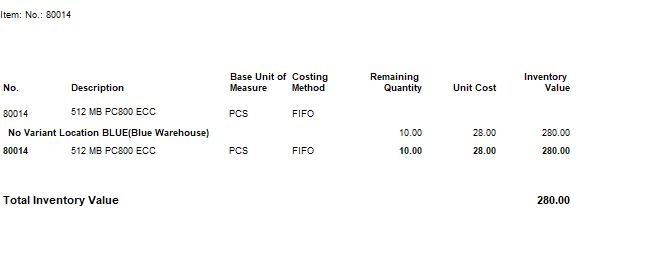
In my testing in a North America Version of Microsoft Dynamics NAV 2016 Version, I used Item 80014 and BLUE Location to start with a clean Item. I posted 10 units into stock at $28.00 through an Item Journal. Then, I posted a Purchase order as Received and Invoiced for 20 @ $28.00. From there, I created a Purchase Return Order and posted just the Shipment of the Purchase Return Order. As reflected on the Inventory to G/L Reconcile Report (REP 10138) and Inventory Valuation Report (10139), the Purchase Return is reflected in the Inventory to G/L Reconcile Report and Inventory Valuation as reduced Inventory Value.
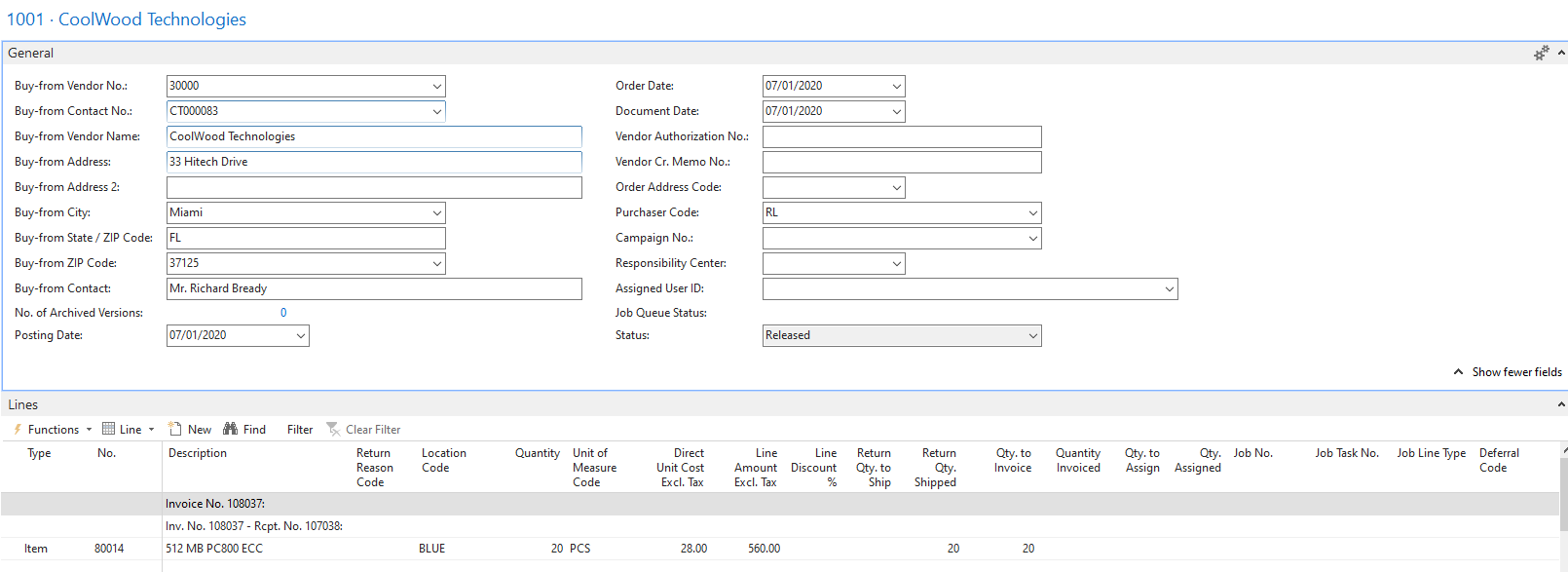
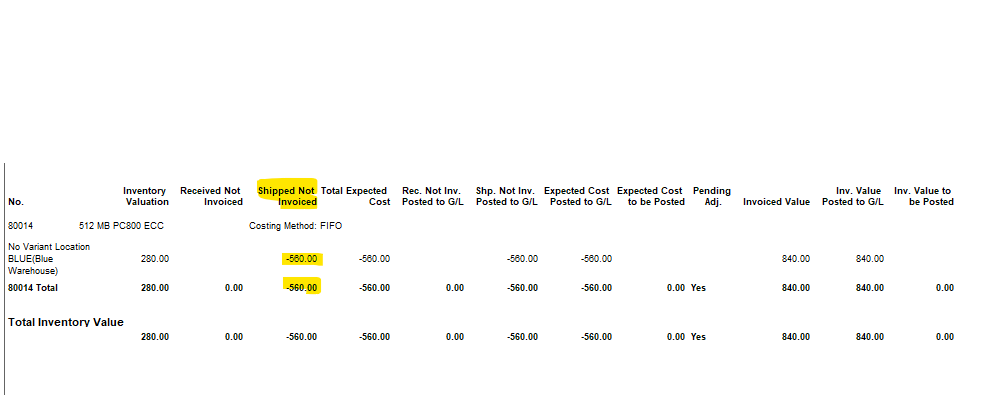
Inventory Valuation
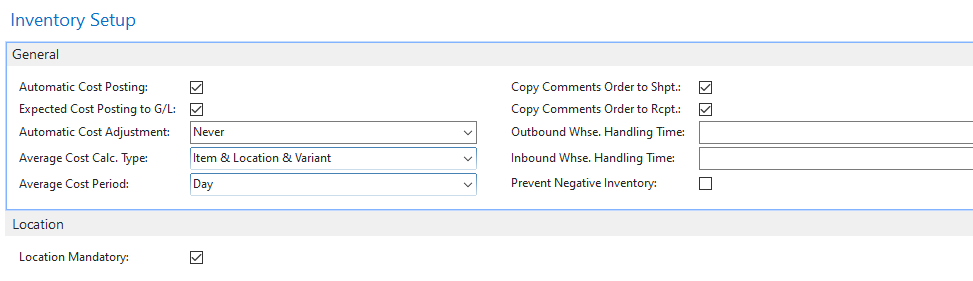
In Inventory Setup, Automatic Cost Posting and Expected Cost Posting are enabled by checking the box to enable the postings of all inventory transactions immediately, both Received/Shipped and fully Invoiced inventory value as Cost Amount (Expected) and Cost Amount (Actual).
Thank you for your posting. I trust that the information will help answer your questions.
Best Regards,
Tom


