web
You’re offline. This is a read only version of the page.
close
Skip to main content

Announcements

No record found.

News and Announcements icon
Community site session details

Community site session details

Session Id :
Microsoft Dynamics AX (Archived)

Error while Generating Any Report / While Opening Any Form - AX 2012 R3 CU11

(0) ShareShare
ReportReport
Posted on by 895

Hi,

I am using AX 2012 R3 CU11.

I am facing some weird issue. While accessing AX, all of sudden I start receiving error while opening Any form in AX OR while generating any Report in AX and below are my finding regarding this issue,

1. Tried to look for errors in the event viewer but there are not errors logged around that time when I got this issue.

2. Without doing anything, the issue gets resolved on its own may be in around 15-20 minutes on its own without taking any action.

Note: This has happened around 4-5 times in our environment and every time while we are troubleshooting the issue, the issue got fixed on its own.

Below are the different errors received in different scenario,

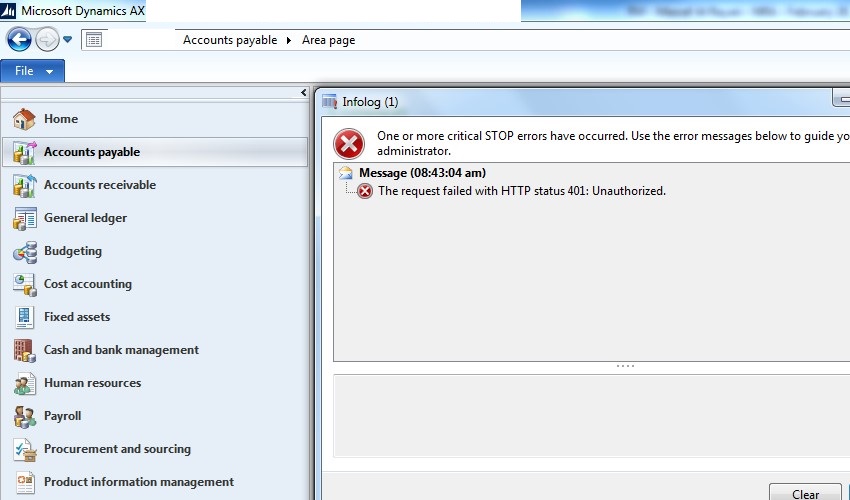
(1) While the user is trying to access any form, the below error started popping up and user was unable to access any form. However it got fixed in few minutes on its own without any error in event viewer.
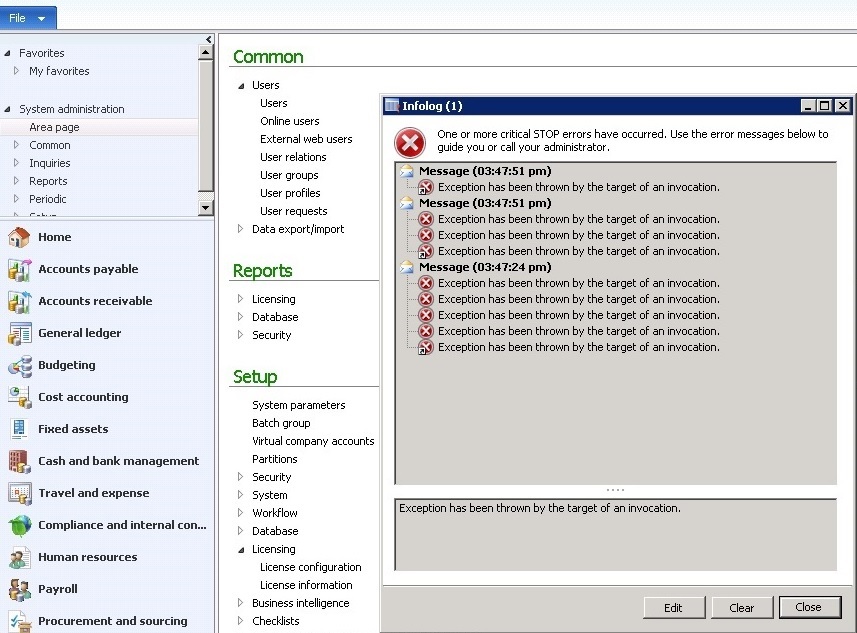
Error_5F00_02.jpg

(2) While generating report, the below errors started popping up and the user was unable to generate any report,

(Some times this error)
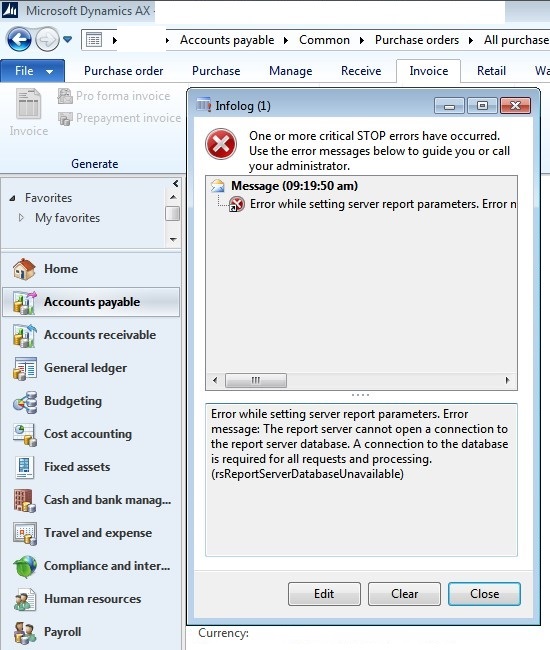
WhilePrintingReport.jpg

(Some times this error)

WhilePrintingReport_5F00_01.jpg

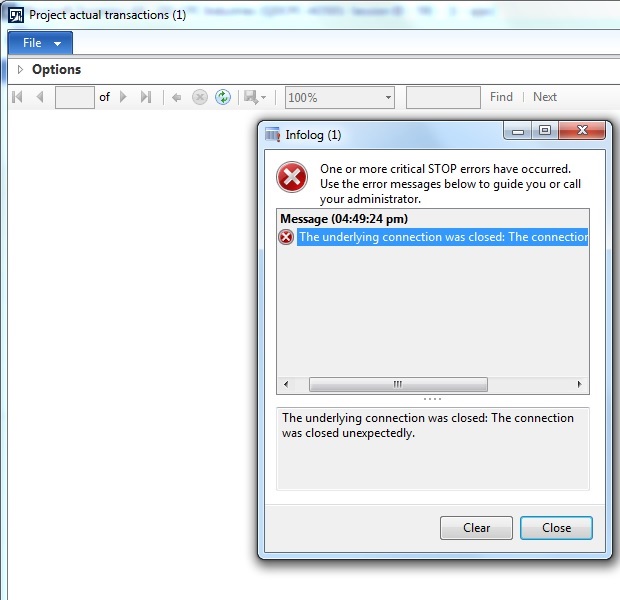
(Some times this error)

Project-Actual-Transaction-Rprt.jpg

Query: Can someone please help me trouble shoot the root cause for this issue? I was expecting some error to be logged in the event viewer but unfortunately I am not finding anything relevant regarding this issue.

How should I go about in order to fix this issue permanently moving forward.

Would appreciate for some help. Thanks in advance.

Sincerely,

Muneeb

*This post is locked for comments

I have the same question (0)
  • Yasir Shahzad Profile Picture
    1,635 on at

    Dear...First Run The Full CLI...2nd )also add names of user who are generating reports in the reportserver...3rd ) by pass the proxy to resolve the HTTP error.

    regards

  • Muneeb Profile Picture
    895 on at

    Hi Yasir,

    Thank you so much for your quick response.

    1. Already performed Full CIL but after that too the issue cropped up.

    2. Users do have the rights to access the report. Once this error gets resolved on its own, the users are able to generate all the reports. So i doubt if we need to add the users as ONCE THE ERROR GETS RESOLVED, ALL THE USERS ARE ABLE TO GENERATE ALL THE REPORTS SUCCESSFULLY.

    Note: When this issue comes, all the users are Unable to generate any report. After some time all the users are able to generate all the reports.

    3. We are not using Proxy Server Settings so this is ruled out.

    Sincerely,

    Muneeb

  • Martin Dráb Profile Picture
    239,602 Most Valuable Professional on at

    What happens if you click the Edit button in infolog?

    It may be the easiest way to find out which piece of code is throwing the error. Alternatively you can use either debugging or tracing to identify the place.

  • Suggested answer
    Nagendra Varma K Profile Picture
    4 on at

    HI Mohammad,

    Please check whether appropriate configuration keys are enabled or disabled accordingly.

    Than Put for a sync and full CIL, Also double check if any customization are effecting these in specific.

    Thanks

    Nagendra Varma K

  • Yasir Shahzad Profile Picture
    1,635 on at

    Dear Muneeb...by pas the proxy on user's systems...and how you add user on Report server? can you plz share some screen shots to know the exact problem

    Regards

  • Muneeb Profile Picture
    895 on at

    Hi,

    Thank you so much for your response.

    @Martin,

    Yes, when I first time got this issue, I did find the place from where it was throwing this error but that was a generic place which unfortunately I cant recollect.

    I was wondering how to debug as (1) Ideally debugging is never enabled on LIVE (2) The error is thrown randomly and that too very rarely without any know steps. If the steps would have been known, I would have debugged the scenario earlier itself.

    @Nagendra,

    I will surely try to have a look what you are suggesting.

    But again (1) my query is the issue crops up rarely after which everything works smoothly without any issues. (2) I have already Compiled the Application + Full CIL + Synch.

    I will keep you posted.

    Sincerely,

    Muneeb

  • Muneeb Profile Picture
    895 on at

    Hi Martin,

    Considering all the above details, can you please suggest me, how should I try to trouble shoot the scenario in order to fix this permanently?

    Sincerely,

    Muneeb

  • Martin Dráb Profile Picture
    239,602 Most Valuable Professional on at

    So, what happens if you click the Edit button in infolog?

    Obviously I didn't suggest debugging in production; use non-production environments for such things. Nevertheless if you're unable to reproduce the issue yet, you have to use a kind of logging to collect more information about it.

Under review

Thank you for your reply! To ensure a great experience for everyone, your content is awaiting approval by our Community Managers. Please check back later.

Helpful resources

Quick Links

Introducing the 2026 Season 1 community Super Users

Congratulations to our 2026 Super Stars!

Meet the Microsoft Dynamics 365 Contact Center Champions

We are thrilled to have these Champions in our Community!

Congratulations to the April Top 10 Community Leaders

These are the community rock stars!

Leaderboard > 🔒一 Microsoft Dynamics AX (Archived)

#1
CP04-islander Profile Picture

CP04-islander 24

#2
Michel ROY Profile Picture

Michel ROY 14

#3
imran ul haq Profile Picture

imran ul haq 8

Last 30 days Overall leaderboard

Featured topics

Product updates

Dynamics 365 release plans