web
You’re offline. This is a read only version of the page.
close
Skip to main content

Notifications

Announcements

No record found.

Community site session details

Community site session details

Session Id :
Microsoft Dynamics 365 | Integration, Dataverse...
Answered

How do we edit PDF files that are generated?

(0) ShareShare
ReportReport
Posted on by 145

Hello, 

I am reading about the functionality described here by Microsoft: Enable or disable PDF generation from records | Microsoft Learn and when I go into the CRM and then to App settings>Overview>Convert to PDF?Manage, and then I select the active ones, I can see the PDF's being created by the system and that's all fine. However I want to change a phone number in there, but I can't figure out how to modify the message template that the system is sending out in emails to change that phone number.

I have the same question (0)
  • Verified answer
    Community Member Profile Picture
    on at

    Hi XeXE,

    However I want to change a phone number in there, but I can't figure out how to modify the message template that the system is sending out in emails to change that phone number. 

    I'm a little confused about your request:

    Do you want to change the value of the phone number, or do you want to customize the phone field on the document?

    (1)If you need new value of phone number, you can modify the phone value in the form directly(add the phone field in the form).
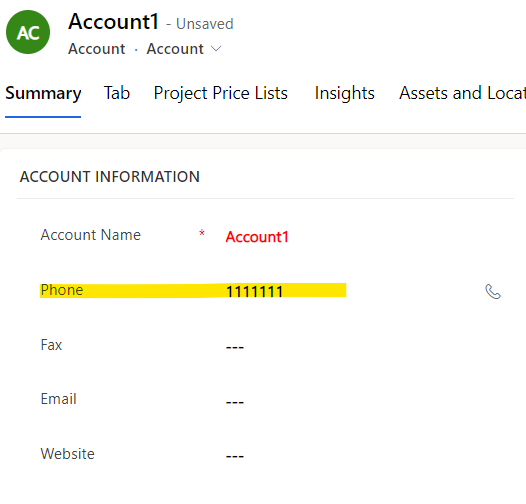
    pastedimage1664348025257v3.png

    (2)Customize phone field in the document:

    The template shown in the dialog is from word template:
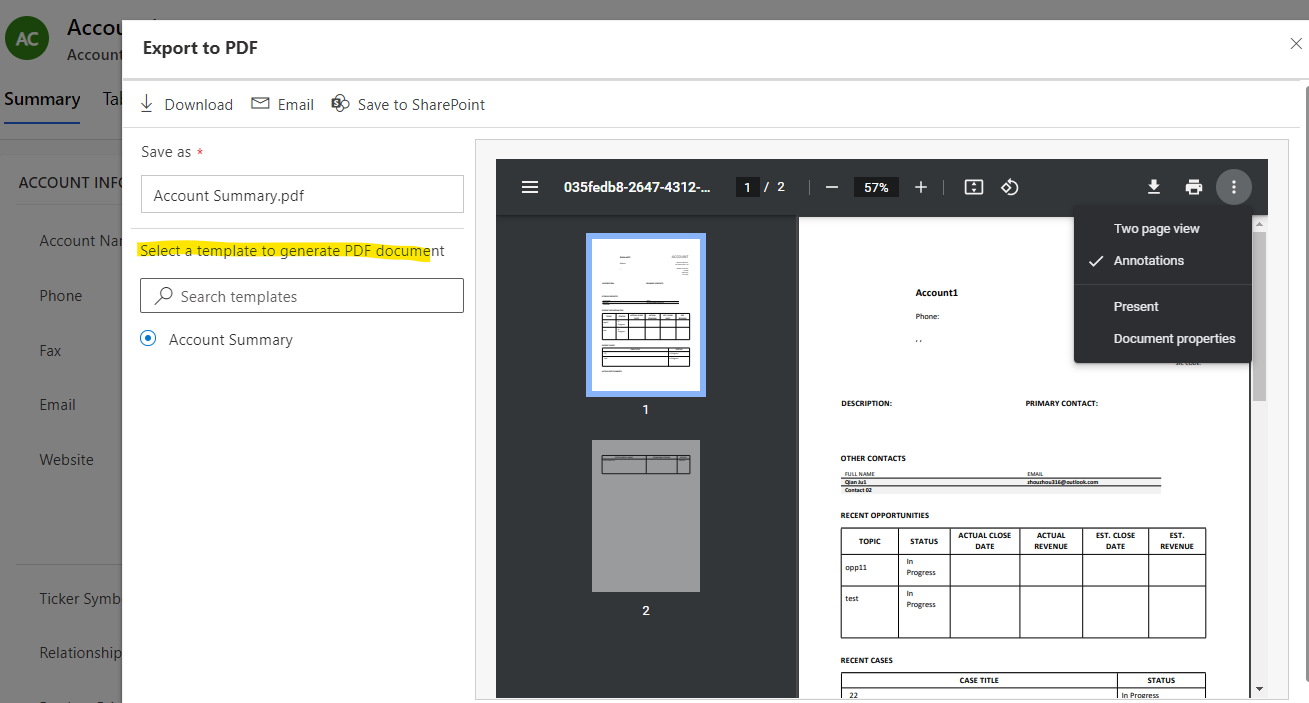
    pastedimage1664347857468v1.png

    If you want to show new layout for the template showing, you can create and design new word template as your needs:

    Use Word templates to create standardized documents - Power Platform | Microsoft Learn

    Could you provide screenshots about it? which helps me to better understand your needs.

  • XeXE Profile Picture
    145 on at

    Thank you Leah!

  • Carlos4wa Profile Picture
    5 on at

    Thank you but there is still error when i get my pdf file  https://mytoolsdoctor.com/ i don't know how to fix this problem.

  • Suggested answer
    Community Member Profile Picture
    on at

    Hi XeXE.

    If i understand you right, you want to use an email template to send emails with changed phone numbers in emails and PDF files.

    Let me share how i solved a similar case. I use Plumsail Documents to send generated PDFs with data from Dynamics CRM. It's easy to use, so i guess you can do the same without any problem. You can deliver generated documents by email with changes for any data in documents. There is a 30-day free trial, so you can try to implement your case without payment.

    In short, you need to do a few steps:

    1. Create document generation process in Plumsail Documents. Configure a document template, set a resulting file as a PDF, and protect PDF if you need. Here you can set a document template with places for data should be changed.
    2. Configure delivery via email or across your favorite apps. There is templating engine that allows you to manage email templates with dynamic data from Dynamics CRM. Here you can set email templates with phone numbers should be changed.
    3. Set the integration via Power Automate or Zapier to get the resulting file with data from Dynamics CRM

    I suggest you read the article with details that can help you to implement your case.

Under review

Thank you for your reply! To ensure a great experience for everyone, your content is awaiting approval by our Community Managers. Please check back later.

Helpful resources

Quick Links

Responsible AI policies

As AI tools become more common, we’re introducing a Responsible AI Use…

Neeraj Kumar – Community Spotlight

We are honored to recognize Neeraj Kumar as our Community Spotlight honoree for…

Leaderboard > Microsoft Dynamics 365 | Integration, Dataverse, and general topics

#1
Siv Sagar Profile Picture

Siv Sagar 93 Super User 2025 Season 2

#2
#ManoVerse Profile Picture

#ManoVerse 80

#3
Martin Dráb Profile Picture

Martin Dráb 64 Most Valuable Professional

Last 30 days Overall leaderboard

Product updates

Dynamics 365 release plans



