web
You’re offline. This is a read only version of the page.
close
Skip to main content

Notifications

Announcements

No record found.

Community site session details

Community site session details

Session Id :
Microsoft Dynamics CRM (Archived)

How to change the height of the description field on the E-Mail form?

(0) ShareShare
ReportReport
Posted on by

Hello 

I would like to increase the height of the description field (the red marked one) on the email form. 
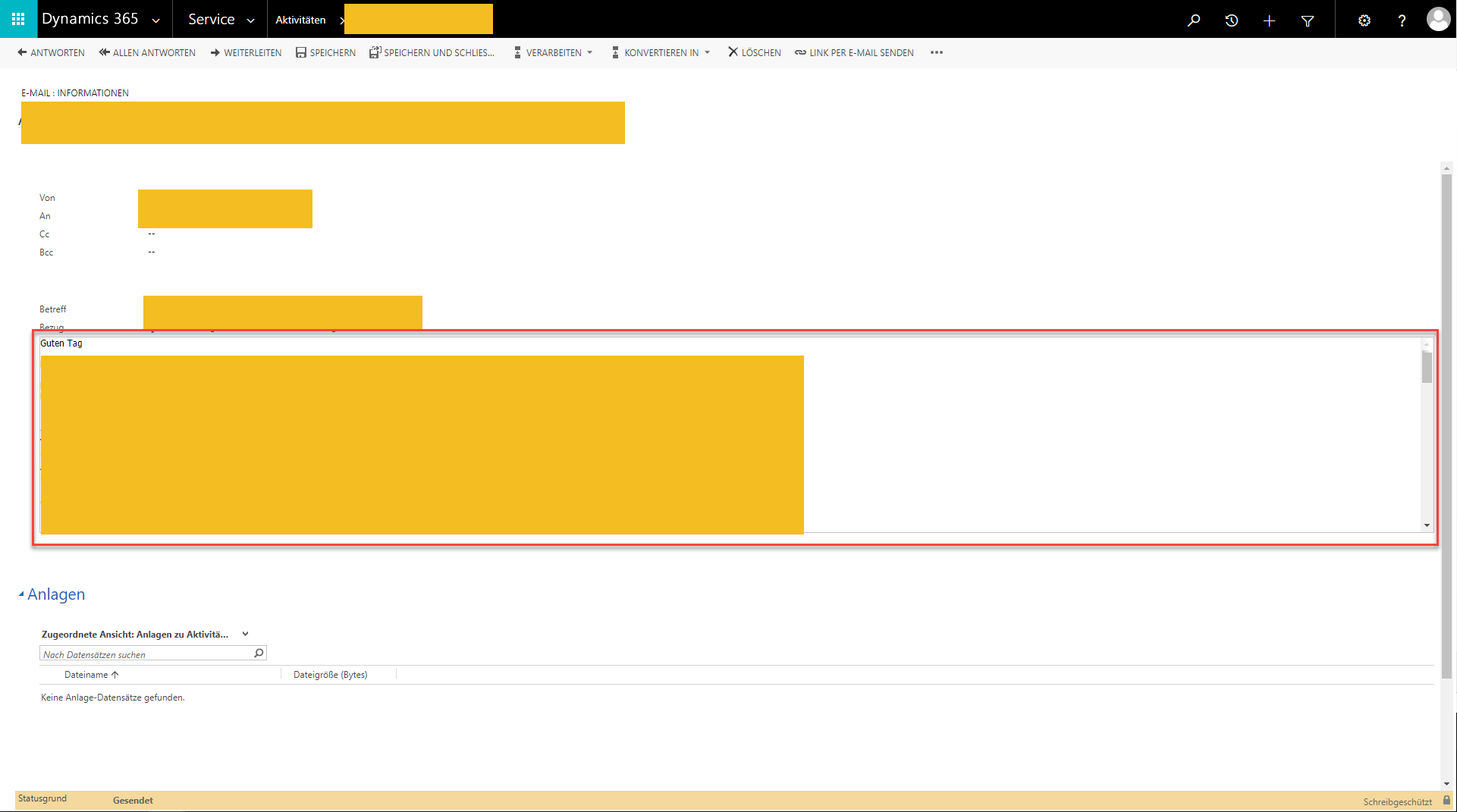
CRM_2D00_E_2D00_Mail-View.png

How ever I was not able to do this because the option "Number of Rows" (which is normaly in the red marked are) is not displaying in the formatting tab of the description field.

I know you need to add the element by yourself to the form, so that you can edit the Number of rows, but I can't remove the field and add it again because it is a system required field and can not be deleted.
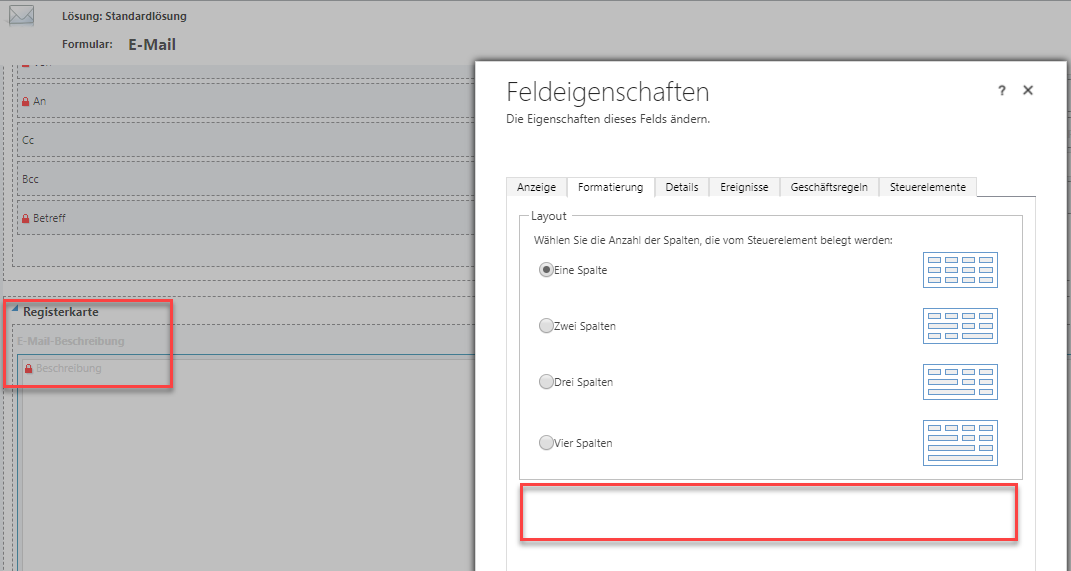
FormEditorNoProperty.png

How can I make the Description Field on the Email Form bigger? 

I am thankful for every suggestion/help

Kind Regards

Joshua Lehmann

*This post is locked for comments

I have the same question (0)
  • Verified answer
    RaviKashyap Profile Picture
    55,410 Moderator on at

    Hi Joshua,

    I am not sure if you could change this from the customization. But you could try exporting the email entity as unmanaged solution, changed the rowspan and import it back in CRM.

    EmailDescription.png

    Hope this helps.

  • Community Member Profile Picture
    on at

    Hello 

    I Tried what Ravi Kashyap suggested and it "kinda" worked. However I still got a problem:

    After I increased the height of the form with the rowspan property, and imported the solution back, the form now is the right height but always only uses a third of the width of the screen... I copied the original Email form where the width is correct and just only modified the rowspan property but still the form width gets smaller when I Import it back.

    Anybody has an Idea how to fix this/what I am doing wrong?

    Dynamics365_2D00_EmailForm.png

  • Suggested answer
    RaviKashyap Profile Picture
    55,410 Moderator on at

    Hi Joshua,

    It kooks lik you have more then one section where the fields arr only kept in the left section and the right section is empty.

    Could you check this on the form editor?

  • Community Member Profile Picture
    on at

    Hello

    As I can see I only have one section and the columns are set to 1 also.

    Like you can see here: 

    MailForm.png

    I attached you the solution so you can maybe see something in the xml code? 

    EMailFormSoftmotive_5F00_2_5F00_0.zip

    Thank you alot for your help

  • Suggested answer
    James Rees Profile Picture
    115 on at

    You may have worked this out already but you need to add additional rows into your XML for the extra space.  Link below describes it for you.

    https://www.powerobjects.com/blog/2014/04/15/expanding-email-description-field-dynamics-crm/#collapse1

Under review

Thank you for your reply! To ensure a great experience for everyone, your content is awaiting approval by our Community Managers. Please check back later.

Helpful resources

Quick Links

Responsible AI policies

As AI tools become more common, we’re introducing a Responsible AI Use…

Neeraj Kumar – Community Spotlight

We are honored to recognize Neeraj Kumar as our Community Spotlight honoree for…

Leaderboard > 🔒一 Microsoft Dynamics CRM (Archived)

#1
SA-08121319-0 Profile Picture

SA-08121319-0 4

#1
Calum MacFarlane Profile Picture

Calum MacFarlane 4

#3
Alex Fun Wei Jie Profile Picture

Alex Fun Wei Jie 2

Last 30 days Overall leaderboard

Featured topics

Product updates

Dynamics 365 release plans



