web
You’re offline. This is a read only version of the page.
close
Skip to main content

Notifications

Announcements

No record found.

Community site session details

Community site session details

Session Id :
Microsoft Dynamics CRM (Archived)

Modified On Update - Notes to Custom Entity/System Entity Dynamics 365

(0) ShareShare
ReportReport
Posted on by 3,710

Guys,

I have a doubt, like when user creates a records or attach notes in the social pane, needs to update the modifiedon value for the regarding record.

I have created an workflow on creation of notes and trying to update the accounts entity modified on date, but was unable to update the same in the workflow designer, its showing like this, any suggestions for the same, only can we update through plugin?
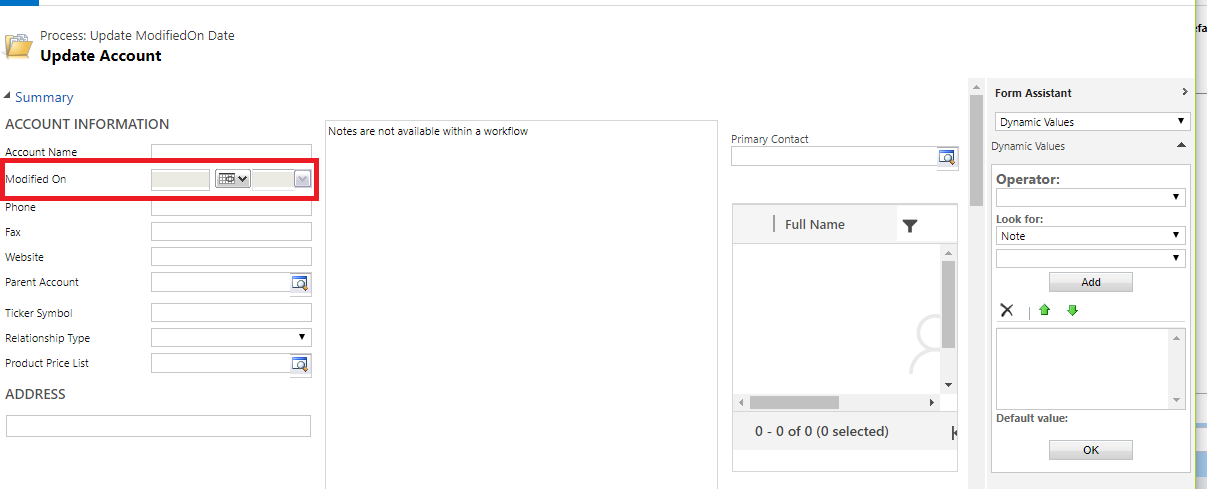
UpdateAccount.png

*This post is locked for comments

I have the same question (0)
  • Suggested answer
    Alex Fun Wei Jie Profile Picture
    33,628 on at

    Hi,

    you cant use workflow to achieve that because modifiedon is read only field.

    What you can do

    1. Create a custom dummy field, use workflow update this field, so the modifedon will updated too.

    2. Plugin : very troublesome.

  • Suggested answer
    Michel van den Brink Profile Picture
    4,697 on at

    Hello,

    Just like Fun Wei Jie mentioned, you can't update the 'Modified On' field, it is a system field and will always be readonly.

    This field will automatically be updated by the system, when ever anything on the record changes.


    What I recommend as an alternative, if you don't want to go down the plugin road is to add an extra date/time field called 'Last Comment' (for example) on your regarding entity (e.g. 'Account') and use your workflow to update that one. You'll see that the 'Modified On' date will now also be modified, because you are updating the regarding record itself.

  • ashlega Profile Picture
    34,477 on at

    Or you can just update any account field(in the workflow designer, add an update step, then set current field value to the field), and modifiedon will be updated - Dynamics does not care if it's the same or different value.. it is only looking at whether the value is there. Although, there is a risk this will trigger some workflow/plugin registered on that field, so make sure you choose a field that does not have workflows/plugins registered on the update of that field.

Under review

Thank you for your reply! To ensure a great experience for everyone, your content is awaiting approval by our Community Managers. Please check back later.

Helpful resources

Quick Links

Responsible AI policies

As AI tools become more common, we’re introducing a Responsible AI Use…

Neeraj Kumar – Community Spotlight

We are honored to recognize Neeraj Kumar as our Community Spotlight honoree for…

Leaderboard > 🔒一 Microsoft Dynamics CRM (Archived)

#1
SA-08121319-0 Profile Picture

SA-08121319-0 4

#1
Calum MacFarlane Profile Picture

Calum MacFarlane 4

#3
Alex Fun Wei Jie Profile Picture

Alex Fun Wei Jie 2

Last 30 days Overall leaderboard

Featured topics

Product updates

Dynamics 365 release plans



