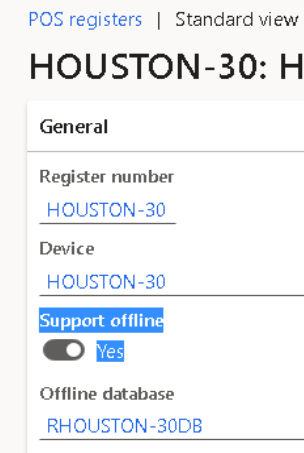
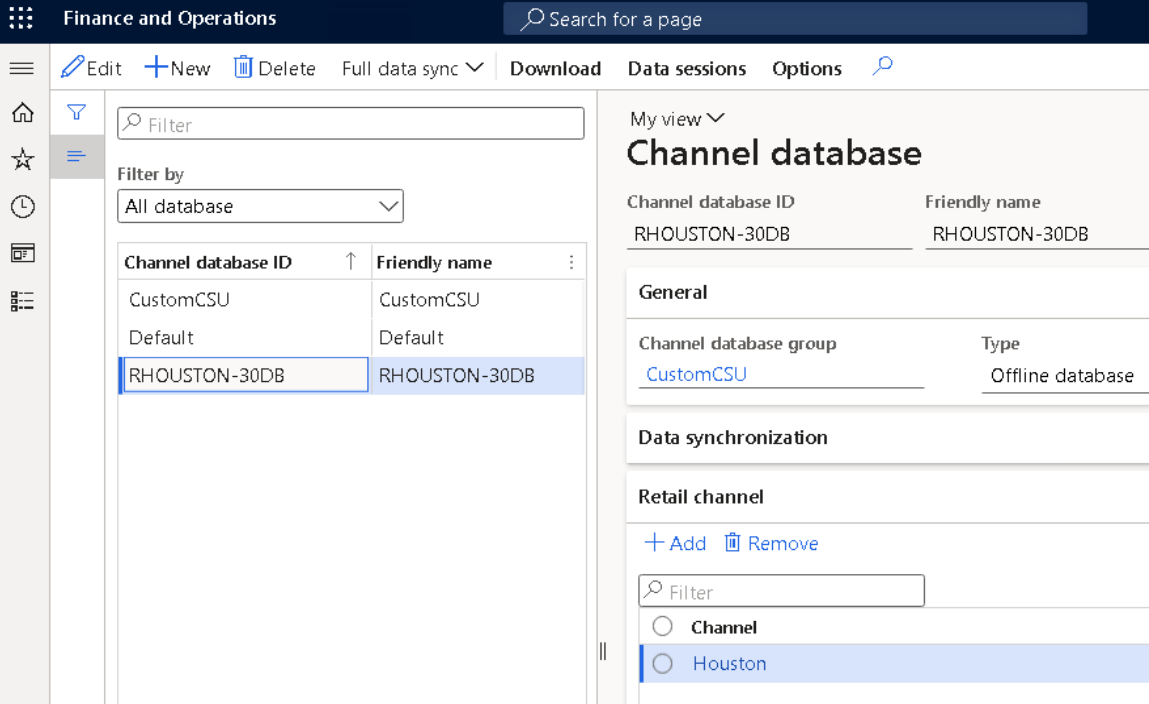
I am attempting to test POS offline mode on the .24 VHD OneBox environment. I am working with the Commerce SDK and I seem to have everything working correctly without offline mode configured.
When I install the store commerce app to support offline mode (--InstallOffline --TrustSqlServerCertificate) and attempt to "Sync Data" on the database connection status view, I receive the following error: "Login failed for user 'MININT-57EHFHJ\Administrator'."

Failed to get offline sync session data due to Exception: System.Data.SqlClient.SqlException (0x80131904): Login failed for user 'MININT-57EHFHJ\Administrator'.
   at System.Data.ProviderBase.DbConnectionPool.TryGetConnection(DbConnection owningObject, UInt32 waitForMultipleObjectsTimeout, Boolean allowCreate, Boolean onlyOneCheckConnection, DbConnectionOptions userOptions, DbConnectionInternal& connection)
   at System.Data.ProviderBase.DbConnectionPool.TryGetConnection(DbConnection owningObject, TaskCompletionSource`1 retry, DbConnectionOptions userOptions, DbConnectionInternal& connection)
   at System.Data.ProviderBase.DbConnectionFactory.TryGetConnection(DbConnection owningConnection, TaskCompletionSource`1 retry, DbConnectionOptions userOptions, DbConnectionInternal oldConnection, DbConnectionInternal& connection)
   at System.Data.ProviderBase.DbConnectionInternal.TryOpenConnectionInternal(DbConnection outerConnection, DbConnectionFactory connectionFactory, TaskCompletionSource`1 retry, DbConnectionOptions userOptions)
   at System.Data.ProviderBase.DbConnectionClosed.TryOpenConnection(DbConnection outerConnection, DbConnectionFactory connectionFactory, TaskCompletionSource`1 retry, DbConnectionOptions userOptions)
   at System.Data.SqlClient.SqlConnection.TryOpenInner(TaskCompletionSource`1 retry)
   at System.Data.SqlClient.SqlConnection.TryOpen(TaskCompletionSource`1 retry)
   at System.Data.SqlClient.SqlConnection.Open()
   at Microsoft.Dynamics.Retail.CommerceDataExchange.AsyncClient.DataManager.DownloadSessionDataManager.GetOfflineSyncStats(String offlineConnectionString, String terminalId)
   at Microsoft.Dynamics.Retail.CommerceDataExchange.AsyncClient.Core.DownloadHelper.<>c__DisplayClass4_0.b__0()
   at System.Threading.Tasks.Task.InnerInvoke()
   at System.Threading.Tasks.Task.Execute()
--- End of stack trace from previous location where exception was thrown ---
   at System.Runtime.CompilerServices.TaskAwaiter.ThrowForNonSuccess(Task task)
   at System.Runtime.CompilerServices.TaskAwaiter.HandleNonSuccessAndDebuggerNotification(Task task)
   at Microsoft.Dynamics.Retail.CommerceDataExchange.AsyncClient.Core.DownloadHelper.d__4.MoveNext()
--- End of stack trace from previous location where exception was thrown ---
   at System.Runtime.CompilerServices.TaskAwaiter.ThrowForNonSuccess(Task task)
   at System.Runtime.CompilerServices.TaskAwaiter.HandleNonSuccessAndDebuggerNotification(Task task)
   at Microsoft.Dynamics.Commerce.StoreCommerce.Tasks.AsyncClient.GetOfflineSyncStatisticsIncomingTask.d__3.MoveNext()
ClientConnectionId:db8b2ad6-14e9-486e-928b-a4c34274ae9c
Error Number:18456,State:1,Class:14
I looked at the created database, RetailOfflineDatabase, and noticed that it didn't have users "MININT-57EHFHJ\RetailChannelUsers" and "MININT-57EHFHJ\RetailDataSyncUsers" added to it like the Scale Unit/Retail Server's database, RetailChannelDatabase. Adding those two users with the same permissions did not have any impact though. The error remained the same.
I would appreciate any suggestions that anyone might have.


