web
You’re offline. This is a read only version of the page.
close
Skip to main content

Announcements

News and Announcements icon
Community site session details

Community site session details

Session Id :
Supply chain | Supply Chain Management, Commerce
Answered

Info code not popping up on POS when expected

(0) ShareShare
ReportReport
Posted on by 337

Hi, I am hoping the community can assist me with an issue I am facing with info codes and POS.

Our customer tracks lost sales, which means that when a sales order is recalled in POS, or created in POS and then a product is voided, they want the POS user to capture the reason for voiding the product.

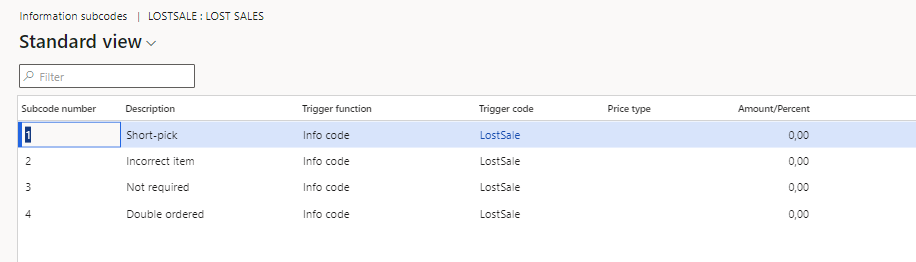
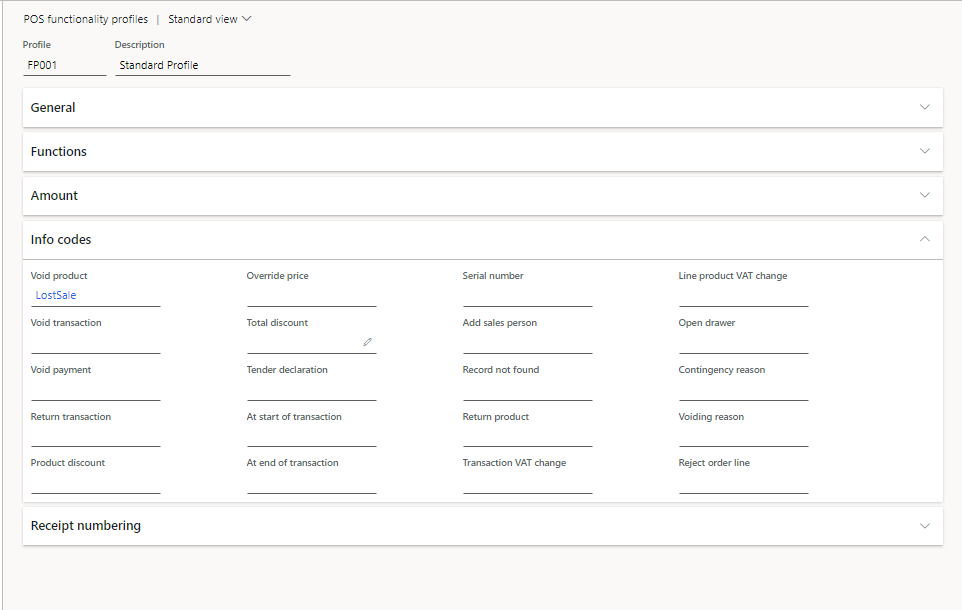
I have set up an info code called "LostSale" and created subcodes with the options I want the POS user to select from as reasons. Then I went to the functionality profile linked to my store and added the info code under Void Product in the infocode section. Lastly I went to Channel Database and ran the 9999 job. 

When I log onto POS, create a new order, add a customer, add items, then click Void product, the item is voided without an infocode popping up. I also tested using a recalled order and same issue. 

See screenshots below:
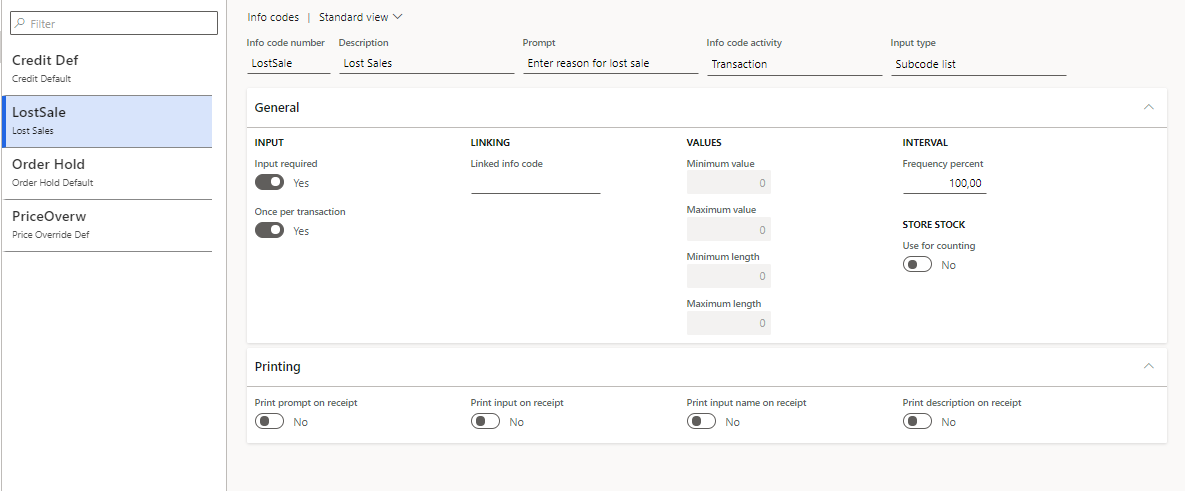
Infocodes.png

Subcodes.png

POS-functionality-profiles.png

I have the same question (0)
  • Verified answer
    Ramune Profile Picture
    Microsoft Employee on at

    Hi Liese-Marie,

    did you try to add other Info codes for voiding? Like 'Void transaction' and 'Voiding reason'?

  • Liese-Marie Heyns Profile Picture
    337 on at

    Hi Ramune, the solution was actually a bit silly. The Functionality Profile configuration is shared by all legal entities, however infocodes are not shared across LEs. I found that the LE i created the info code in was not the same LE the store is linked to.

    When I duplicated the infocode setup in the other LE it worked.

    Thank you for taking the time to reply.

Under review

Thank you for your reply! To ensure a great experience for everyone, your content is awaiting approval by our Community Managers. Please check back later.

Helpful resources

Quick Links

Season of Sharing Community Challenge Winners!

Congratulations to our community stars!

Women in Power Builds Momentum

Expanding mentorship, skilling, and AI innovation

Congratulations to the June Top 10 Community Leaders

These are the community rock stars!

Leaderboard > Supply chain | Supply Chain Management, Commerce

#1
André Arnaud de Calavon Profile Picture

André Arnaud de Cal... 95 Super User 2026 Season 1

#2
Laurens vd Tang Profile Picture

Laurens vd Tang 63 Super User 2026 Season 1

#3
Sagar Suman Profile Picture

Sagar Suman 56 Super User 2026 Season 1

Last 30 days Overall leaderboard

Product updates

Dynamics 365 release plans