Hi,
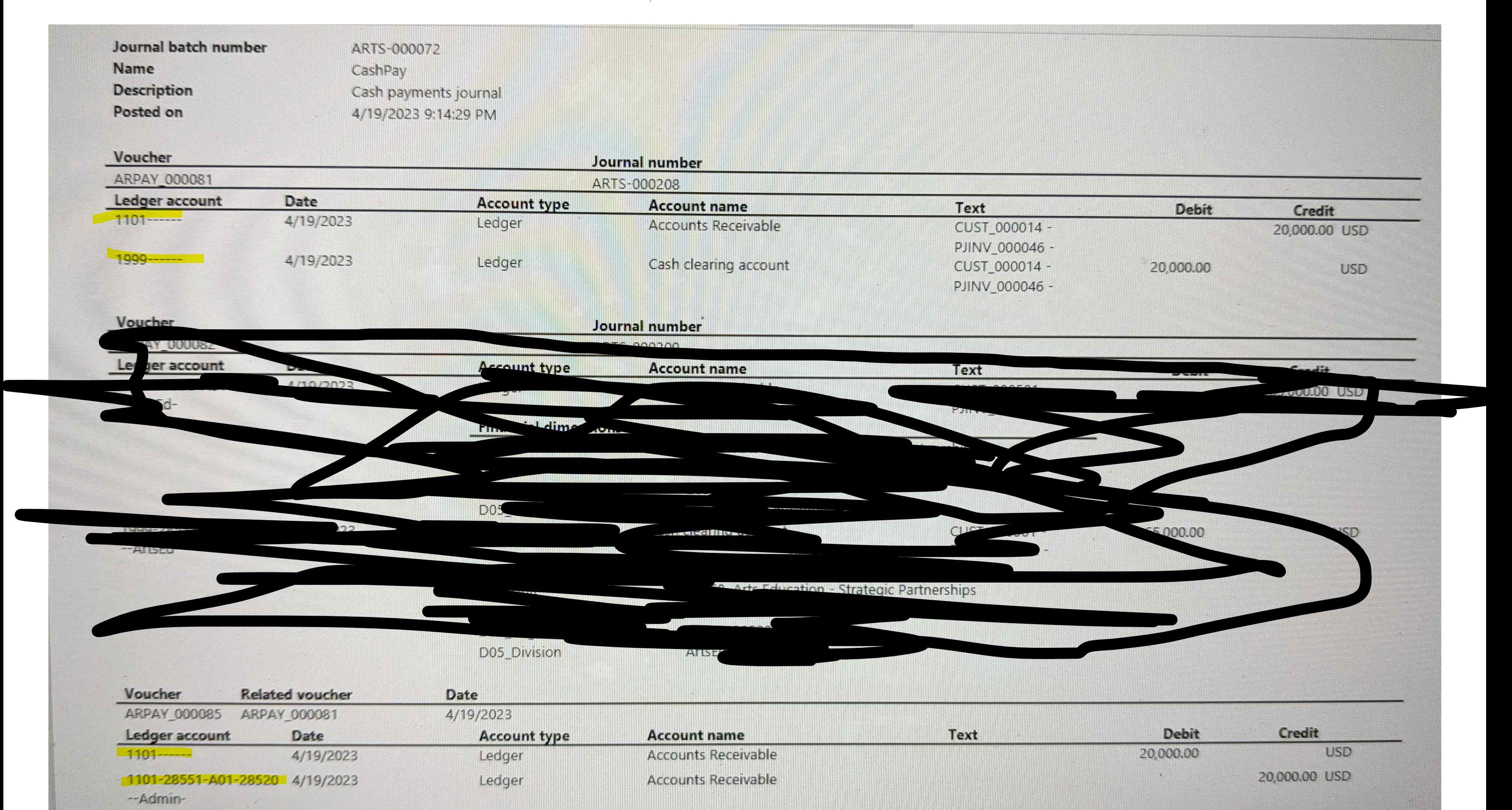
We noticed what seems to be a standard D365 behavior for both Vendor and Customer Payment journals and wondering if there's a way to turn this off. Basically, if the invoice selected to be paid is carrying Financial Dimensions, the payment journal will generate 4 transactions:
Group 1: Credit AR (or AP) summary account (no dimensions)
Debit Cash account
Group 2: Credit AR (or AP) summary account with the associated financial dimensions that were on the invoice
Debit AR summary account (no dimensions)
Here's our scenario, on the AR side.
- Created and posted an AR invoice# 202 for 1000 $:
Debit GL# 1101-D1-Division2 (1101 is account receivables, D1 is a Financial Dimension Department and Division 2 is another Financial dimension)
- Created Customer payment journal and selected Invoice #202 for payment:
CR Customer account
Debit GL# 1500 (1500 is Cash Account)
Since the selected invoice was carrying Financial Dimensions and given that the Customer Account doesn't have default dimensions, here are the transactions generated upon posting the Payment Journal:
Debit 1000$ GL# 1500 (Cash Account)
Credit 1000$ GL# 1101
Debit 1000$ GL# 1101
Credit 1000$ GL# 1101-D1-Division2
Is there a way to turn off the AR in and out? The summary account without dimension is not making sense as the original invoice was hitting the AR summary account with dimensions. So the payment should just Credit summary account + dimensions. Why is it thinking necessary to add this in and out without financial dimensions.
See screenshot