web
You’re offline. This is a read only version of the page.
close
Skip to main content

Notifications

Announcements

Community site session details

Community site session details

Session Id :
Microsoft Dynamics NAV (Archived)

Show Trial Balance in Small Business role center

(0) ShareShare
ReportReport
Posted on by

When I log on as Small Business rolecenter user in a new company,  I cannot se my balance. If i switch to Cronus it works.  

I have made an Account Schedule in the new company, but it seems impossible to connect it to the Role center.
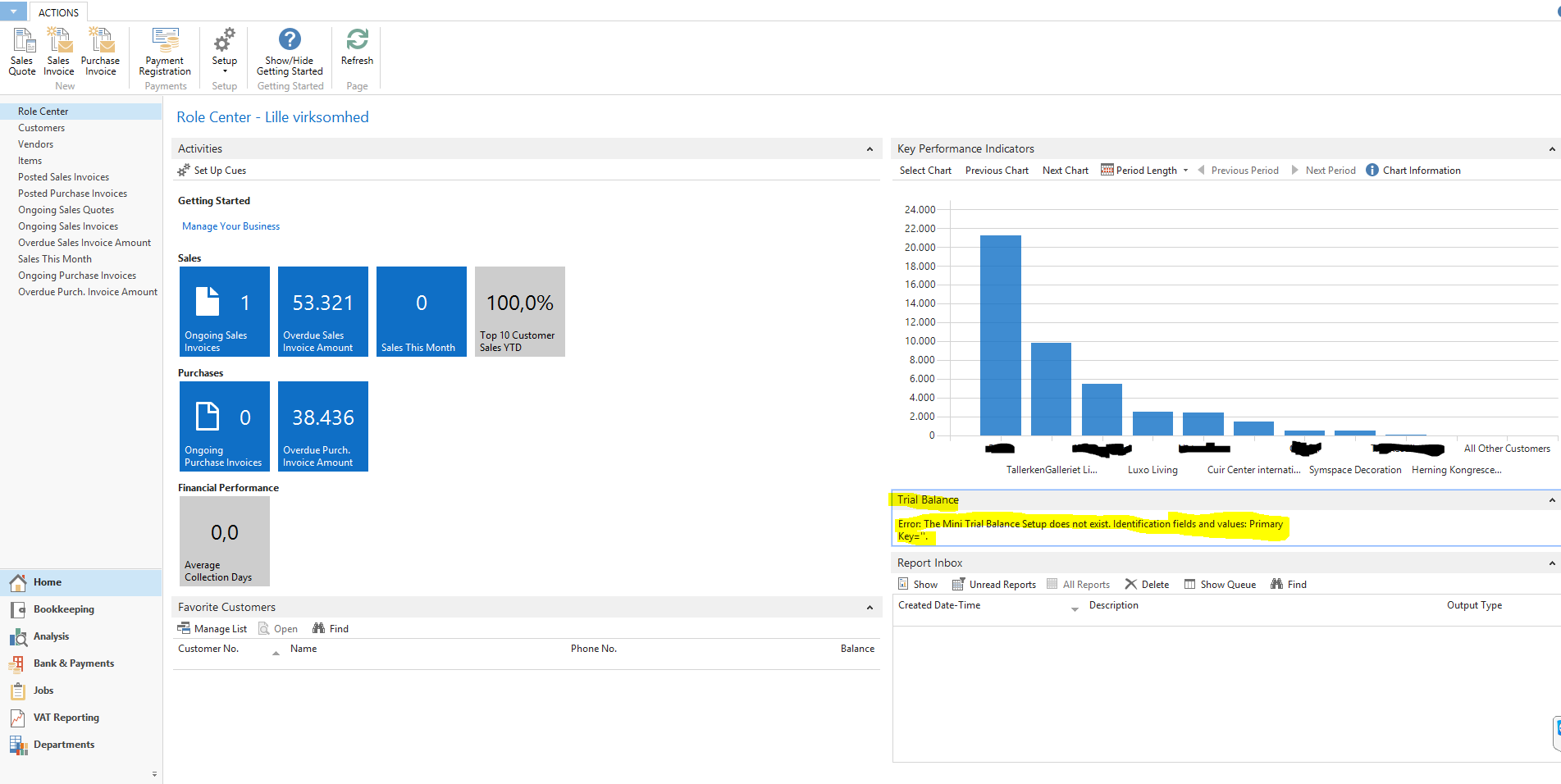
Missing-Trial-Balance.png

somebody tell me what is missing here, please.

*This post is locked for comments

I have the same question (0)
  • Suresh Kulla Profile Picture
    50,247 Super User 2025 Season 2 on at

    You need to setup Trail balance setup in the table Mini Trail Balance Setup, Open the table 1312 and setup AccountScheduleName and ColumnLayout leaving Primary key blank you can check in Cronus company for an example.

  • Community Member Profile Picture
    on at

    Thanks a lot. it works.

  • Suggested answer
    keoma Profile Picture
    32,729 on at
  • Suresh Kulla Profile Picture
    50,247 Super User 2025 Season 2 on at

    Please verify the answer if your issue is resolved

  • Community Member Profile Picture
    on at

    Yes problem solved, thanks

Under review

Thank you for your reply! To ensure a great experience for everyone, your content is awaiting approval by our Community Managers. Please check back later.

Helpful resources

News and Announcements

Season of Giving Solutions is Here!

Quick Links

Responsible AI policies

As AI tools become more common, we’re introducing a Responsible AI Use…

Neeraj Kumar – Community Spotlight

We are honored to recognize Neeraj Kumar as our Community Spotlight honoree for…

Leaderboard > 🔒一 Microsoft Dynamics NAV (Archived)

#1
HoangNam Profile Picture

HoangNam 7

Last 30 days Overall leaderboard

Featured topics

Product updates

Dynamics 365 release plans
