web
You’re offline. This is a read only version of the page.
close
Skip to main content

Announcements

No record found.

News and Announcements icon
Community site session details

Community site session details

Session Id :
Microsoft Dynamics AX (Archived)

Undesired images for released products images in EP

(0) ShareShare
ReportReport
Posted on by 45

Good day All,

Recently I had i task to apply images for the released products in both the AX Client and the Enterprise portal.

I wrote code in AX so that we could import all the images and when i tested it with a couple of pictures on everything was running fine.  However when i ran the script so that we could import all the needed images, then in the Enterprise portal I noticed strange behavior. For example the following product is appearing as it should in AX:
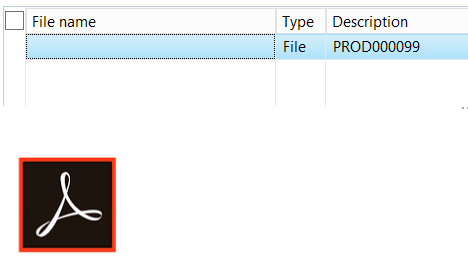
5707.Untitled2.png

However in the enterprise portal was imported one more undesired image: 
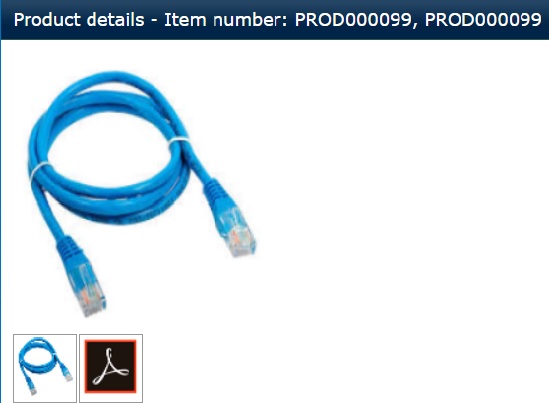
5127.Untitled1.png

When images are imported I insert the record in DocuValue, DocuRef and EcoResProducImage.

Also EcoResProductImageManagement so that I could set the image as thumbnail in the preview pane on the form.

Could any advise what I am missing? 

For any further information needed, feel free to ask.

Thanks in advance and best regards!

*This post is locked for comments

I have the same question (0)
  • André Arnaud de Calavon Profile Picture
    304,553 Super User 2026 Season 1 on at

    Hi Georgiev,

    A bit unclear if you need to keep the Adobe logo or the network cable. You have to review the data in your system. You can first reverse engineer what records are being displayed on the enterprise portal. Then you know the queries behind it. Once you know that, you can review what records in which tables is causing this behavior.

  • Georgiev Profile Picture
    45 on at

    Hi Andre,

    The network cable is redundant. Images in the rich client appear as they should (Ex. PROD000099 - only the adobe image). In the enterprise portal should be the same image as this is a list page which is maintained through x++, however I suppose it takes cached image which cause the breach, but i am uncertain where this should be looked at? 

    Any idea? 

    Thank you! 

  • Verified answer
    Georgiev Profile Picture
    45 on at

    By digging around the code I found that In Product information management feature, image can be associated with product from several places

    AllProducts and ProductMaster, then ProductImage
    AllProducts and ProductMaster, then ProductVariant, then ProductImage
    Products, then ProductImage
    ProductMaster, then ProductImage
    ProductMaster, then ProductVariant, then ProductImage
    So, when user clicks on the product to know its details from EP, we need to know what is the type of the record.
    There is default class CatDisplayHelper which serves for this purpose, where it determines product master or product or product variant should retrieve

    Hope this will save time to anybody! :)

    Regards,

Under review

Thank you for your reply! To ensure a great experience for everyone, your content is awaiting approval by our Community Managers. Please check back later.

Helpful resources

Quick Links

Introducing the 2026 Season 1 community Super Users

Congratulations to our 2026 Super Stars!

Meet the Microsoft Dynamics 365 Contact Center Champions

We are thrilled to have these Champions in our Community!

Congratulations to the March Top 10 Community Leaders

These are the community rock stars!

Leaderboard > 🔒一 Microsoft Dynamics AX (Archived)

#1
CP04-islander Profile Picture

CP04-islander 39

#2
Michel ROY Profile Picture

Michel ROY 14

#3
imran ul haq Profile Picture

imran ul haq 8

Last 30 days Overall leaderboard

Featured topics

Product updates

Dynamics 365 release plans
