Hi,
I am doing some tests in the expense management module recently. After I have done the necessary setup I have created and posted the expense report. Everything was fine until I have checked the voucher and I realized that the salex tax was missing - see screenshot below.
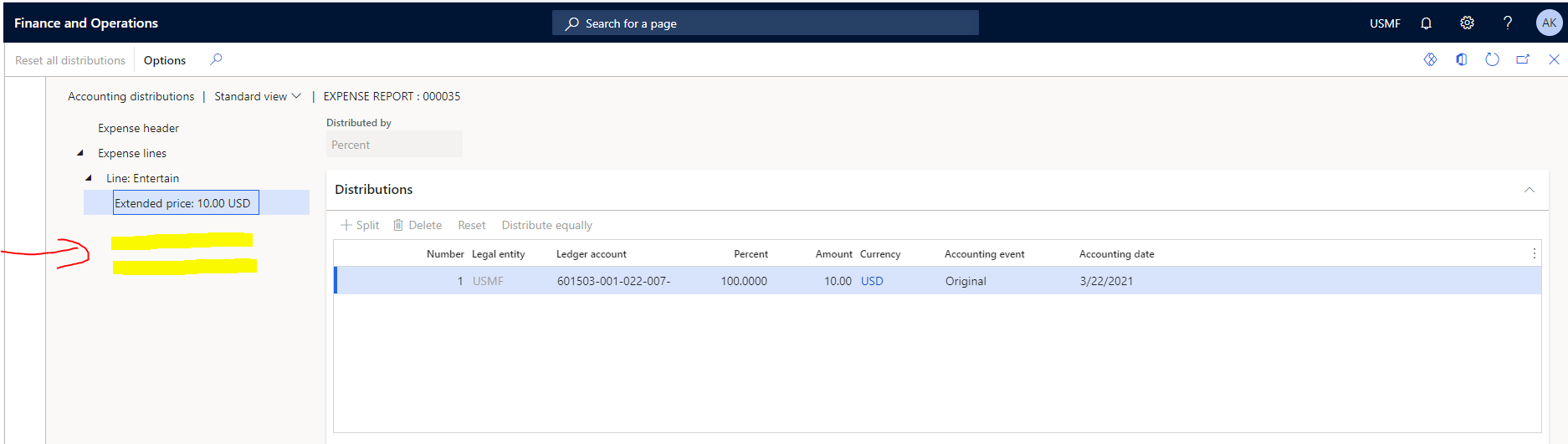
I thought, ok perhaps I have missed some setup:
- Have I configured the "tax configuration" in the expense management -> setup -> tax configuration? Yes, I have
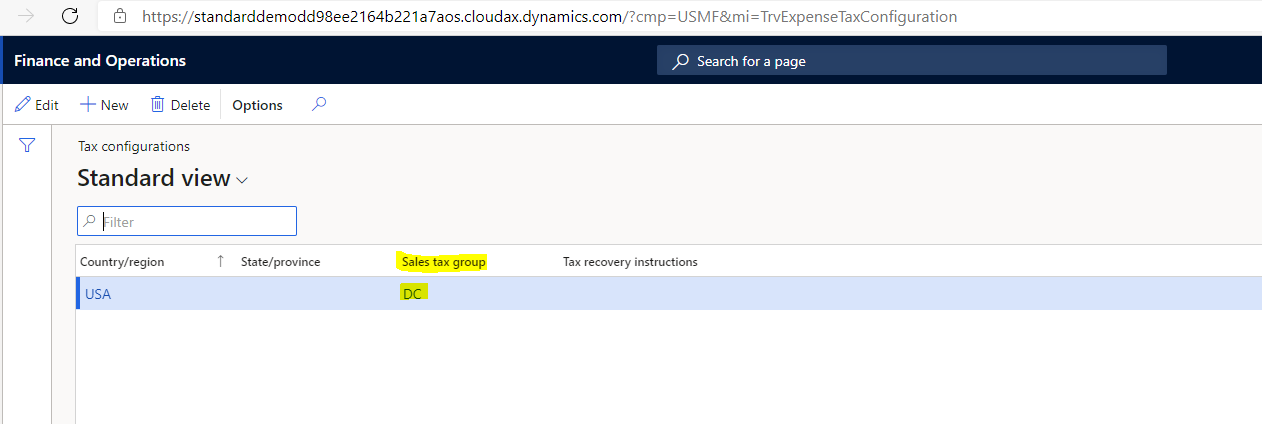
- Have I setup the salex tax group for the corresponding vendor? Yes, I have

- Have I enabled the "Tax include" button? I have also done that in the expense management parameters

I have also checked the Item salex tax group in the expense categories. I am choosing the expense category "Entertain" and it has also an Item Sales tax group in its setup.

So the question from my side is simple. What am I missing here? Does anyone had this issue before?
I know from the tax module that the combination DC (=Salex tax group) and All (=Item salex tax group) shoukd give me the salex tax code AV_DCST.
I do not even get an error message that something is missing. The corresponding ledger sales tax group for the sales tax code AV_DCST has the following main accounts in its setup



