web
You’re offline. This is a read only version of the page.
close
Skip to main content

Notifications

Announcements

No record found.

Community site session details

Community site session details

Session Id :
Finance | Project Operations, Human Resources, ...
Answered

Purchase requisition line number 1 cannot be canceled. Verify that it is in a status of 'Approved' and has no accounting errors.

(0) ShareShare
ReportReport
Posted on by 185

Hi, User created a PR and summited the workflow for approval but from Procurement they make request change to remove the line and after PR status turn to InReview

now user wants  remove the line trying add new but he can not below is the message.

'Purchase requisition line number 1 cannot be canceled. Verify that it is in a status of 'Approved' and has no accounting errors.'

What i did i recall the workflow and trying to remove the line but same issue.
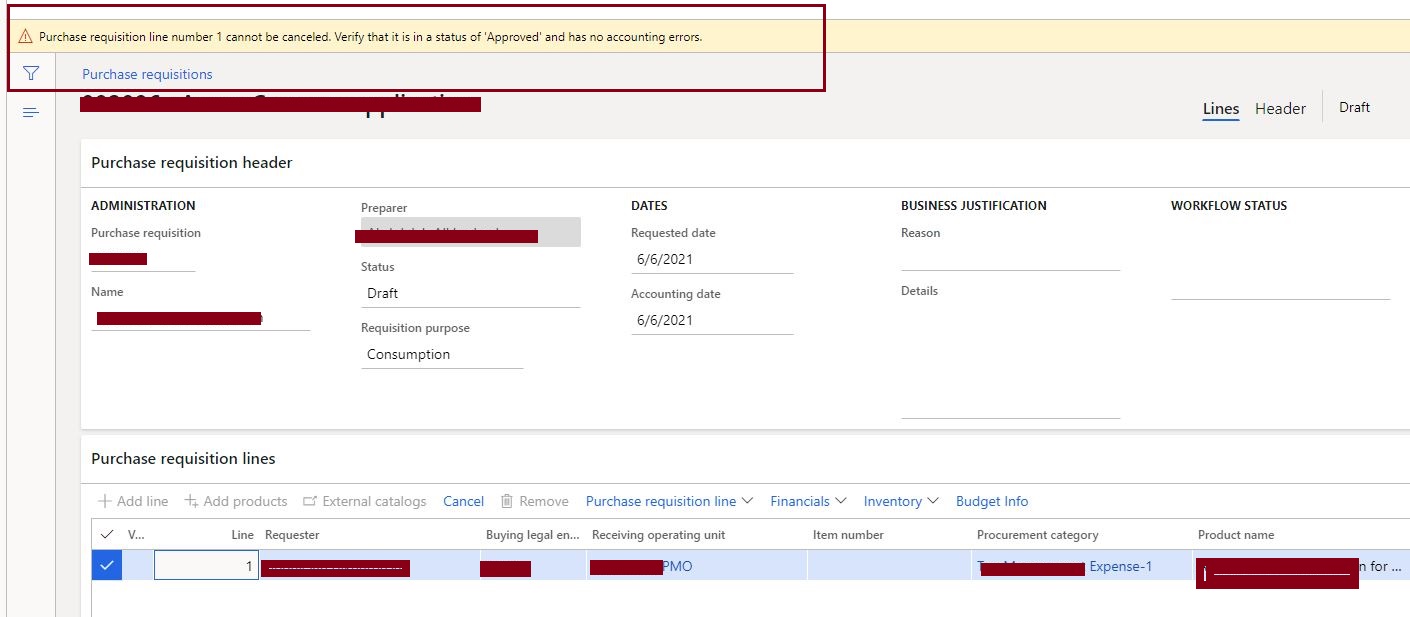
Can-not-remove-line.JPG

I have the same question (0)
  • Verified answer
    André Arnaud de Calavon Profile Picture
    301,020 Super User 2025 Season 2 on at

    Hi adilD365,

    Did the user click the line action button 'Cancel' or 'Remove'? When using 'Cancel', the line should have the status approved. In a draft state, you can delete the line. When you recalled the workflow, a batch process will actually reset the workflow status, so this might take several minutes.

  • Verified answer
    saurabh bharti Profile Picture
    15,039 Moderator on at

    I think you will not be able to cancel on Draft status ....you can delete line

    If you want to cancel then i think it should be approved

  • Suggested answer
    TracyXing Profile Picture
    on at

    Please use remove button after you recall the workflow.  After recall the workflow, the PR status will change to draft, then you can remove or update the PR line. 

    pastedimage1630467230998v1.png

    Only the line with approved status can be cancelled.

    pastedimage1630467930908v1.png

    After cancel the line, the status will change to cancelled.

    pastedimage1630468000265v2.png 

  • adilD365 Profile Picture
    185 on at

    Hi thanks for all to reply , but even in trial Version i created a PR with one line and submitted workflow and after recalled the workflow after that this line status changed 'In review'. Now how can i remove this line, now only 'cancel' button is enabled

  • André Arnaud de Calavon Profile Picture
    301,020 Super User 2025 Season 2 on at

    Hi adilD365,

    Have you verified if the batch jobs for the workflow message processing are running correctly?

  • Verified answer
    saurabh bharti Profile Picture
    15,039 Moderator on at

    After Recall, status should be in Draft status . (If not as suggested check batch job for workflow)

    In Draft status you can remove or delete PR

  • adilD365 Profile Picture
    185 on at

    Hi I recalled the workflow still Line status showing 'Inreview' where to check batch job for workflow status?

  • Suggested answer
    TracyXing Profile Picture
    on at

    You can check from system administration->inquires->batch jobs, and check the "workflow message processing batch job" if running or not.   Also check the workfow history for the PR to check if  any errors there.

Under review

Thank you for your reply! To ensure a great experience for everyone, your content is awaiting approval by our Community Managers. Please check back later.

Helpful resources

Quick Links

Responsible AI policies

As AI tools become more common, we’re introducing a Responsible AI Use…

Neeraj Kumar – Community Spotlight

We are honored to recognize Neeraj Kumar as our Community Spotlight honoree for…

Leaderboard > Finance | Project Operations, Human Resources, AX, GP, SL

#1
Martin Dráb Profile Picture

Martin Dráb 646 Most Valuable Professional

#2
André Arnaud de Calavon Profile Picture

André Arnaud de Cal... 529 Super User 2025 Season 2

#3
Sohaib Cheema Profile Picture

Sohaib Cheema 285 User Group Leader

Last 30 days Overall leaderboard

Product updates

Dynamics 365 release plans
