web
You’re offline. This is a read only version of the page.
close
Skip to main content

Announcements

No record found.

News and Announcements icon
Community site session details

Community site session details

Session Id :
Microsoft Dynamics AX (Archived)

Management Reporter Excel Import

(0) ShareShare
ReportReport
Posted on by

Dear Experts

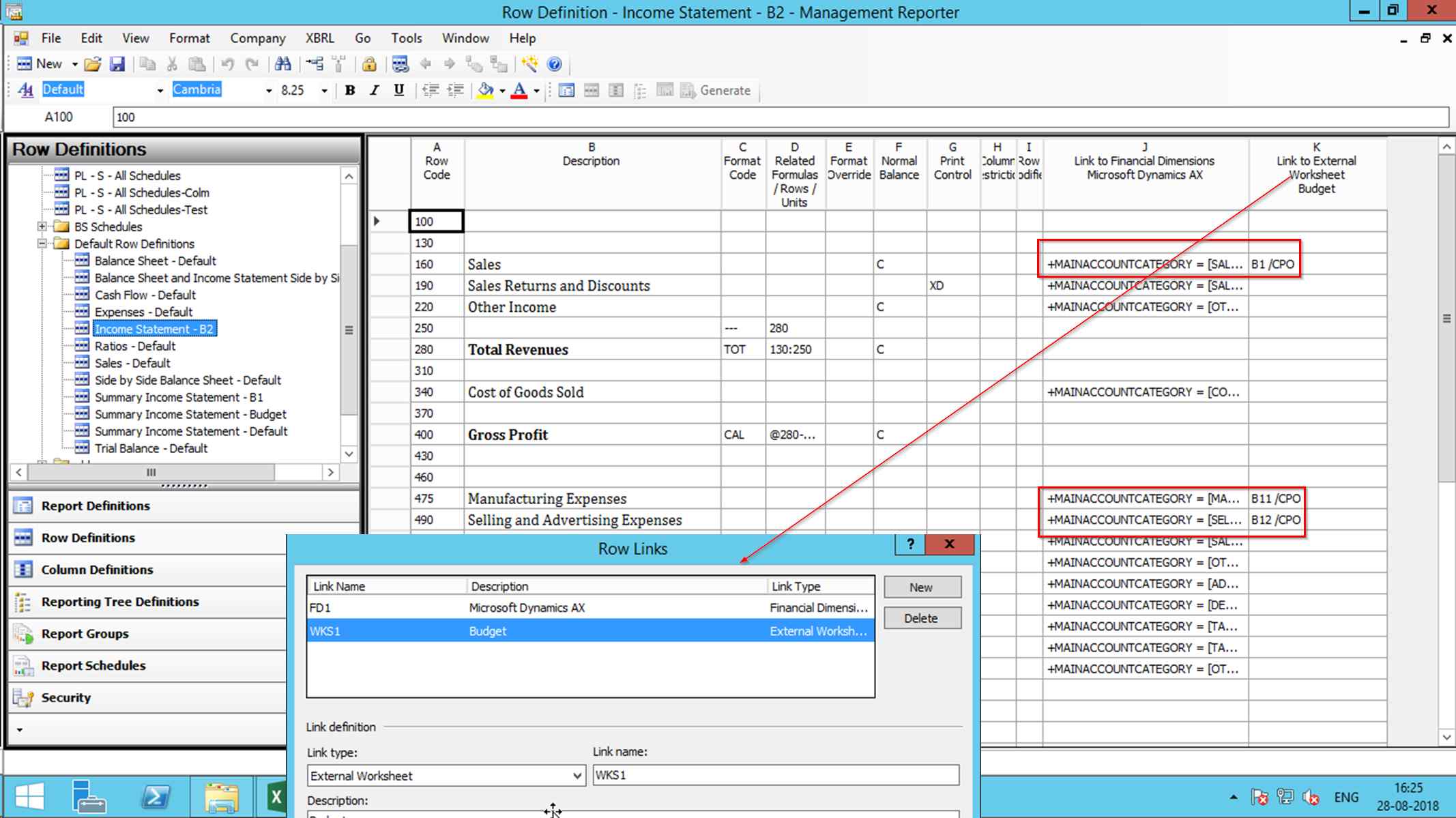
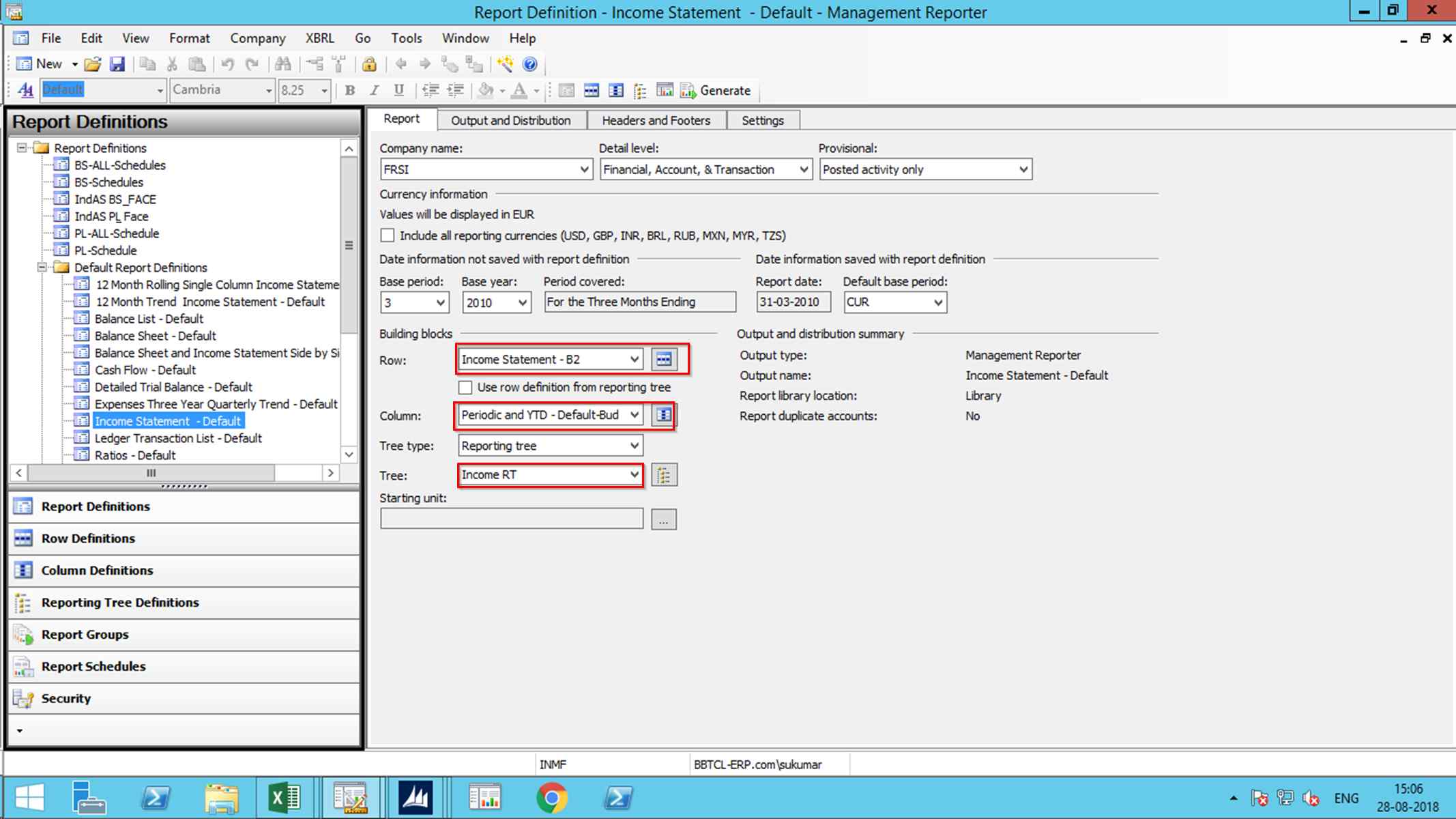
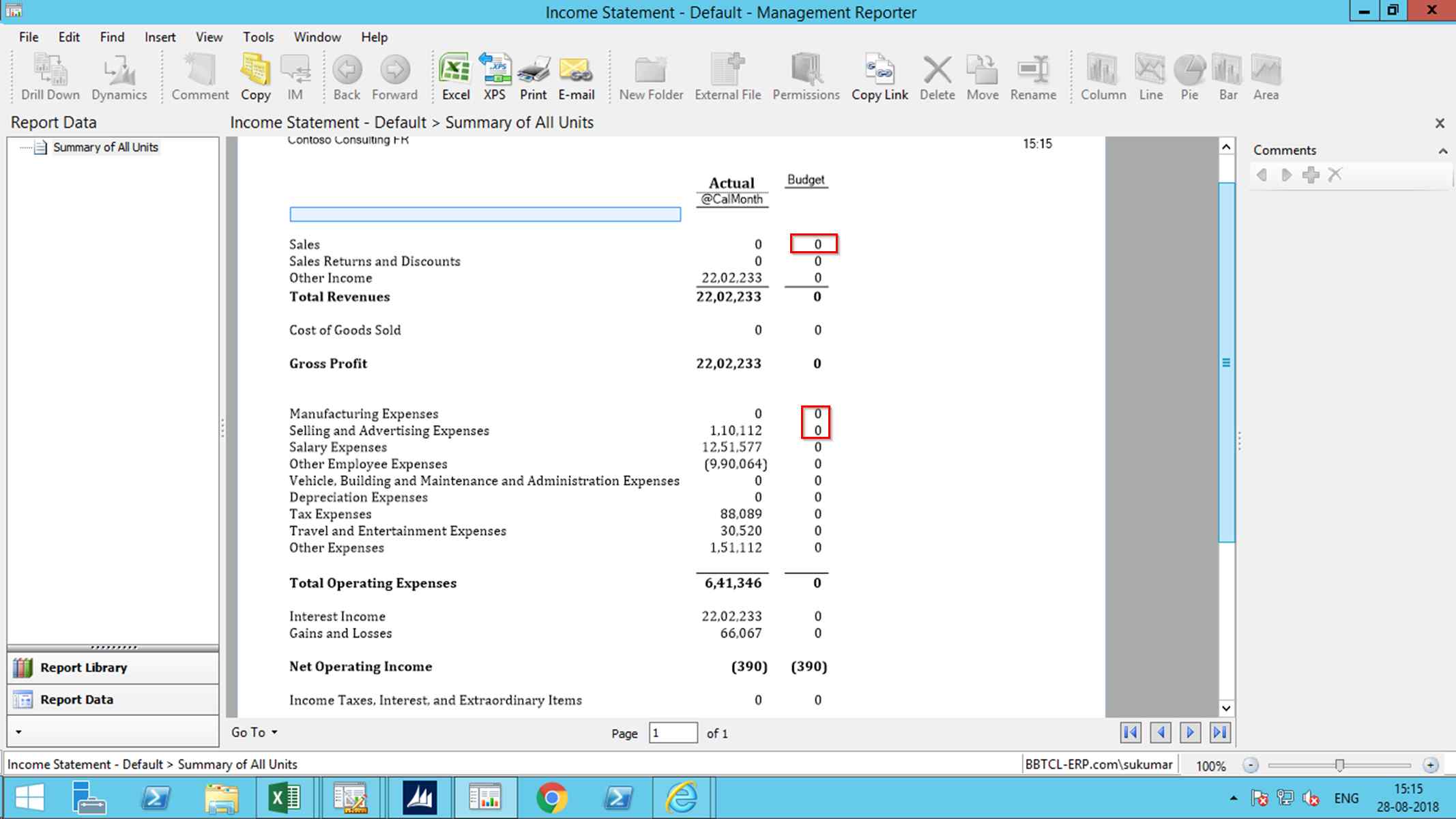
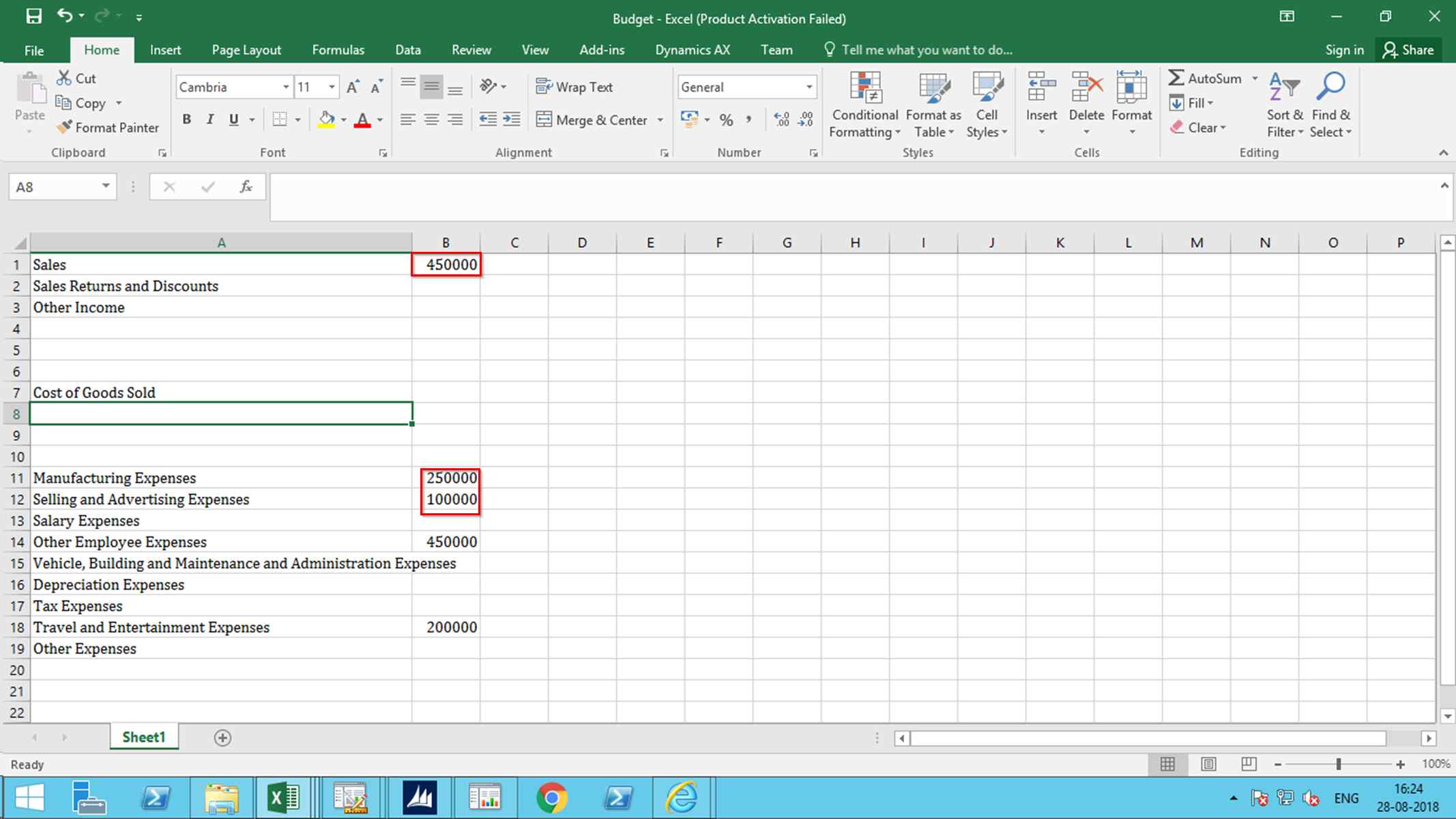
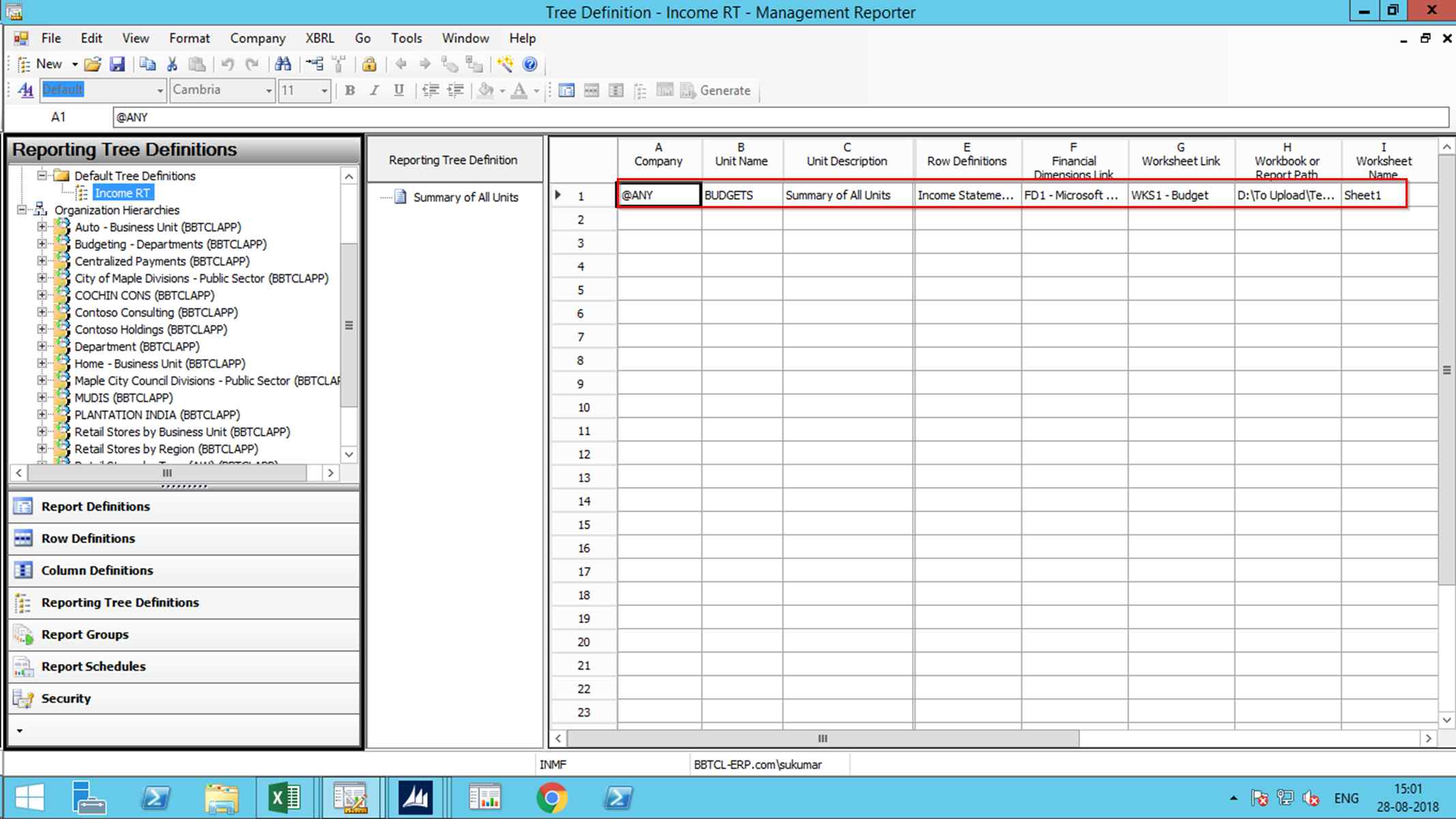
I am trying to attach a External Spread Sheet budget into Management reporter i do not get any value populated into the reporter attached are the screen shot of the steps .

Request you to help

Thanks in Advance

Sukumar3527.Reporting-Tree.png5684.Row-Definition.pngReport-Definition.pngOutput-of-Income-_2D00_Budget.pngBudget-File.png
*This post is locked for comments

I have the same question (0)
  • Suggested answer
    Ludwig Reinhard Profile Picture
    Microsoft Employee on at

    Hi Sukumar,

    You refer only to single excel cells. Why don't you use the combined link approach described here: dynamicsax-fico.com/.../management-reporter-excel-import

    Best regards,

    Ludwig

  • Community Member Profile Picture
    on at

    Dear Ludwig

    Thanks for you reply . I used this blog and  the combined link approach  i am able to get the out put. When i try the Separate link Approach i am not able to proceed . I had shared the Screen shot . I don't know why . It would be great if you can help on this

    Thanks & Regards

    Sukumar

  • Suggested answer
    Ludwig Reinhard Profile Picture
    Microsoft Employee on at

    Hi,

    Can you use the RPO formula instead?

    Please have a look at the following screenprint dynamicsaxfico.files.wordpress.com/.../en_19-190.png

    Best regards,

    Ludwig

  • Ahmadbarghouthi Profile Picture
    85 on at

    Hi Ludwig,

    How can I activate the functionality to import an external excel sheet?

    I've already seen your post but how can I add these columns to the Row definition?

    Thanks,

    AB.

  • Suggested answer
    Ludwig Reinhard Profile Picture
    Microsoft Employee on at

    Hi AB,

    Are you working with AX2012 or D365FO?

    In D365FO this functionality is no longer available.

    Best regards,

    Ludwig

  • Ahmadbarghouthi Profile Picture
    85 on at

    Hi Ludwig,

    Yes unfortunately it is D365.

    Thanks for your response.

    AB.

  • Suggested answer
    Ludwig Reinhard Profile Picture
    Microsoft Employee on at

    Hello AB,

    I see.

    The only thing you can do in this case is posting an idea on the ideas portal that you can access from the top of this site and try to get as many votes as possible.

    If you get sufficient then the MS product management will have a look at this issue and hopefully bring back this feature soon.

    Best regards,

    Ludwig

Under review

Thank you for your reply! To ensure a great experience for everyone, your content is awaiting approval by our Community Managers. Please check back later.

Helpful resources

Quick Links

Introducing the 2026 Season 1 community Super Users

Congratulations to our 2026 Super Stars!

Meet the Microsoft Dynamics 365 Contact Center Champions

We are thrilled to have these Champions in our Community!

Congratulations to the March Top 10 Community Leaders

These are the community rock stars!

Leaderboard > 🔒一 Microsoft Dynamics AX (Archived)

#1
CP04-islander Profile Picture

CP04-islander 16

#2
GiacomoRovai Profile Picture

GiacomoRovai 4

#3
Douglas Noel Profile Picture

Douglas Noel 2

Last 30 days Overall leaderboard

Featured topics

Product updates

Dynamics 365 release plans