web
You’re offline. This is a read only version of the page.
close
Skip to main content

Notifications

Announcements

No record found.

Community site session details

Community site session details

Session Id :
Microsoft Dynamics CRM (Archived)

Wrong rendering of SSRS report in iFrame

(0) ShareShare
ReportReport
Posted on by

I created a SSRS report with Visual Studio 2010 to include it to MS Dynamics CRM 2011. So I made a new dashboard in CRM and embedded the report via iFrame.

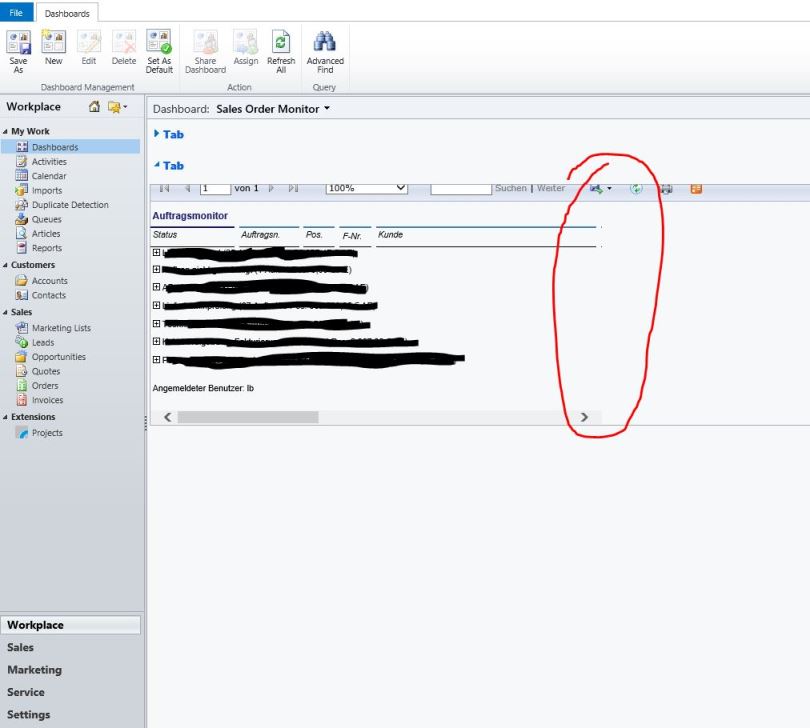
By rendering this Report a lot of columns are missing. It looks likes that the biggest part of the report is cutted.

Are there some settings wrong or something like that?
crm_5F00_ssrs_5F00_screenshot1.jpg

*This post is locked for comments

I have the same question (0)
  • mscrmba Profile Picture
    on at

    It looks as if the report is all there, but it's not all being displayed (does the scroll bar actually work)?

    What is the width of the iFrame - is it set dynamically to the screen real estate available or is it a fixed width?  How does it behave if you change your zoom level?

  • Bruno Lucas Profile Picture
    5,421 on at

    Which parameters are you passing to the report viewer?

    Should be something like "/crmreports/viewer/viewer.aspx?action=run&helpID=My%3f_gridType%3d10004%26etc%3d10004%26id%3d%257"

    Did you adjust width and height?

    Some more here:

    srmscrm.wordpress.com/.../370

  • Community Member Profile Picture
    on at

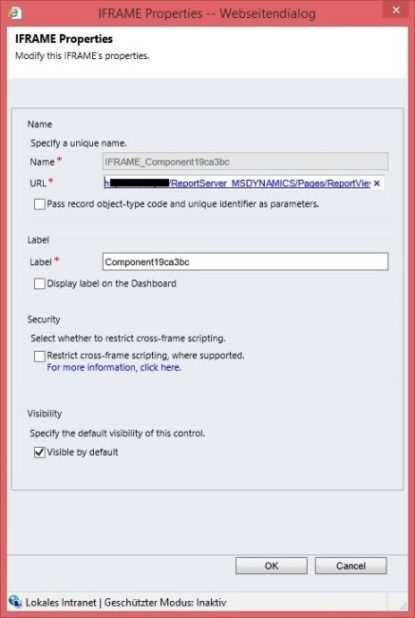
    The URL is ".../Pages/ReportViewer.aspx?%2fsera_MSCRM%2fCustomReports%2f%7b3f9a9a01-0be8-e411-be34-005056991243%7d"

    I also tried with "&rs:Command=Render" at the end > ".../Pages/ReportViewer.aspx?%2fsera_MSCRM%2fCustomReports%2f%7b3f9a9a01-0be8-e411-be34-005056991243%7d&rs:Command=Render"

    With both URLs it was the same result

  • Community Member Profile Picture
    on at

    Hey. I´m not able so set a fix with of the iFrame. But the iFrame is increased to maximum size. If I decrease the zoom level of the browser, more and more columns become visible.

  • Verified answer
    Community Member Profile Picture
    on at

    There's an existing post for this issue.  It's been around since CRM 2011 UR15, with no resolution yet, unfortunately.

    https://community.dynamics.com/crm/f/117/t/116437

  • Community Member Profile Picture
    on at

    Hi,

    I tried to set the 'Zoom level to Page Width' to the report URL in the Iframe that should be displayed in the dashboard in crm 2013.

    Just like below URL,

    servername/.../Report.aspx;rs:Command=Render&rc:Zoom=Page+Width

    But this is not working, it is defaulting to Zoom option = 100%.

    I want to set (Zoom = Page Width) to the report to display in the dashboard.

    Can someone please help me on this.

    Thanks,

Under review

Thank you for your reply! To ensure a great experience for everyone, your content is awaiting approval by our Community Managers. Please check back later.

Helpful resources

Quick Links

Responsible AI policies

As AI tools become more common, we’re introducing a Responsible AI Use…

Neeraj Kumar – Community Spotlight

We are honored to recognize Neeraj Kumar as our Community Spotlight honoree for…

Leaderboard > 🔒一 Microsoft Dynamics CRM (Archived)

#1
SA-08121319-0 Profile Picture

SA-08121319-0 4

#1
Calum MacFarlane Profile Picture

Calum MacFarlane 4

#3
Alex Fun Wei Jie Profile Picture

Alex Fun Wei Jie 2

Last 30 days Overall leaderboard

Featured topics

Product updates

Dynamics 365 release plans