web
You’re offline. This is a read only version of the page.
close
Skip to main content

Announcements

No record found.

News and Announcements icon
Community site session details

Community site session details

Session Id :
Sales forum

Ribbon Workbench

(0) ShareShare
ReportReport
Posted on by 140

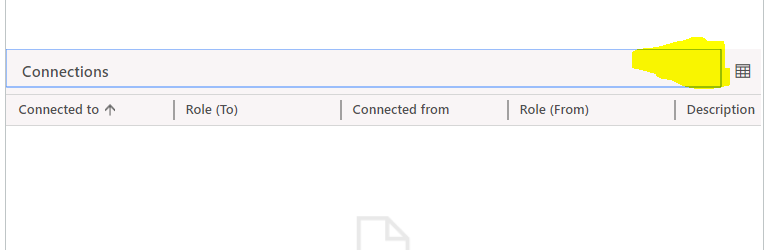
i have a issue with our CRM that "+ " sign is missing from contact form Connection Sub-grid , this is known Microsoft issue and hot fix didnt fix the issue, does any one know that, should i be able to add the + to the Sub-Grid using ribbon work bench, also does ribbon work bench works on OOB entities ?missing_2B00_.PNG
Categories:
I have the same question (0)
  • Suggested answer
    Priyesh Profile Picture
    7,396 User Group Leader on at

    Hi,

    For Connections, you'll need to go inside that Associated View and add the Connection by using Connect button in the Associated ribbon  - 

    conn.png

    Hope this helps.

  • Suggested answer
    Johnny Gong Profile Picture
    6,482 Moderator on at

    Good day Kalanan,

    This is a known issue which is already escalated to BE Team from my investigation. I could also repro your issue if I add the connection sub-grid.

    BE Team could repro the issue both in V8&V9 Instances. They are still validating whether this is a by design issue or bug issue. I will keep following up with the validation result for your reference. 

    While there's a workaround to quick add the connection that we could click the grid icon to open contact's related connection view which Priyesh suggested as following screenshot to add new connection.

    Con2.PNG

    Con2.PNG

    Or you could go to Contact's top command bar to click connect button to add related connections.

    Con3.PNG

    Regards

    Johnny

  • Kalana1985 Profile Picture
    140 on at

    Johnny,

    thank you for information, see my issue is that Microsoft already classified this as a bug so they created the hot fix, it uses to be all of the subgrids, and now only for connections. when i import the Hot-fix solution it got imported with an error, the error been XML didn't update for connection and lead entities, so why not they just try to fix the Hot-Fix solutions till fixing the bug? Appreciate your help!

  • Kalana1985 Profile Picture
    140 on at

    Thanks! Priyesh!

  • Verified answer
    Johnny Gong Profile Picture
    6,482 Moderator on at

    Good day Kalana,

    After the verification with BE Team, this issue has been confirmed as by design that the + button won't be visible for connection entity subgrid.

    The + button on connection subgrids in Web Client is supported and appears for exactly 2 built-in views: the Sales Team and Stakeholders subgrids on the Lead and Opportunity entities.

    For any other connections subgrids, other than those two specific views, it's expected that the + button will not show on the subgrid, and that the expected flow to add new connections is to navigate to the Connection Associated view for the record and use the Connect button there to create the connection.

    community.dynamics.com/.../a-quick-guide-to-connections-in-microsoft-dynamics-365

    So I still recommend to the above work around to create connects first. Thanks.

    Best Regards

    Johnny

Under review

Thank you for your reply! To ensure a great experience for everyone, your content is awaiting approval by our Community Managers. Please check back later.

Helpful resources

Quick Links

November Spotlight Star - Khushbu Rajvi

Congratulations to a top community star!

Forum Structure Changes Coming on 11/8!

In our never-ending quest to help the Dynamics 365 Community members get answers faster …

Dynamics 365 Community Platform update – Oct 28

Welcome to the next edition of the Community Platform Update. This is a status …

Leaderboard > Sales

Last 30 days Overall leaderboard

Featured topics

Product updates

Dynamics 365 release plans
