web
You’re offline. This is a read only version of the page.
close
Skip to main content

Announcements

Community site session details

Community site session details

Session Id :
Finance | Project Operations, Human Resources, ...
Suggested Answer

Workflow not evaluating a condition

(0) ShareShare
ReportReport
Posted on by 107

Hi folks,

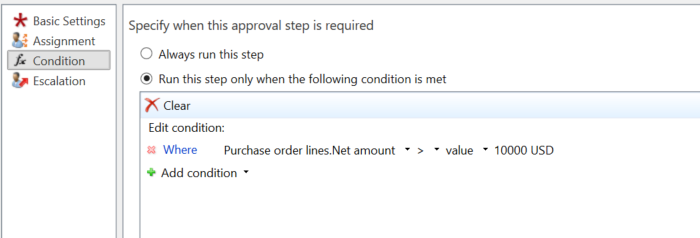
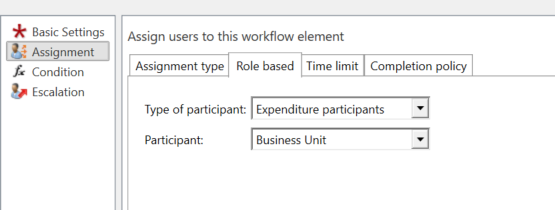
We have a PO re-approval workflow in place for our client. On one of the lanes, the approval assignment and the condition is setup as below. There are 8 lines on the PO with a total net amount of 10,850.pastedimage1661985655438v1.png
pastedimage1661985690729v2.png

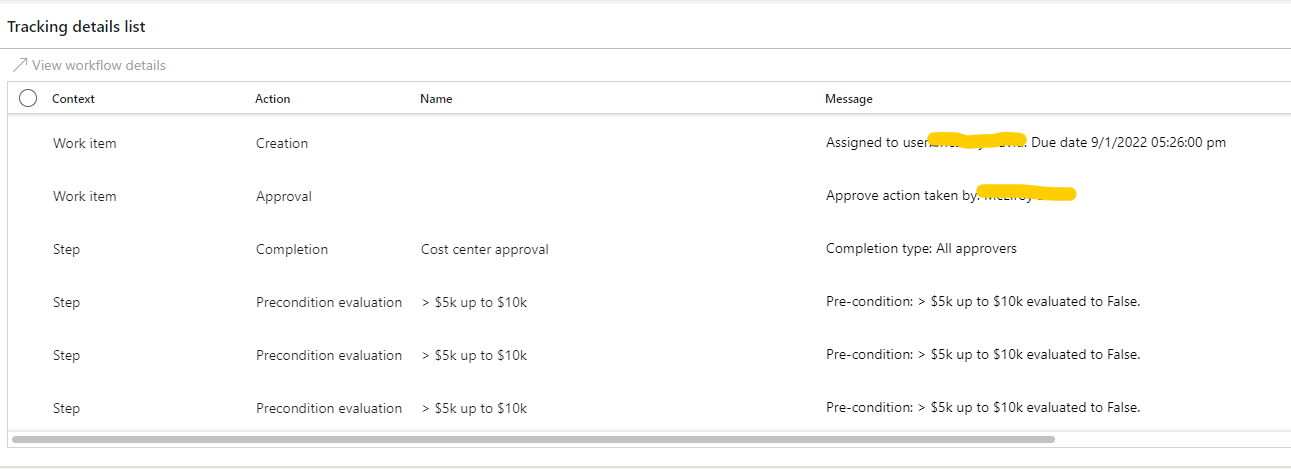
On submitting the PO to the workflow it evaluated as true for the first approval work item created but the work item created for greater than $10k up to $25 was not evaluated as True when it should be, as the total amount on the PO is greater than $10k and less than $25k. The assignment is setup to participants, where the participants type is the BU owner. The BU owner is also enabled in the system with appropriate approval security roles. 

This is the workflow history for this PO:
pastedimage1661986150245v3.png

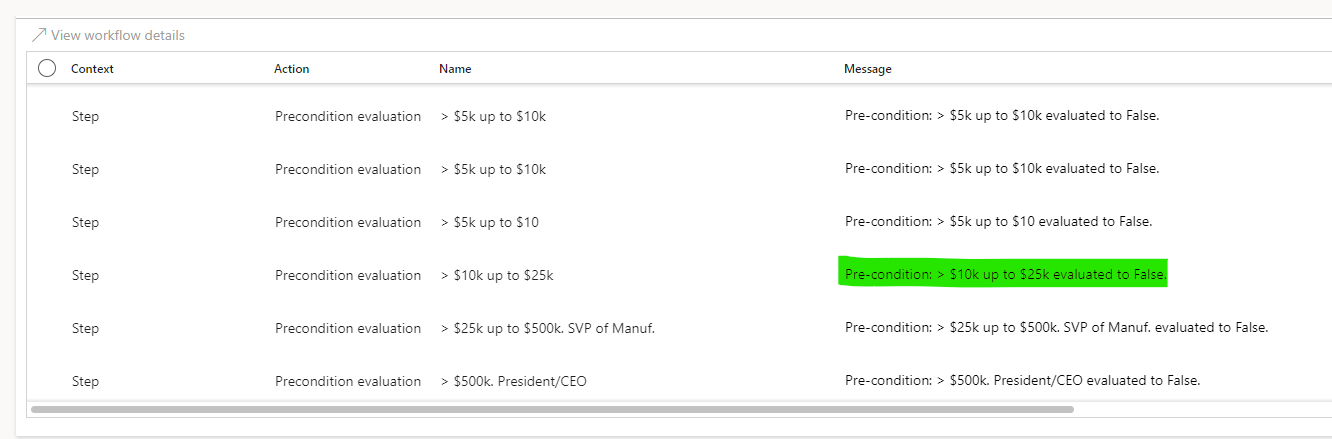
The condition highlighted below in green was supposed to evaluate as True, but it did not.
pastedimage1661986274815v4.png

Can anyone knows what could be the reason. i replicated the same PO in the test environment and it had the same behavior as this.

Thanks,

Batool

I have the same question (0)
  • Charlotte X Profile Picture
    Microsoft Employee on at

    Hi Bell.D

    Please wait for someone more experienced in this area to answer this question.

    Best Regards,

    Charlotte

  • Suggested answer
    Komi Siabi Profile Picture
    13,190 Most Valuable Professional on at

    Hi Bell,

    So you have 2 conditions on the same workflow. My question is, how did you translate "greater than 10k and up to 25k on the system?

    I can see you only out > 10k.

  • Suggested answer
    OsmanIstanbul Profile Picture
    2,818 on at

    Hello,

    If you are trying to set criteria for PO total, then your condition should be purchaseorder.amount instead of purchaseorderline.amount.

  • Suggested answer
    BillurSamdancioglu Profile Picture
    20,430 Most Valuable Professional on at

    Hi,

    Why not to use signing limits?

  • Bell.D Profile Picture
    107 on at

    Hi Billur,

    What are the signing limits?

  • Bell.D Profile Picture
    107 on at

    Hi Osman. Thanks. Can you tell the logic of what you suggested? Our condition is setup as Purchaseorderlines.Netamount.

  • Suggested answer
    BillurSamdancioglu Profile Picture
    20,430 Most Valuable Professional on at

    You may use This link for details;

    docs.microsoft.com/.../about-signing-limit-setup

  • CU03052137-0 Profile Picture
    on at
    Is there a solution for this issue?
     
    I am facing the same issue. 

Under review

Thank you for your reply! To ensure a great experience for everyone, your content is awaiting approval by our Community Managers. Please check back later.

Helpful resources

Quick Links

Introducing the 2026 Season 1 community Super Users

Congratulations to our 2026 Super Stars!

Congratulations to our 2025 Community Spotlights

Thanks to all of our 2025 Community Spotlight stars!

Leaderboard > Finance | Project Operations, Human Resources, AX, GP, SL

#1
André Arnaud de Calavon Profile Picture

André Arnaud de Cal... 673 Super User 2026 Season 1

#2
Abhilash Warrier Profile Picture

Abhilash Warrier 280 Super User 2026 Season 1

#3
Martin Dráb Profile Picture

Martin Dráb 213 Most Valuable Professional

Last 30 days Overall leaderboard

Product updates

Dynamics 365 release plans